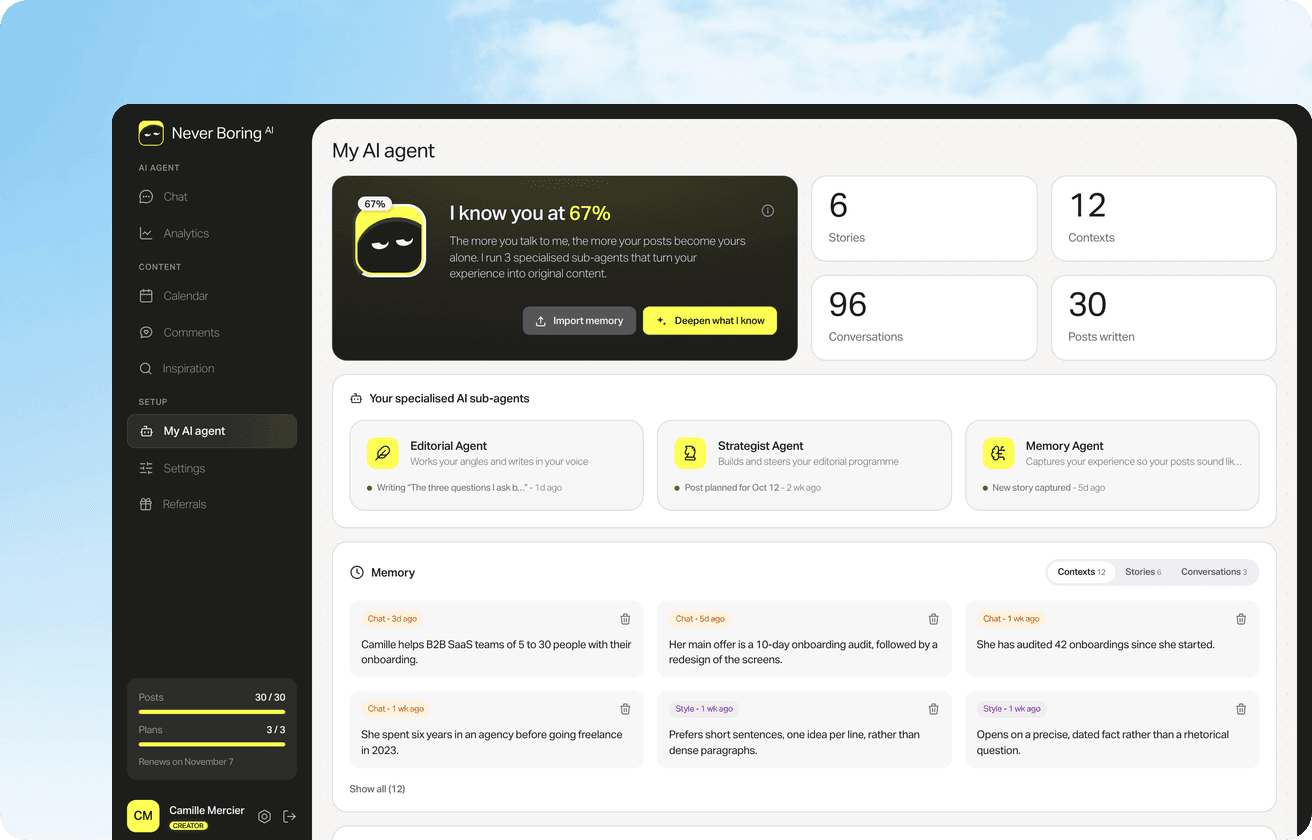
Your agent remembers your stories, your numbers and your convictions as you talk. Every post leans on something you have really lived, never on an example invented to look good.
Calendar
An arc, not a pile of topics
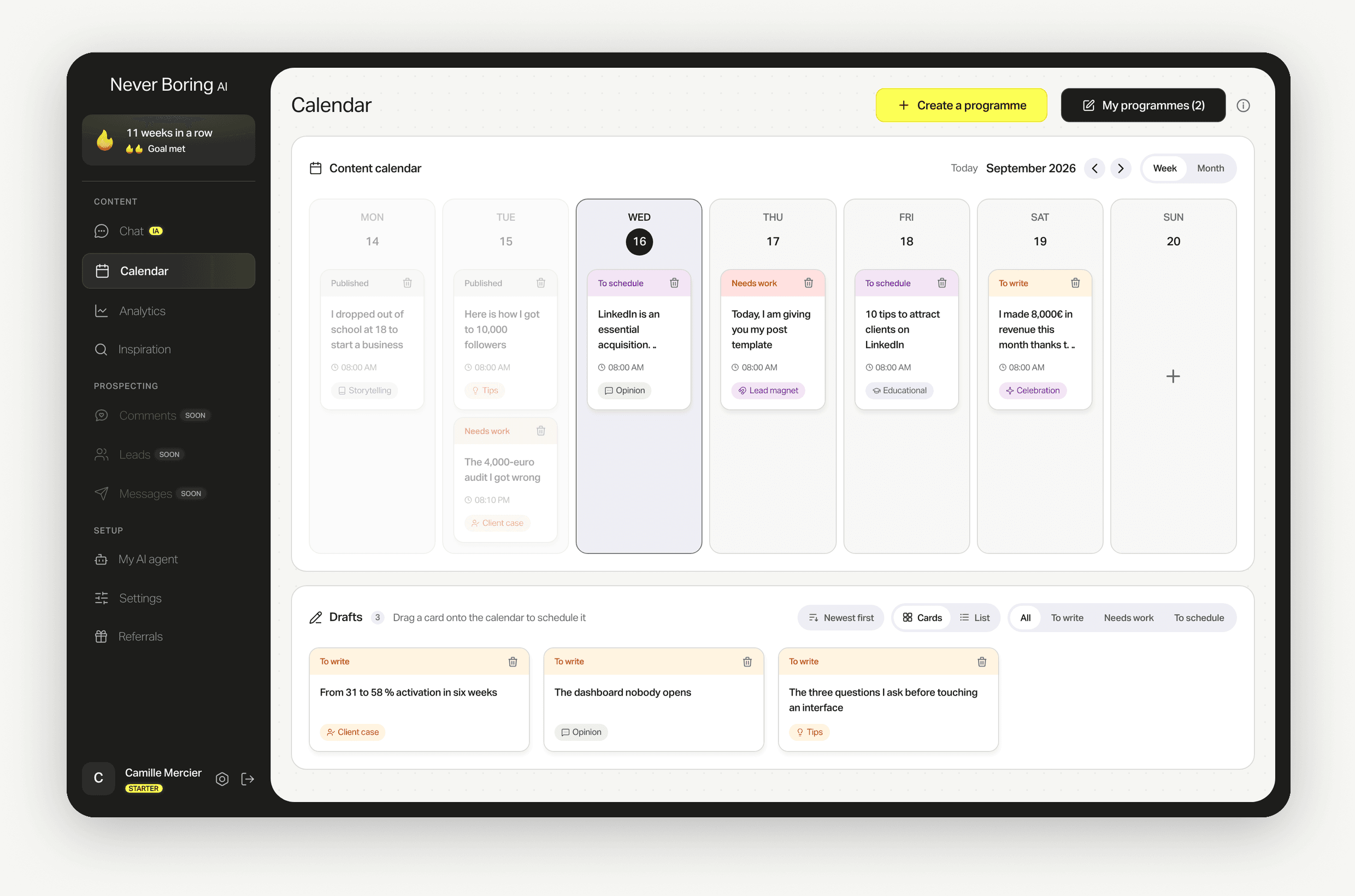
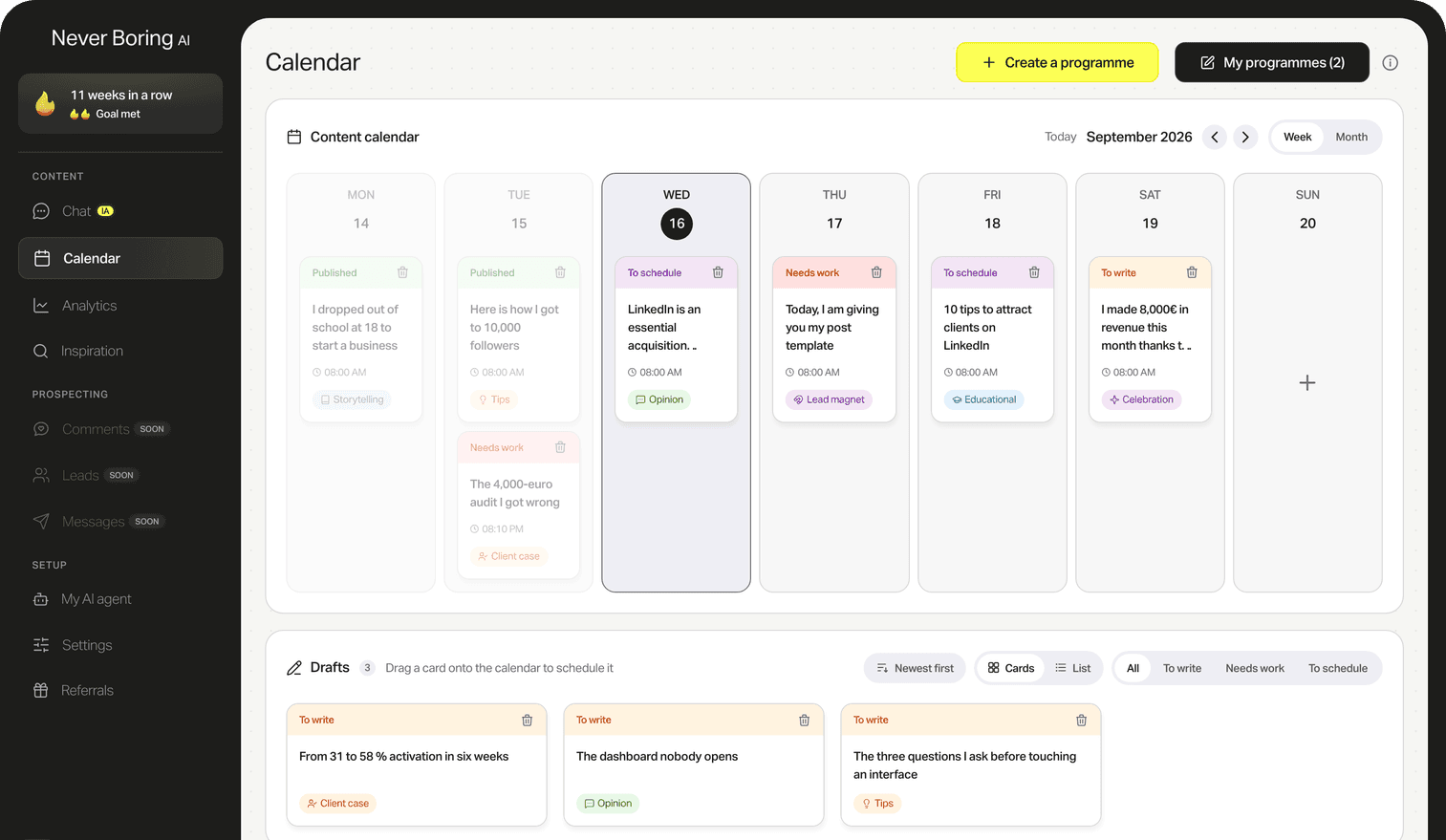
The calendar builds up: you establish your authority, you show your method, then you convert. Every post knows its place in the sequence, and none repeats what the previous one already said.
Publishing
It publishes while you work
You approve once. The rest goes out on its own, at the time you chose.
Automatic publishing
The post goes out to LinkedIn on the planned date and time. Nothing to reopen.
First comment
Your link goes in the comments, published right after, where LinkedIn does not penalise it.
Your time, not ours
You set your slot once in your settings. Every following post lines up with it.
The method
How to build a LinkedIn content calendar
A LinkedIn content calendar is not a list of dates. It is a decision you make once about what you talk about, to whom and in what order, so you no longer have to make it again every morning. Done well, it turns posting from a daily chore into a weekly routine you can actually keep. Here is the method the Strategy agent follows, and that you can also apply by hand with a notebook and an hour of quiet.
1
Set one goal for the month
Before the first topic, decide what the month should produce: getting known for one specific subject, showing how you work, or filling your diary with calls. A single goal makes trade-offs easy, because a topic that does not serve it waits for next month. Without a goal, the calendar fills up with whatever comes to mind, and your audience remembers nothing consistent about you. Write the goal as one sentence you could say out loud to a client, and keep it in view while you plan: every entry you add should pass that test.
Goal for the month
Be known as the developer who replaces spreadsheets in small manufacturing firms.
2
Pick three to five content pillars
A pillar is territory you can feed for months: your craft, your behind the scenes, your convictions, your clients' results. Three to five are enough. Below that, you start repeating yourself fast; above it, your profile no longer says clearly what you talk about. Spread them across the week so nobody reads three posts from the same pillar in a row. A good pillar is one where you already have at least five stories to tell. If you struggle to find two, it is a topic, not a pillar, and it belongs inside another one.
Pillars
How I work, mistakes clients often make, behind the scenes of a project, opinions on the trade.
3
Build an arc, not a pile of topics
A month of posts works better when it builds. The first ones establish your authority with a lived story, the next ones show your method, the last ones invite people to act. Each post knows what the previous one said, and none says it again. That is what turns a string of posts into a calendar people want to follow from one week to the next. It also makes the final call to action feel natural: by week four, your readers have seen the problem, the method and the proof, so an offer reads as the next step rather than a sales pitch.
Four-week arc
Week 1: the problem you lived. Week 2: the method. Week 3: the proof. Week 4: the offer.
4
Pick a pace you will keep
Consistency matters more than volume. Two or three posts a week, held for three months, beat one post a day dropped after ten days. Pick a fixed slot, write ahead, and keep one free slot a week to react to news in your field or to a conversation that stuck with you. Be honest about your real weeks: if client work peaks on Mondays, do not plan to write on Mondays. A pace that survives your busiest week is the right pace, even if it feels modest at the start.
Pace
Tuesday and Thursday at 8 am, with one spare post ready in case something comes up.
The pitfalls
Four mistakes that empty a content calendar
They are common because they go unnoticed while you plan. You only see them three weeks later, when the calendar has stopped. Each one has a simple fix, and it is far cheaper to apply it at planning time than to rescue a calendar that has already stalled.
Planning topics instead of angles
Avoid
Monday: productivity.
Instead
Monday: why I stopped answering emails before 11 am, and what changed.
A topic is a category, an angle is a stance. On the day, a topic leaves you staring at a blank page; an angle already tells you what to write. Write every calendar entry as a full sentence, with what you want the reader to take away. If you cannot finish that sentence, the entry is not ready to go in the calendar yet.
Filling the month with no material
Avoid
Thirty posts written from your profile headline alone.
Instead
Posts written from what you actually lived this quarter.
A calendar full of generalities holds up on paper and sounds hollow online. The material comes from your projects, your clients and your mistakes. That is why the Strategy agent leans on your memory before writing, and asks you questions when it is short on stories. Ten minutes spent telling it about your last month are worth more than an hour spent polishing generic drafts.
Saying the same post three ways
Avoid
Three posts about the importance of consistency in the same month.
Instead
One post about consistency, then a concrete case, then the day you almost quit.
Repetition is the most common flaw in a calendar kept for a long time. Read your angles against each other before approving, then compare them with what you have already published. The agent runs this check at two levels, including when a topic comes back reworded.
Leaving no room for the unexpected
Avoid
A frozen calendar, kept even when your news changes.
Instead
One free slot a week, and posts you move with a drag and drop.
A calendar is there to free you, not to lock you in. When a client signs or a project goes wrong, it is often the best post of the month. Moving, replacing or deleting a post should never call the whole calendar into question. Treat the plan as a default you follow unless something better happens, not as a promise you have to keep.
Rated 5/5 by its users
245 founders have already trusted Never Boring.
Translated from French.
Jonah ZehaniBrand, web and product designer
First off, congratulations Maxence. The work you did solo, and above all the quality of the app's design. That is something. Well done. (...)
Looking forward to seeing NeverBoring grow
FLFlorenceNever Boring AI user
A very efficient and relevant agent: barely any time spent setting it up. Quality posts with different angles. There are always a few tweaks left to match my style, and then it is good to go!
Louis MontagneFounder and CEO, ICONOKOM
Very cool so far, inteliigent post writing
GUGuillaumeNever Boring AI user
Great tool, smart agent!
An innovation in writing!
Will MariWeb designer
Super easy to use
Jonah ZehaniBrand, web and product designer
First off, congratulations Maxence. The work you did solo, and above all the quality of the app's design. That is something. Well done. (...)
Looking forward to seeing NeverBoring grow
Louis MontagneFounder and CEO, ICONOKOM
Very cool so far, inteliigent post writing
FLFlorenceNever Boring AI user
A very efficient and relevant agent: barely any time spent setting it up. Quality posts with different angles. There are always a few tweaks left to match my style, and then it is good to go!
Will MariWeb designer
Super easy to use
GUGuillaumeNever Boring AI user
Great tool, smart agent!
An innovation in writing!
GUGuillaumeNever Boring AI user
Great tool, smart agent!
An innovation in writing!
Will MariWeb designer
Super easy to use
Jonah ZehaniBrand, web and product designer
First off, congratulations Maxence. The work you did solo, and above all the quality of the app's design. That is something. Well done. (...)
Looking forward to seeing NeverBoring grow
FLFlorenceNever Boring AI user
A very efficient and relevant agent: barely any time spent setting it up. Quality posts with different angles. There are always a few tweaks left to match my style, and then it is good to go!
Louis MontagneFounder and CEO, ICONOKOM
Very cool so far, inteliigent post writing
FLFlorenceNever Boring AI user
A very efficient and relevant agent: barely any time spent setting it up. Quality posts with different angles. There are always a few tweaks left to match my style, and then it is good to go!
GUGuillaumeNever Boring AI user
Great tool, smart agent!
An innovation in writing!
Louis MontagneFounder and CEO, ICONOKOM
Very cool so far, inteliigent post writing
Will MariWeb designer
Super easy to use
Jonah ZehaniBrand, web and product designer
First off, congratulations Maxence. The work you did solo, and above all the quality of the app's design. That is something. Well done. (...)
Looking forward to seeing NeverBoring grow
FLFlorenceNever Boring AI user
A very efficient and relevant agent: barely any time spent setting it up. Quality posts with different angles. There are always a few tweaks left to match my style, and then it is good to go!
GUGuillaumeNever Boring AI user
Great tool, smart agent!
An innovation in writing!
Louis MontagneFounder and CEO, ICONOKOM
Very cool so far, inteliigent post writing
Will MariWeb designer
Super easy to use
Jonah ZehaniBrand, web and product designer
First off, congratulations Maxence. The work you did solo, and above all the quality of the app's design. That is something. Well done. (...)
Looking forward to seeing NeverBoring grow
A question before you start?
The questions that keep coming up about linkedin content calendar, and how we answer them.
One to two minutes. You choose the duration, the rhythm and your content pillars, the Strategy agent writes the full outline, and the posts land dated in your calendar. You can read everything and move it around before approving.
No, and that is checked at two levels. The agent reads its own angles against each other before writing, then compares them to every post you have already published or planned. A topic already covered does not come back, even reworded.
1 on Starter, 3 on Creator. Generating a preview costs nothing: you can try several configurations and only approve the one that fits. A calendar is only counted when you place it in your calendar.
You extend it in one click. The agent picks the arc up where it left off instead of starting over, and it also fills the gaps if you deleted posts along the way.
Yes, each one opens in the editor like any other post. You can rewrite it, ask the agent for a variant, change its date or delete it without touching the rest of the calendar.
Your first content plan and your first 3 posts are on us
Create your account, no credit card needed, and walk away with your first post in minutes. Your LinkedIn calendar then runs on its own.