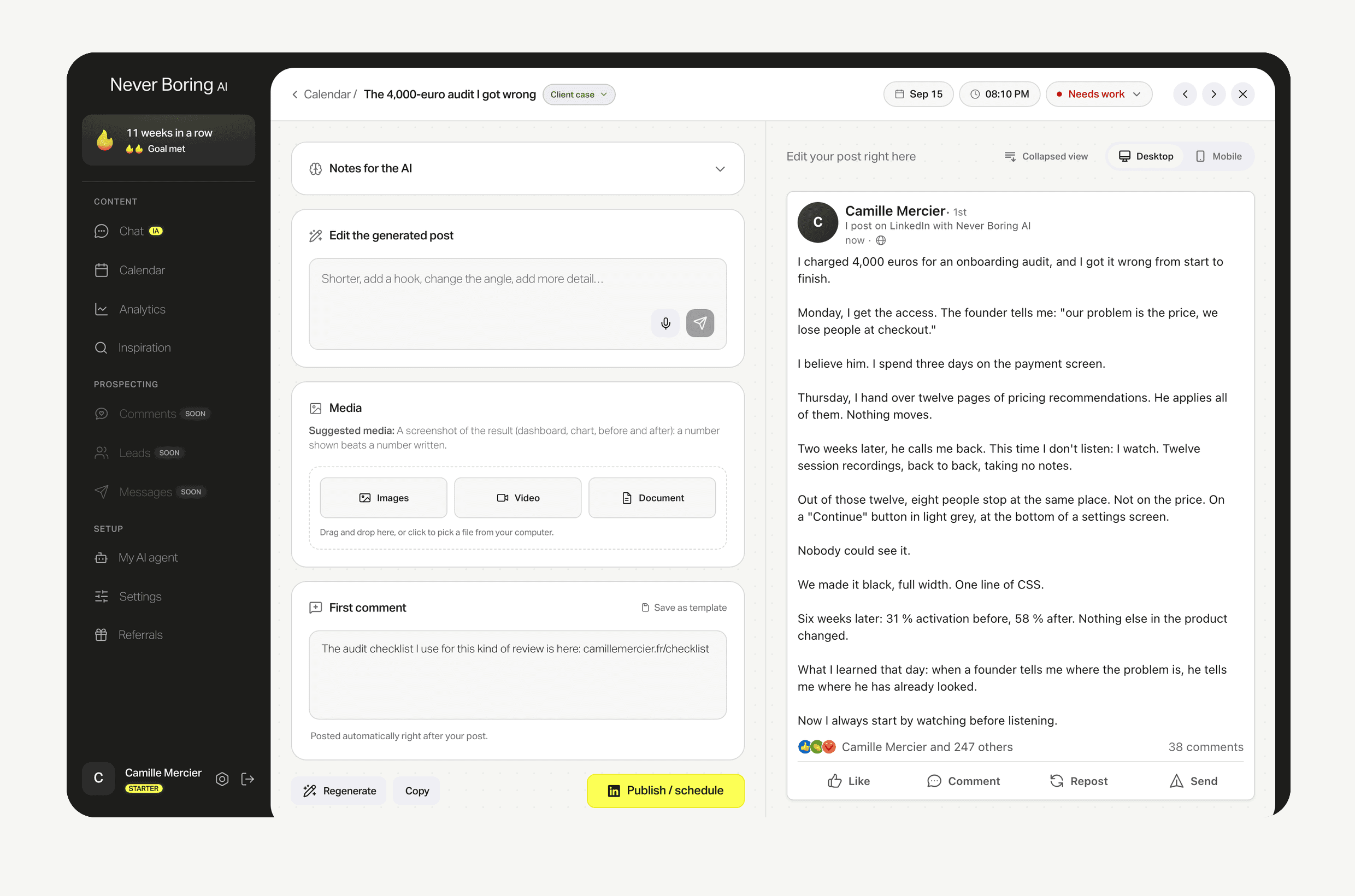
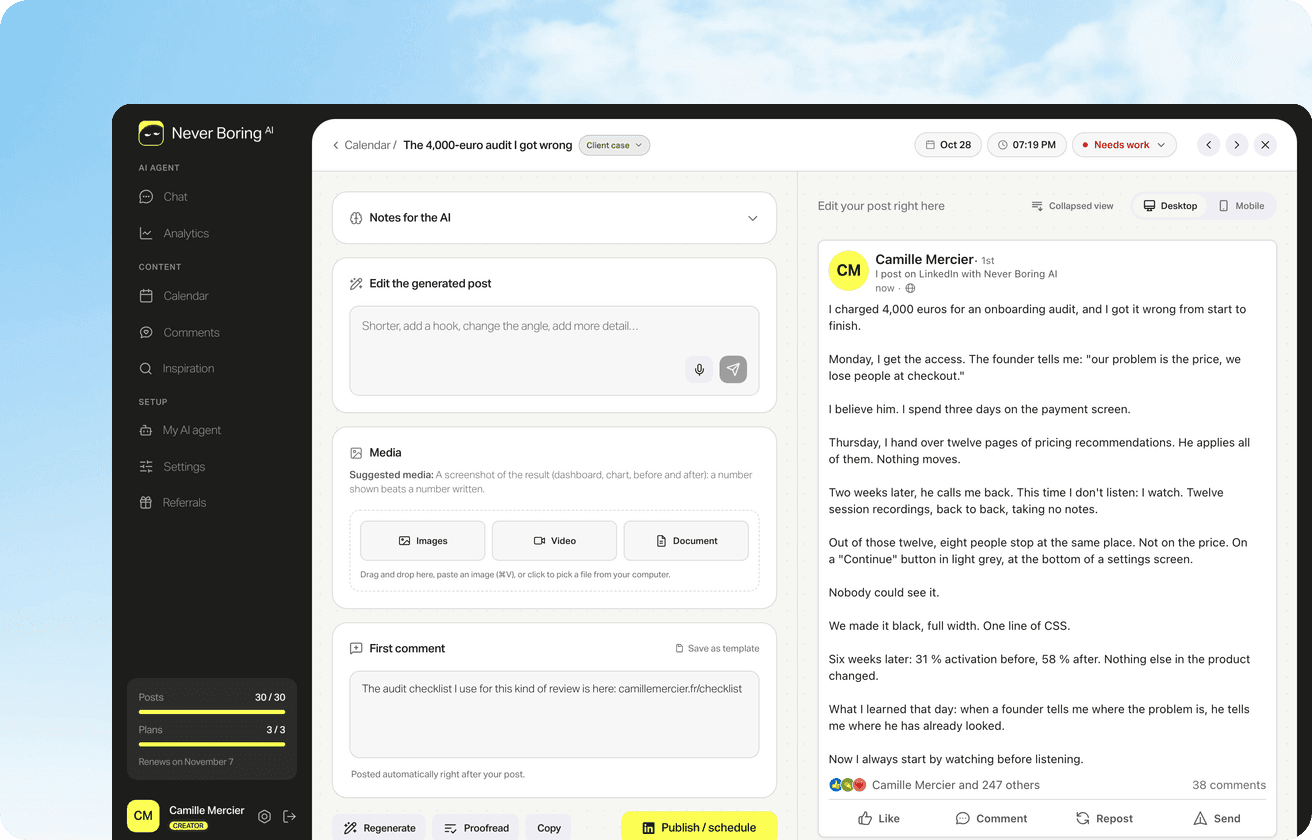
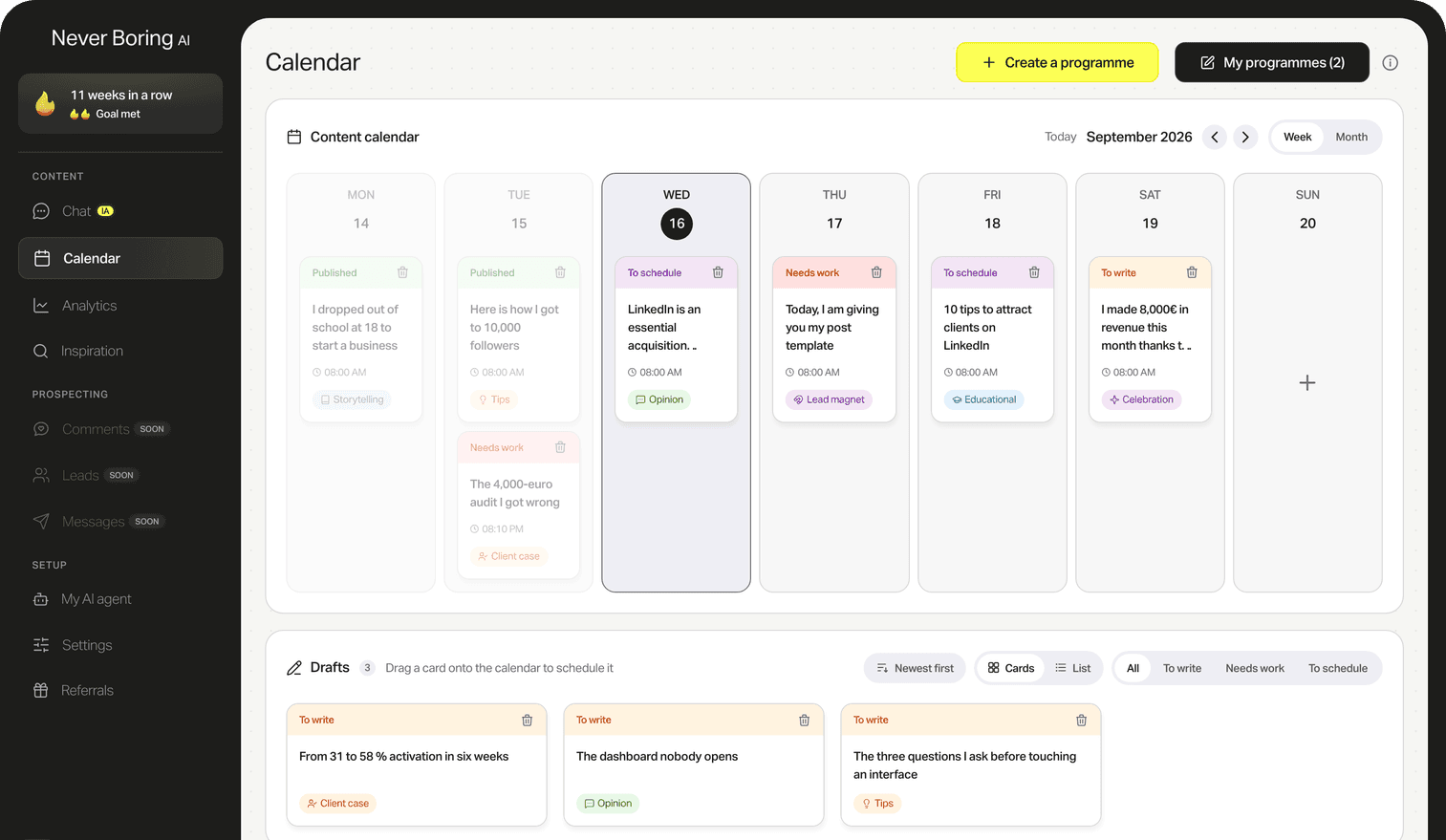
Never Boring AI is an AI LinkedIn post generator that starts from what you actually lived: your stories, your numbers, the way you write. You read the post in a preview that matches the feed, ask for a change in one sentence, and it rewrites. No bland AI copy: just you, faster.
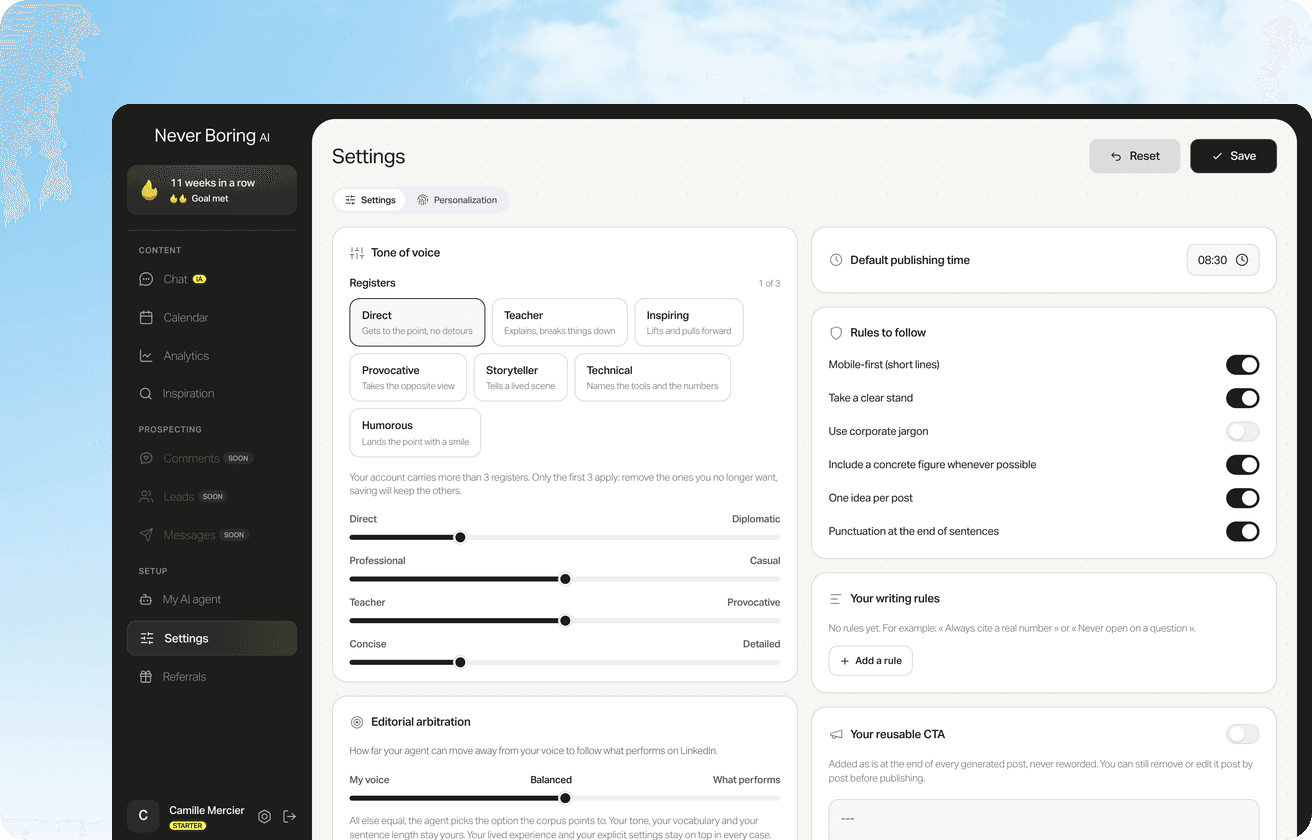
Hook, sentence length, emojis, how you close: you choose once. The agent writes with them, and when you set a rule it wins over the general convention. It also reads your past LinkedIn posts to pick up your rhythm, not the rhythm of an average model.
The adjustment
One sentence is enough to fix it
Shorter, another hook, another angle: you write what you want changed and it rewrites. The first five edits on a post cost nothing. And when you fix a text by hand, it turns the fix into a rule for the next posts.
Preview
You see the post the way LinkedIn will show it
Same cut as in the feed, same « … more », same text width. What you read back is what your audience will see.
The right kind of post
Story, behind the scenes, opinion, client case: you pick the angle, the structure follows.
Nothing made up
When it infers a number or a context, it tells you instead of inventing a scene.
3,000 characters respected
Past the LinkedIn limit, the post is condensed before it reaches you, never cut off.
The method
How to write a LinkedIn post that sounds like you
A good LinkedIn post rests on three things: a true story, a hook that makes people click “… more”, and an ending that opens the conversation. None of them needs a gift for writing, only a method you repeat until it becomes a habit. Here it is, step by step, as the Editorial agent applies it on every generation.
1
Start from a specific moment
Posts that work rarely tell a general idea. They start from a moment: a sentence from a client, a mistake, a number that surprised you. That moment makes the post credible, because nobody else can write it for you. Before writing, note the scene in one line: where you were, what happened, what you took from it. If you cannot find one, the topic is not ripe yet. Keep a running note on your phone for these moments as they happen: a week later, the detail that made them vivid is already gone.
The moment
The day a client asked me to delete half their website, and their quote requests doubled.
2
Work on the opening lines
In the feed, only the opening lines show before the “… more”, and they decide whether people read on. A good hook announces a tension, an unexpected result or a clear opinion, without giving everything away. Avoid announcement formulas and empty questions: they look like every other post and get scrolled past. Write three versions of your hook before choosing one, and read each out loud: the one you would actually say to a peer over coffee is usually the right one.
Hook
I deleted 14 pages from a client's website. Their quote requests doubled.
3
Develop a single idea
One post carries one idea, not three. After the hook, tell what happened, then what you take from it, with short sentences and airy paragraphs that read well on a phone. Keep the numbers, the job titles and the concrete details: they are what separates a lived post from a generic text. Cut anything that could appear in anyone else's post. If you notice a second idea creeping in, save it: it is next week's post, not a paragraph to squeeze into this one.
Structure
Hook, two lines of context, what changed, the lesson, then a question.
4
End with a real question
The end of a post is there to open the conversation. A specific question, one your reader can answer from their own experience, invites useful comments; “What do you think?” invites none. Then read the whole post in a preview faithful to the feed, and check that it fits under LinkedIn's 3,000 character limit. Reading it in the preview rather than in a text editor matters: line breaks, spacing and the cut before “… more” change how the post feels.
Closing question
Which page of your website would you delete tomorrow if nobody could object?
The pitfalls
Four signs a post was written by AI
Your audience spots them in a second, and keeps scrolling. They are also the flaws Never Boring AI rules out, setting by setting. Check your own drafts against this list before you publish, whoever wrote them. One of these flaws is enough to make a true story read like a template.
The announcement hook
Avoid
I am thrilled to share some big news.
Instead
Three clients out of ten used to leave before the end of the first month. None since June.
An announcement talks about you, a tension talks to the reader. Stock phrases are also the ones AI models produce most often, which makes them instantly suspect. Start with the most surprising fact in your story, and keep the explanation for later.
The invented experience
Avoid
A client once told me something that changed everything.
Instead
On Tuesday, the founder of a six-person agency told me: we no longer have time to proofread our own quotes.
An AI short on material fills the gap with plausible, vague scenes. Readers cannot say why, but they do not believe it. Never Boring AI only writes from what you told it, and when it infers a detail, it flags it under the post instead of making it up.
The list of tips with no story
Avoid
5 tips to succeed on LinkedIn: be consistent, be authentic.
Instead
The tip that saved me the most time this year, and the day I learned it the hard way.
Lists of tips all look alike, because they say what everyone already knows. One tip tied to an experience sticks far better. If you want the list format, tie every point to a real case. A list of five shallow points also gives your reader five reasons to stop halfway, while a single story keeps them to the end.
Machine formatting
Avoid
An emoji at the start of every line, arrows everywhere and bold every three sentences.
Instead
Sober formatting, chosen once in your settings and kept across all your posts.
Formatting tics give away a generated text: long dashes, emojis on every line, repeated transitions. You set your preferences once (emojis, sentence length, how you close), and the agent applies them before general conventions.
Rated 5/5 by its users
245 founders have already trusted Never Boring.
Translated from French.
Jonah ZehaniBrand, web and product designer
First off, congratulations Maxence. The work you did solo, and above all the quality of the app's design. That is something. Well done. (...)
Looking forward to seeing NeverBoring grow
FLFlorenceNever Boring AI user
A very efficient and relevant agent: barely any time spent setting it up. Quality posts with different angles. There are always a few tweaks left to match my style, and then it is good to go!
Louis MontagneFounder and CEO, ICONOKOM
Very cool so far, inteliigent post writing
GUGuillaumeNever Boring AI user
Great tool, smart agent!
An innovation in writing!
Will MariWeb designer
Super easy to use
Jonah ZehaniBrand, web and product designer
First off, congratulations Maxence. The work you did solo, and above all the quality of the app's design. That is something. Well done. (...)
Looking forward to seeing NeverBoring grow
Louis MontagneFounder and CEO, ICONOKOM
Very cool so far, inteliigent post writing
FLFlorenceNever Boring AI user
A very efficient and relevant agent: barely any time spent setting it up. Quality posts with different angles. There are always a few tweaks left to match my style, and then it is good to go!
Will MariWeb designer
Super easy to use
GUGuillaumeNever Boring AI user
Great tool, smart agent!
An innovation in writing!
GUGuillaumeNever Boring AI user
Great tool, smart agent!
An innovation in writing!
Will MariWeb designer
Super easy to use
Jonah ZehaniBrand, web and product designer
First off, congratulations Maxence. The work you did solo, and above all the quality of the app's design. That is something. Well done. (...)
Looking forward to seeing NeverBoring grow
FLFlorenceNever Boring AI user
A very efficient and relevant agent: barely any time spent setting it up. Quality posts with different angles. There are always a few tweaks left to match my style, and then it is good to go!
Louis MontagneFounder and CEO, ICONOKOM
Very cool so far, inteliigent post writing
FLFlorenceNever Boring AI user
A very efficient and relevant agent: barely any time spent setting it up. Quality posts with different angles. There are always a few tweaks left to match my style, and then it is good to go!
GUGuillaumeNever Boring AI user
Great tool, smart agent!
An innovation in writing!
Louis MontagneFounder and CEO, ICONOKOM
Very cool so far, inteliigent post writing
Will MariWeb designer
Super easy to use
Jonah ZehaniBrand, web and product designer
First off, congratulations Maxence. The work you did solo, and above all the quality of the app's design. That is something. Well done. (...)
Looking forward to seeing NeverBoring grow
FLFlorenceNever Boring AI user
A very efficient and relevant agent: barely any time spent setting it up. Quality posts with different angles. There are always a few tweaks left to match my style, and then it is good to go!
GUGuillaumeNever Boring AI user
Great tool, smart agent!
An innovation in writing!
Louis MontagneFounder and CEO, ICONOKOM
Very cool so far, inteliigent post writing
Will MariWeb designer
Super easy to use
Jonah ZehaniBrand, web and product designer
First off, congratulations Maxence. The work you did solo, and above all the quality of the app's design. That is something. Well done. (...)
Looking forward to seeing NeverBoring grow
A question before you start?
The questions that keep coming up about linkedin post generator, and how we answer them.
Never Boring AI, if you want posts built on your own experience. Your agent remembers your stories, numbers and opinions, reads your past posts to learn your style, then drafts with the writing rules you set. When it infers a detail you never gave it, it flags it under the post instead of making it up.
Yes. Never Boring AI starts with a free guided trial, no credit card: it reads your LinkedIn profile, asks you two questions, builds a 2-week content plan and gives you your first 3 posts. For a quick one-off, its free LinkedIn hook generator and post preview tools need no account at all, only an email for the hooks.
Feed the tool real material and set your own rules. Start each post from a specific moment you lived, keep the concrete details, and ban the tics readers spot at once: announcement hooks, an emoji on every line, generic lists. Never Boring AI applies your style settings first and learns from every edit you make by hand.
With Never Boring AI, Starter is $19 a month for 15 posts, and Creator is $39 a month for 30 posts, with no commitment and two months free on yearly billing. Before paying, the guided trial is free and needs no credit card.
Yes, on the Creator plan. Never Boring AI follows up to 30 LinkedIn profiles you choose, brings their new posts every day and suggests a comment in your voice, up to 10 a day on weekdays. You read it, edit it and approve it before it goes out from your account.
Almost: it stays under LinkedIn's 3,000-character limit, and the preview shows exactly where the « … more » will cut. You still read it through, because your name is on it. Then you can schedule it: Never Boring AI publishes it to your profile at the date and time you picked.