LinkedIn Sales Navigator: cost, setup and is it worth it
LinkedIn Sales Navigator is LinkedIn's paid prospecting tool: lead search with dozens of filters, saved lead lists, alerts and 50 InMails a month. As of October 2026, the Core plan starts at $119.99 a month, according to LinkedIn's official pricing page. If you freelance, consult or run a one-person business, you are probably wondering whether a three-figure monthly subscription is worth it. Spoiler: the answer depends less on the tool than on how much of your week goes into prospecting.
🧭 What is LinkedIn Sales Navigator?
LinkedIn Sales Navigator is LinkedIn's sales prospecting subscription. It adds a dedicated interface on top of the regular network to find, track and contact potential customers. LinkedIn's help center sums it up in one line: it helps you generate leads and build your clientele. In practice, it works like a second LinkedIn plugged into the first one. You keep your profile, your network and your feed. On top of that, you get a separate workspace where you search people and companies with much sharper filters, save them into lists, and get alerts when they make a move: a new job, a new post, a hiring push at their company. LinkedIn describes it as a B2B sales tool trusted by more than 1.5 million sellers, according to its own product page checked on October 27, 2026. It is built first for sales reps who prospect every single day. That is why the question looks different for a solo founder: the tool is powerful, but it is designed for heavy, daily use. One clarification that clears up a common mix-up: Sales Navigator is not an automation tool. It doesn't post, doesn't send messages for you and doesn't run follow-ups. It helps you find the right people and know when to talk to them. You still have to write the conversation.
Prospecting without InMail: comment on the right profiles
Never Boring AI includes an AI LinkedIn comment generator: you follow up to 30 profiles (clients, prospects, peers), their new posts arrive every day with a comment suggested in your voice, and nothing goes out until you approve it.
💶 How much does LinkedIn Sales Navigator cost in 2026?
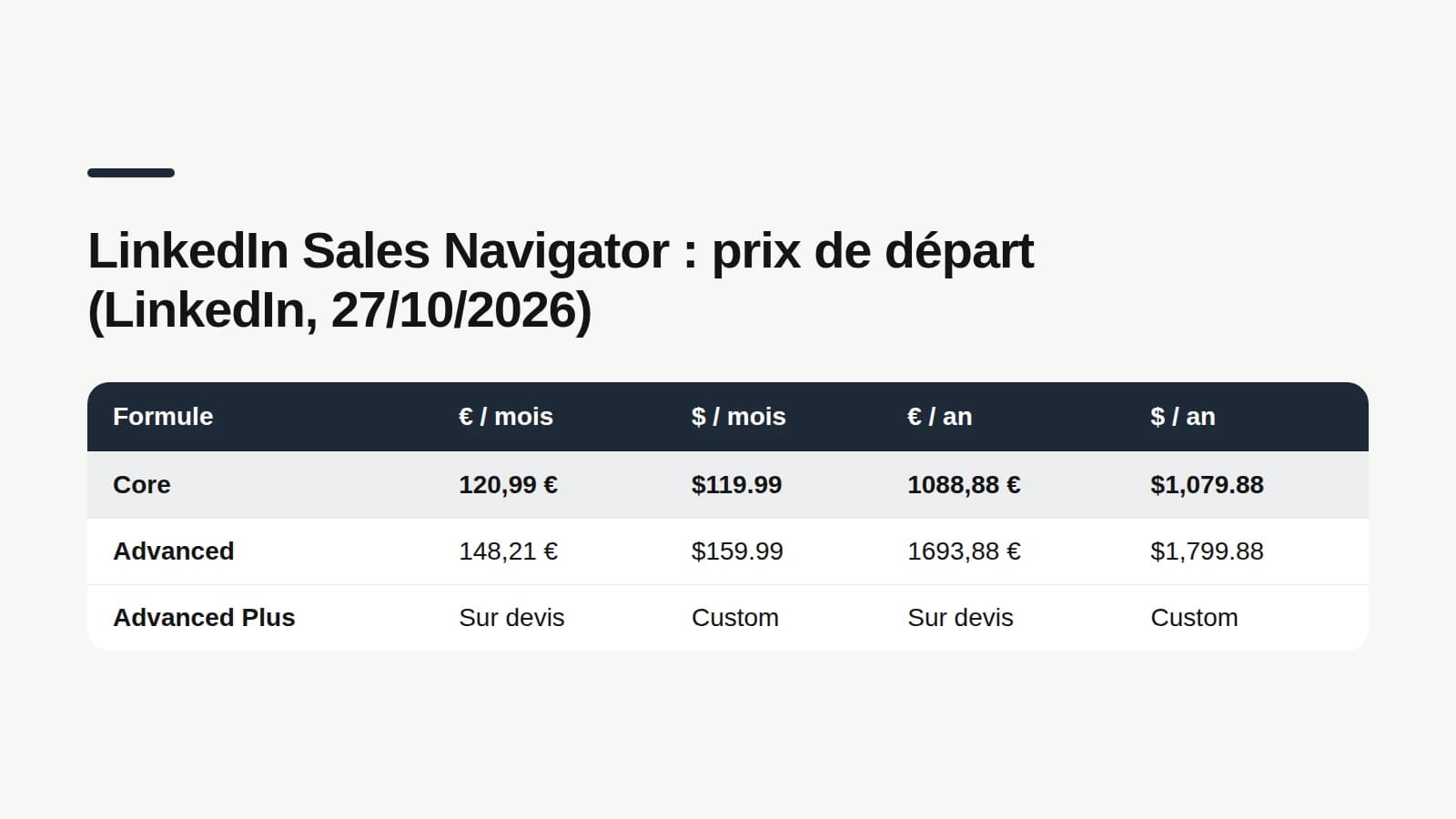
LinkedIn Sales Navigator pricing is the starting price of one license, meaning one user, depending on the plan and how often you pay. LinkedIn lists three plans on its official comparison page, updated on September 27, 2026 and checked on October 27, 2026. Core: $119.99 a month, or $1,079.88 a year, which works out to $89.99 a month on annual billing. LinkedIn positions it for individual sellers. Advanced: $159.99 a month, or $1,799.88 a year, about $149.99 a month on annual billing. It targets sales teams, with AI-powered lead and account research and collaboration tools. Advanced Plus: custom pricing, based on team size, CRM integration and onboarding needs. All three plans include 50 InMail credits a month. LinkedIn advertises a 25% saving on Core and 6% on Advanced when you pay yearly. Outside the US, LinkedIn publishes starting prices in other currencies on the same page. Core costs £94.99 a month in the UK, C$144.99 in Canada, A$154.99 in Australia and €120.99 in the eurozone. Advanced costs £130.00, C$179.99, A$189.99 and €148.21 a month respectively. The footnote, written by LinkedIn: these are estimates. They may exclude sales tax, VAT, GST and promotional discounts, they can change, and they can vary slightly by device. You see the exact price when you start a trial or check out, once signed in. What it means for a solo founder: budget at least $1,079.88 a year for Core. Advanced mostly makes sense for a team, since its extras (AI research, shared lists, team tools) are built for selling together. On your own, Core covers the essentials.
Sales Navigator vs LinkedIn Premium: what's the difference?
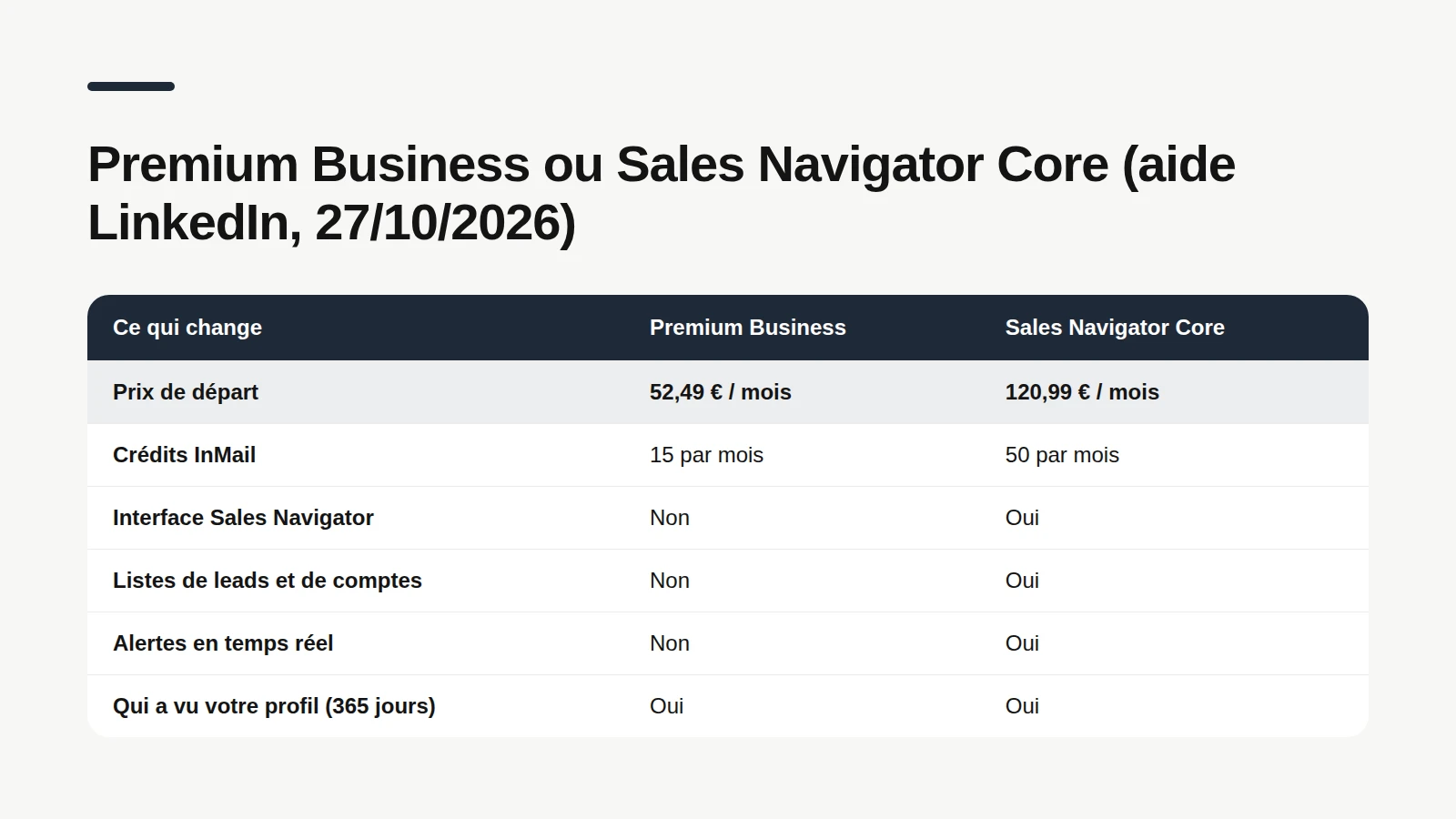
The difference between LinkedIn Premium and Sales Navigator comes down to purpose: Premium is a family of plans for job hunting, growing your network or running a small business, while Sales Navigator is a full prospecting tool with its own interface. LinkedIn's official comparison in its help center, checked on October 27, 2026, puts them side by side. Premium Business, the plan freelancers usually look at, starts at $69.99 a month and includes 15 InMail credits. Sales Navigator Core includes 50, for $119.99 a month. More importantly, only Sales Navigator gives you the Sales Navigator interface, custom lead and account lists, and real-time alerts. What they share: who viewed your profile over 365 days, private browsing, profile writing help, a custom button and access to LinkedIn Learning. According to LinkedIn's help center, buying Sales Navigator online also upgrades your profile to Premium by default, with access to the gold badge. So there is no need to pay for both. One detail many people find out too late: advanced search is not part of Premium Business. The comparison chart lists it only for Premium All-in-One, Sales Navigator and Recruiter Lite. If you plan to buy Premium to target prospects better, check that before you pay.
What every Premium plan costs
Career, Business, All-in-One, Company Page: the official price of every LinkedIn Premium plan in 2026, what it includes and who it is for.
How to use Sales Navigator: a 5-step setup
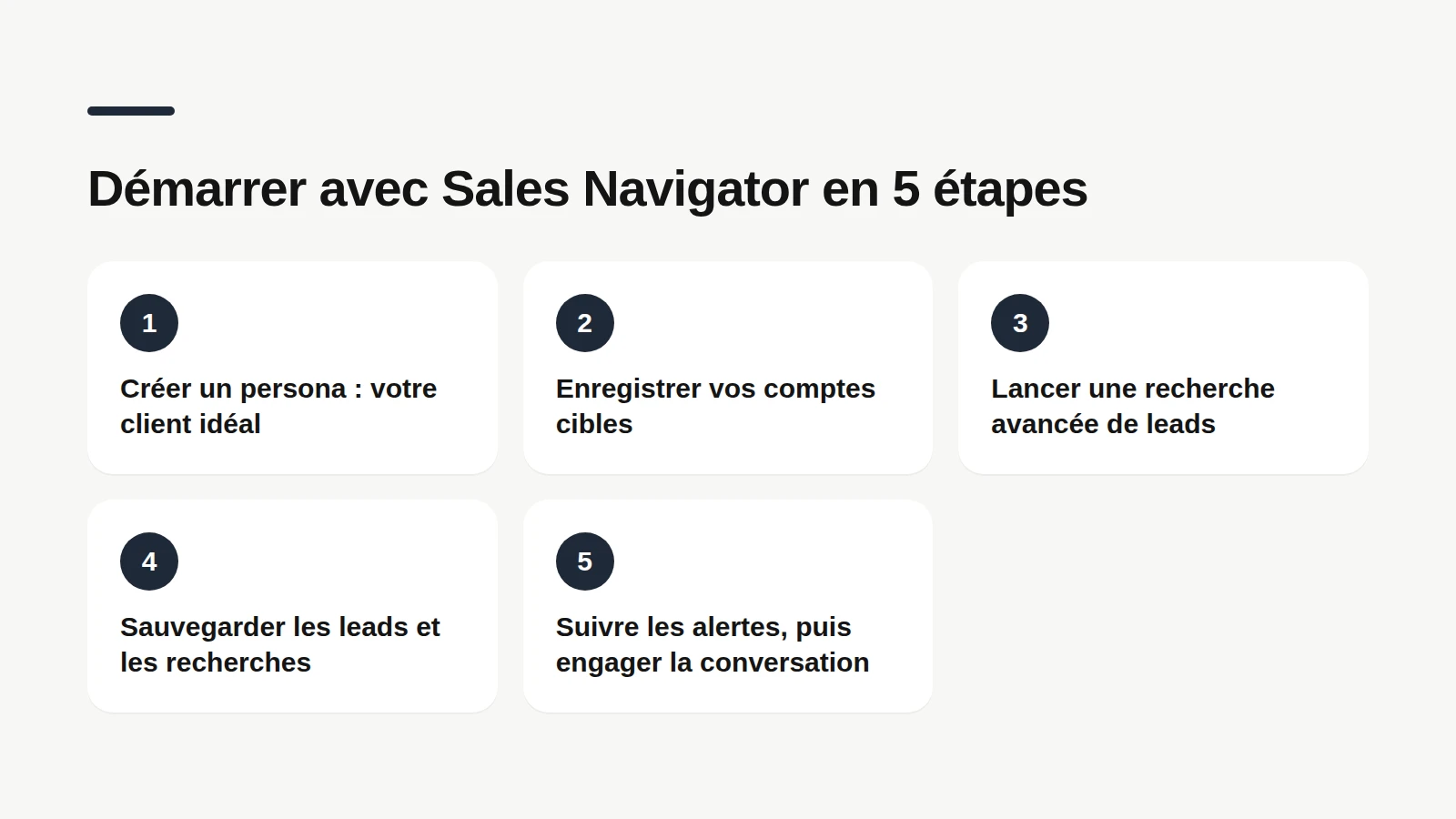
Using Sales Navigator comes down to a two-part routine: set up your target once, then let the tool surface the right people at the right time. LinkedIn's official how-to guide follows that order, and it is also the order that keeps you from paying for a month you don't use. 1. Create a persona. From the Sales Navigator homepage, open the Personas section, click Create new persona, name it, then pick the criteria of your ideal customer: function, seniority, industry, region. The persona then works as a search filter in its own right. 2. Save your target accounts. Use the account filters button to look up the companies you are going after, then save them to a list. Sales Navigator uses it to suggest relevant leads and alerts. 3. Run an advanced lead search. Type in the search bar or open the lead filters. Combine persona, function or seniority with current company, account list, headcount or region. 4. Save leads and searches. Click Save next to the profiles that matter. Save your searches too: LinkedIn notifies you when new results show up. 5. Watch the alerts, then start the conversation. Check your Sales Navigator feed and email alerts. A job change, a recent post or something in common gives you a real reason to reach out. A common-sense tip before step 1: look at your own profile. Every person you contact will click on it. A vague profile can sink even the best-targeted InMail.
Before you prospect, a free profile audit
What a prospect sees when they land on your profile, and how your voice comes across in your recent posts: a free LinkedIn profile audit, no account needed.
🔍 Sales Navigator features worth knowing
Sales Navigator's features are the tools that turn a profile search into a sales follow-up system. Here are the ones LinkedIn describes, minus the jargon. Advanced lead search. More than 40 filters according to the how-to guide, more than 50 according to the comparison page: function, seniority, company, headcount, region, plus some smarter ones. The Shared Experiences filter surfaces alumni, former colleagues and other things you have in common. The Job Changes filter, in the Spotlights section, flags people who just moved jobs. LinkedIn claims decision-makers are 62% more receptive to outreach after such a move: that is LinkedIn's figure, not a promise. Lead and account pages. Clicking a name opens the lead page: recent job changes, posts on LinkedIn, what you have in common, work history. The account page covers the company: size, hiring and department headcount trends, decision-makers who joined or left. Lists and alerts. You file leads and accounts into custom lists, and Sales Navigator alerts you when they move. A free account, by comparison, can save only three searches, with weekly alerts, according to LinkedIn's help center. InMail. 50 credits a month to message people outside your network. LinkedIn's own advice fits in five points: target the people most likely to reply, write a catchy subject line, mention mutual connections, keep it short, personalize. For teams, the comparison page keeps AI-powered research (Account IQ and Lead IQ, which summarize an account or a lead) and collaboration tools, such as TeamLink for warm introductions through your colleagues' connections, for the Advanced tiers. Advanced Plus adds deeper CRM integration.

Free trial, cancellation and your data: what to know
A Sales Navigator free trial is a no-cost access period to the Core or Advanced plan, open to eligible members. The conditions are spelled out on LinkedIn's official pricing page. Eligibility: you must not be on any paid LinkedIn subscription, Premium included, and you must not have used a LinkedIn free trial in the past 365 days. Trial availability and features vary by plan and region. A credit card is required to start. The good news: LinkedIn sends an email reminder 7 days before the trial ends. Cancellation: it takes effect at the end of the paid period, the end of the year for an annual plan, the end of the month for a monthly one. For Core bought online, LinkedIn's help center gives the path: Settings & Privacy, Account preferences, Subscriptions & payments, Manage Premium account, Manage subscription, then Purchases in the LinkedIn Admin Center, and Cancel subscription. Bought on an iPhone, it is canceled from your iOS device. Bought through a LinkedIn sales rep, you go through your account manager. The painful part: your data. According to LinkedIn's help center, saved leads, saved accounts and Sales Navigator messages are removed as soon as you cancel, with no way to keep them. InMail credits don't carry over to your personal account. And if you come back later, you start from an empty account. Before you cancel, write down your lists and open conversations somewhere. On refunds, LinkedIn's policy says a Sales Navigator subscription may be refundable within 7 days of the charge, if it hasn't been used.
Cancel a LinkedIn subscription, step by step
Desktop, iPhone or Android, free trial or paid plan: where to cancel depending on where you paid, and when you can ask for a refund.
Is Sales Navigator worth it for a freelancer or solo founder?
Whether Sales Navigator pays off comes down to the useful conversations it brings you compared with its minimum $1,079.88 a year, and that depends mostly on how much time you spend prospecting. Three profiles, three answers. You prospect every day, you sell to clearly identifiable companies, and your deals are large: Sales Navigator is built for you. Filters, lists and alerts save time that free search will never give back. Run the simple math: how many signed clients a year would it take to cover the subscription? You prospect in waves, a few weeks per quarter: the free trial, then a monthly plan during your prospecting stretches, may be enough. Just remember your lists disappear when you cancel. Your clients mostly come from your visibility, from what you post and the conversations under your posts: Sales Navigator may end up as a tab you never open. The free account already lets you post, comment and engage. Your lever is somewhere else: consistency. There is also a slower but free approach that people often overlook: leaving thoughtful comments on posts from the people you want to meet. Your name shows up in front of their audience, the author notices you, and it costs zero InMail credits. For a sense of scale, in the Never Boring AI corpus (1,165 real, anonymized French-language LinkedIn posts written by 45 authors between March 20, 2025 and October 3, 2026), half the posts get between 4 and 28 comments, with a median of 11. Those numbers describe conversations happening under posts in French; they don't say how many clients a comment brings in, and they don't cover English-language posts.
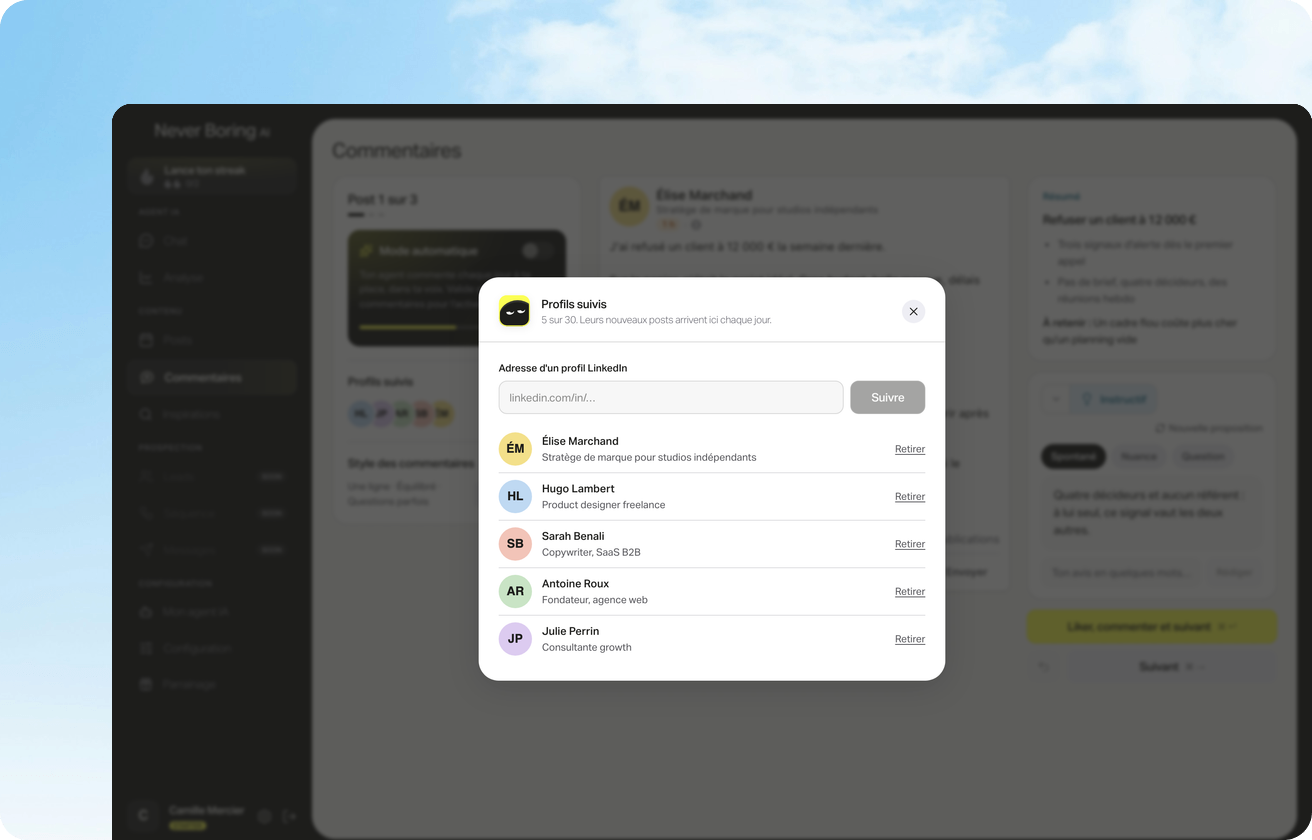
That is what Never Boring AI supports. You pick up to 30 profiles that matter for your business: clients, prospects, peers. Every day, their new posts arrive with a summary and up to three comments suggested in your voice (spontaneous, nuanced or a question). You read, edit and approve: nothing goes out without you, at a pace of 5 comments a day on weekdays. On the posting side, the agent builds your content plan from your offer, your audience and your content pillars, then drafts each post in your voice. The two approaches don't cancel each other out. Sales Navigator tells you who to contact and when. Comments and posts make sure that when you do reach out, your name already rings a bell.
Bottom line: should you get LinkedIn Sales Navigator?
LinkedIn Sales Navigator is LinkedIn's prospecting tool, not a souped-up version of Premium. As of October 2026, Core starts at $119.99 a month or $1,079.88 a year, Advanced at $159.99 a month, and Advanced Plus is custom-priced, with 50 InMails a month on all three plans, taxes possibly excluded. Get it if prospecting is your daily job: create a persona, save your accounts, save your leads and follow the alerts. Try the free trial first if you qualify, and remember everything is wiped when you cancel. Skip it if your clients mostly come from your visibility: posting and commenting consistently costs nothing on LinkedIn. In that case, Never Boring AI, used by more than 250 users, takes care of consistency: a posting plan, posts drafted in your voice, and daily comments on the profiles that matter. €39 a month, no commitment, with a free trial.
Your LinkedIn visibility, without losing your mornings
Tell the agent about your business: it builds your plan, drafts your posts in your voice and suggests daily comments on the profiles that matter.
What questions come up most often?
The questions that keep coming up on this topic, and how we answer them.
It helps you find, track and contact potential customers on LinkedIn. Sales Navigator adds a search with dozens of filters (function, seniority, headcount, region), saved lead and account lists, alerts when those people change jobs or post, and 50 InMail credits a month. It doesn't automate anything: it won't post or send messages for you.
Read next
Your first 5 posts are on us
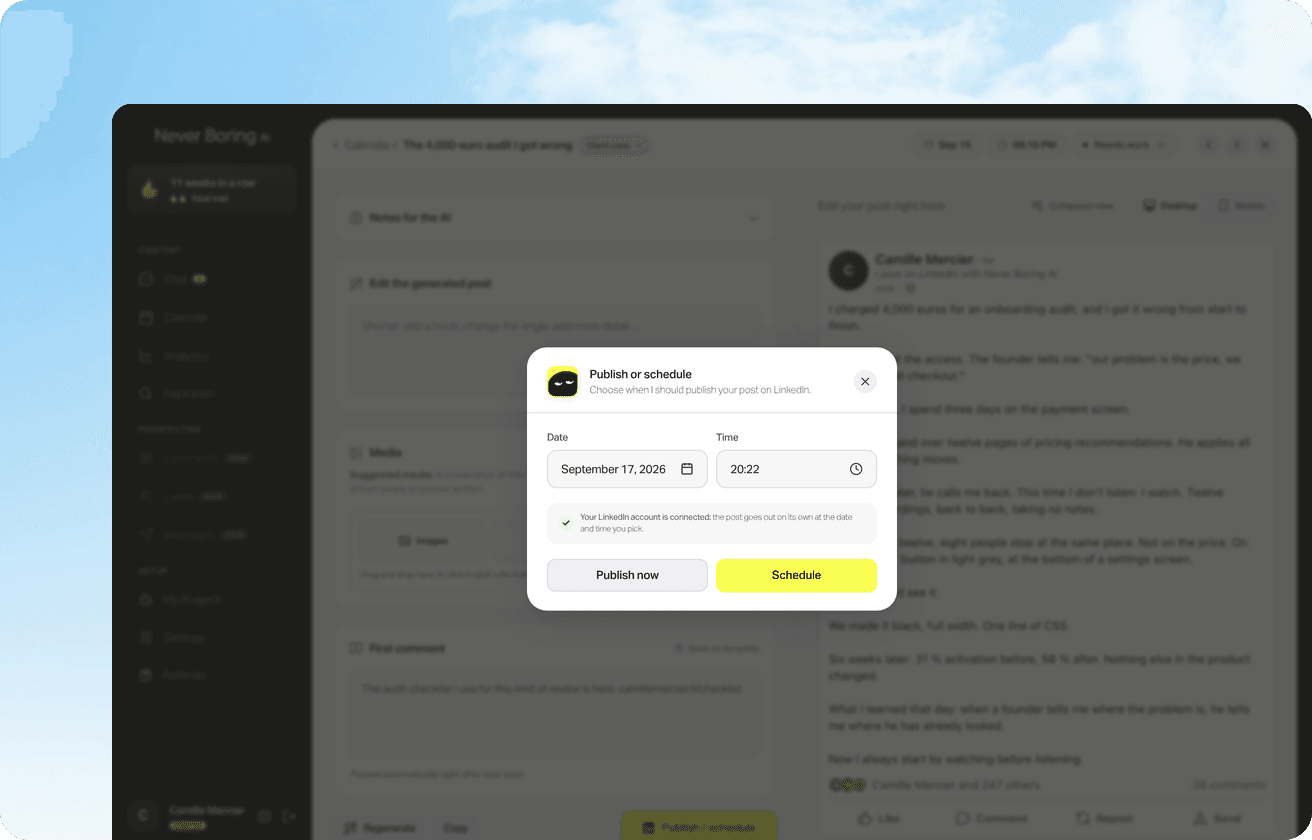
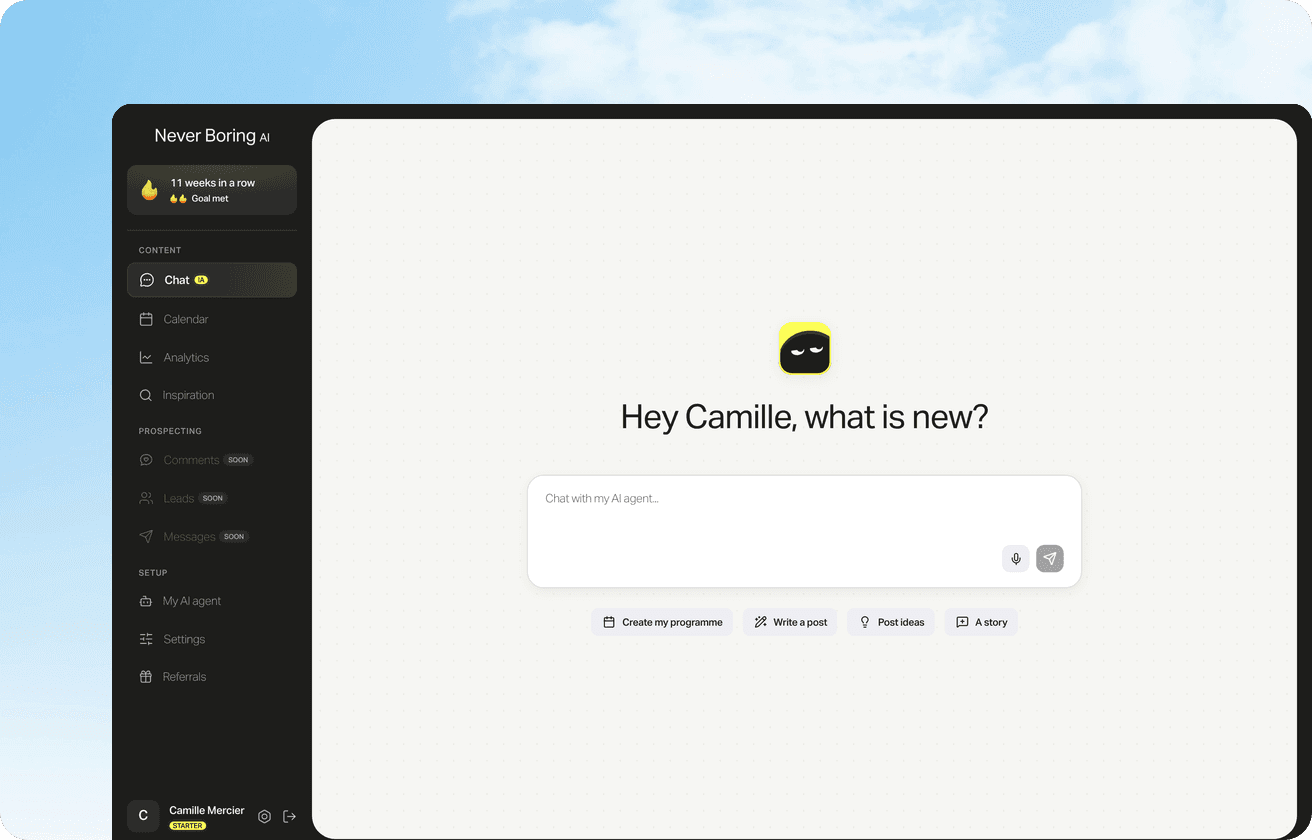
Create your account, no credit card needed, and walk away with your first post in minutes. Your LinkedIn calendar then runs on its own.


Already used by
238 founders