LinkedIn posting best practices: 9 habits backed by data
The LinkedIn posting best practices that hold up are simple: hook readers in the opening lines, keep one idea per post, write from your own experience, end with a real question, and post two to five times a week. That last range comes straight from LinkedIn's own creator guide. Everything below is sourced from LinkedIn's official pages, read on October 29, 2026, plus a look at 1,433 posts by Never Boring AI users. Fair warning: none of it involves posting at 7:03 a.m. on a Tuesday because a guru said so.
What LinkedIn posting best practices really cover
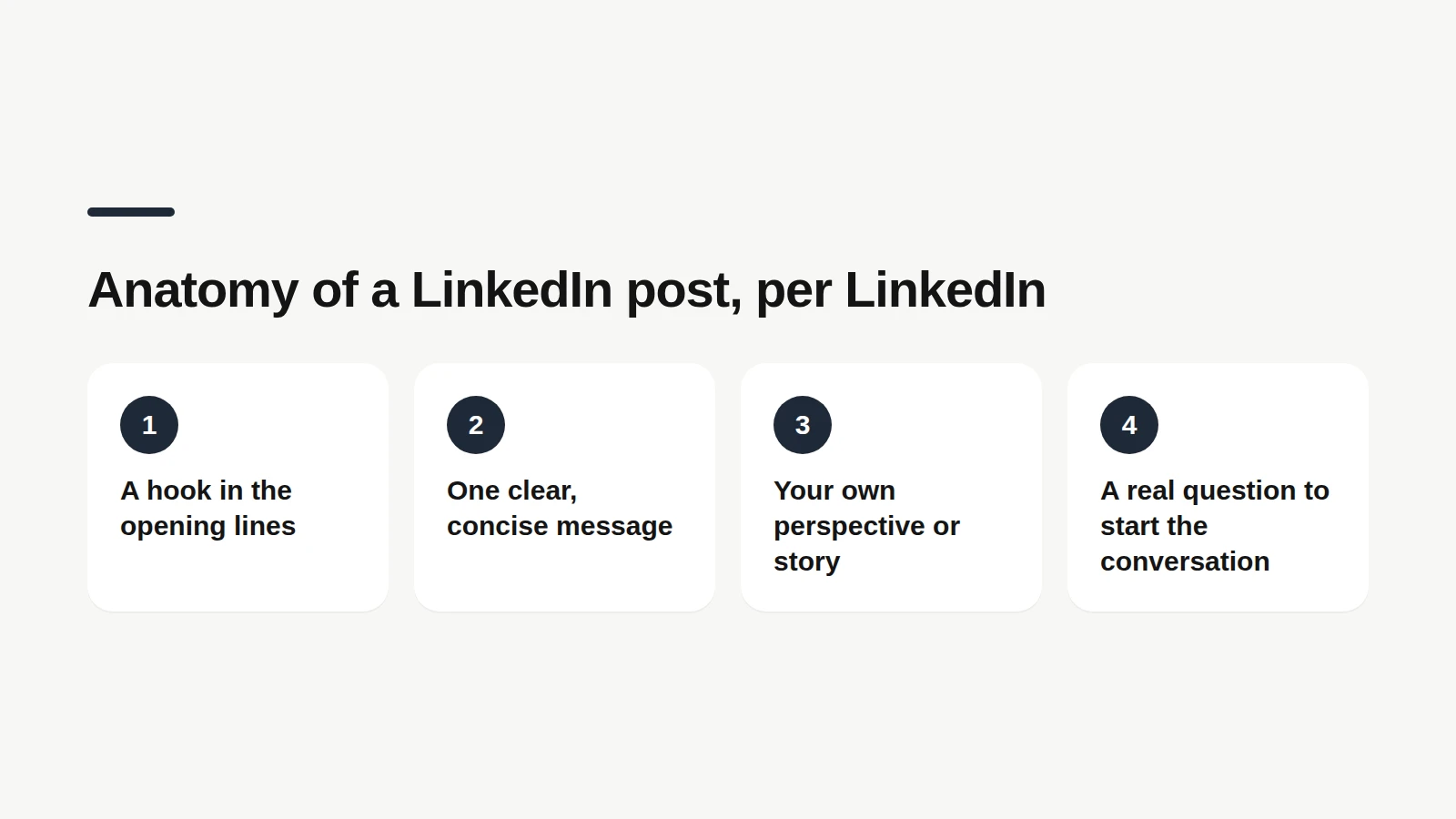
LinkedIn posting best practices are the habits that help a post get read, discussed and remembered in the feed, from the first line to the last comment. They cover four things: how you write, how often you post, which format you pick and how you learn from your numbers. The good news: LinkedIn publishes its own playbook. Its creator guide on members.linkedin.com lays out the anatomy of a great post, a weekly rhythm and tips for each format. The less good news: most advice online stops at the list. Here, each habit comes with its official source and something you can do this week.
📝 1. Hook readers before the "…more"
A hook is the opening line or two that people see in the feed before LinkedIn folds the post behind "…more". LinkedIn's creator guide puts "an engaging hook at the beginning of the post" first in its anatomy of a great post. A hook works by creating a small tension: an unexpected result, a clear opinion, a scene. "I'm thrilled to announce" does none of that. Compare these two openers, both invented for the example: Weak: "Some thoughts on pricing." Stronger: "I raised my rates and lost one client. Here's who stayed." Write three versions and read them out loud. Keep the one you would actually say to a peer over coffee. If none of them sounds like you, the topic probably isn't ripe yet.
Stuck on the first line?
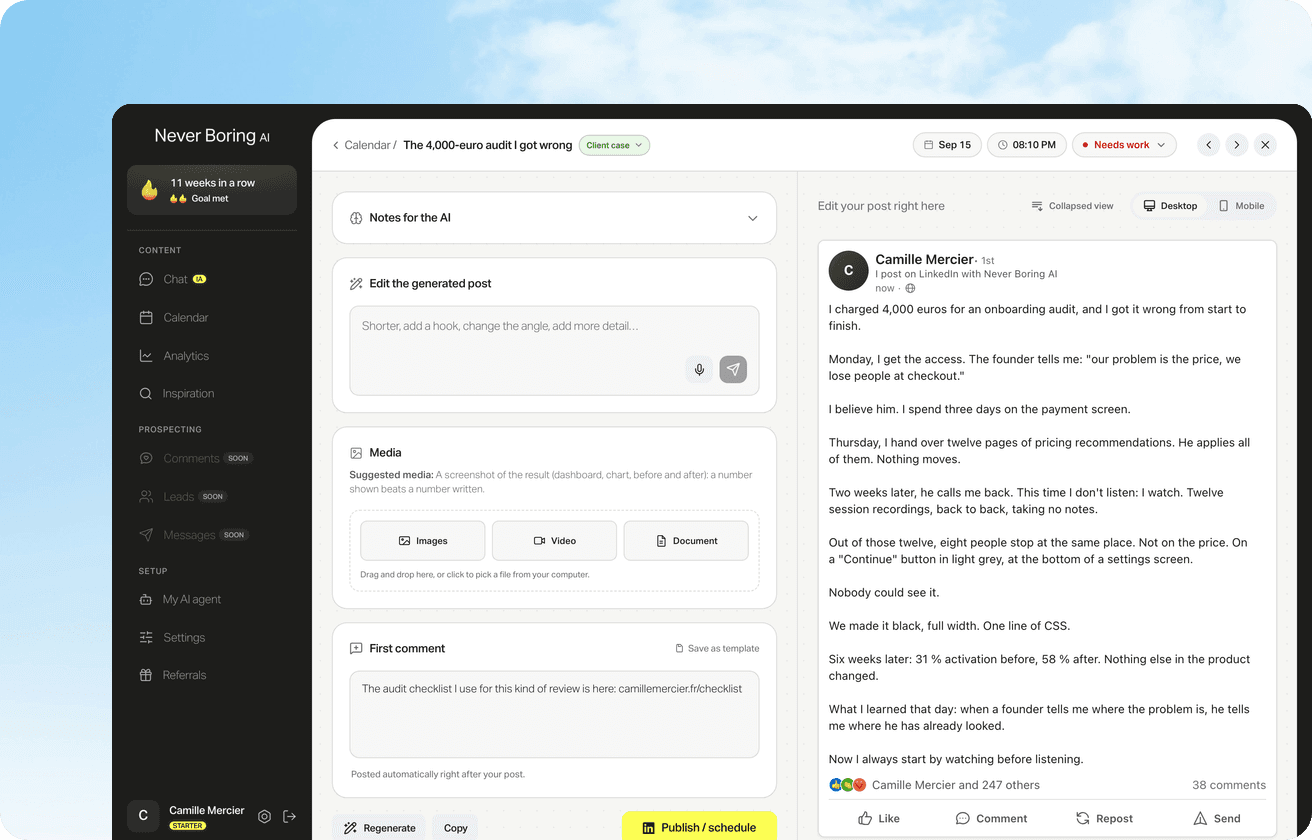
Never Boring AI's editorial agent drafts your post from what you told it and the way you write, hook included. You read it in a LinkedIn-style preview and fix it in one sentence.
🎯 2. Keep one post to one idea
A focused post is one that carries a single idea from the hook to the closing line. LinkedIn lists "concise and easy to understand messaging" as the second building block of a great post, and its tips for text posts note that members want to go deep on the topics they value. In practice: if a second idea shows up halfway through, cut it and save it. That's next week's post, not a paragraph to squeeze in. Short sentences and airy paragraphs help too, because the feed is mostly read on a phone, with a thumb that has places to be.
🧑💻 3. Write from your own experience
Writing from experience means building the post around something you saw, did or learned yourself, rather than a tip anyone could post. LinkedIn's guide calls it "personal perspective, story, or unique take", and adds that relatability is far more important than perfection. Let's take a made-up example. Dana, a freelance designer, wants to post about client onboarding. The generic version: "5 tips to onboard new clients." The lived version: the call where a client admitted they had never read her proposal, and the one-page summary she sends instead now. Same topic, but only Dana can write the second one. LinkedIn's own list of post ideas leans the same way: lessons from your career, your expertise, industry news, behind the scenes of your work, thought leadership and success stories.
Going deeper on the first line?
Our guide covers LinkedIn hook types, how long the first line should be and the mistakes to avoid.
💬 4. End with a real question, then stay around
A closing question is the line that invites readers to answer from their own experience. LinkedIn lists "questions to spark conversation" as the fourth part of a great post, and its creator tools page suggests asking about things you're genuinely interested in learning from your audience. "What do you think?" rarely gets a useful answer. "Which client question do you wish you'd heard in your first year?" might. Then stick around. LinkedIn's video tips tell creators to stay close to the engagement after posting and to respond, to keep the conversation going. The habit works for any post: a comment that gets a reply often turns into a thread.
📅 5. Post two to five times a week
Posting consistency is the habit of showing up on a rhythm your audience can count on. LinkedIn's creator guide is unusually precise here: aim to publish between 2 and 5 posts per week, so people associate your name with useful insights. Two is a perfectly good start. Among Never Boring AI users, the median active week has exactly two posts (details further down). The harder part is usually the stop-and-go: three posts in a burst, then a month of silence. Writing a plan ahead of time makes the rhythm easier to keep. One warning from LinkedIn's help center: when LinkedIn detects excessive post creation that indicates inauthentic activity, or the use of an automation tool, it may limit the visibility of those posts. Quality over volume is not just a poster on an office wall here.
Plan the week, then post.
Our guide shows how to queue LinkedIn posts natively or with a tool, so your rhythm survives a busy week.
🖼️ 6. Mix formats, and follow each one's rules
A post format is the shape your content takes in the feed: text, image, video, document, poll, article, newsletter or live event. LinkedIn's guide suggests trying several to see what best fits your audience. A few official rules worth knowing, from LinkedIn's creator tools page: Images: up to 20 in one post, each with alternative text for members who use screen readers. Video length: aim for 60 to 90 seconds of high-impact content, with the hook in the first three seconds. Subtitles: LinkedIn says 85% of videos watched on LinkedIn are viewed on mute, so captions are worth adding. Video files: up to 15 minutes and 5 GB. Native uploads: posting a video directly, rather than through a link, gives a significant boost in visibility, according to the same page.
📏 7. Stay under 3,000 characters and write for mobile
The LinkedIn character limit is the maximum length of a post: 3,000 characters, according to LinkedIn's help center. Most posts never get close. Among the 1,433 posts measured below, the median runs 178 words, and half of them fall between about 125 and 220 words. Length matters less than rhythm on a small screen: one idea per paragraph, one to three lines each, and a blank line between them. Not ready to publish? LinkedIn lets you save a post as a draft and finish it later, even from another device.
🔔 8. Make Follow your primary button
The primary profile button is the action people see first on your profile: Connect or Follow. LinkedIn's creator guide suggests switching it to Follow, so people can see your posts without a two-way connection. The path, per LinkedIn: open Settings & Privacy, then Visibility, then Followers under the visibility of your LinkedIn activity, and turn on Make follow primary. Two minutes, once, and every profile visitor gets a one-click way to keep reading you.
📊 9. Check your analytics, then adjust
Post analytics are the numbers LinkedIn gives you on every post: impressions, members reached, reactions, comments, reposts and the demographics of the people who saw it. LinkedIn's Optimize guide recommends a routine: check impressions and engagement regularly, adjust posting times and frequency, set goals from your daily, weekly or monthly averages, and try other formats where posts perform lower. LinkedIn also notes that members reached is an estimate and doesn't count repeat displays. Compare yourself with your own past posts, not with a viral post from someone with ten times your audience.
Read your numbers without a spreadsheet.
Our guide explains what each LinkedIn metric means, where to find it and which tools go further.
🔍 What 1,433 posts by Never Boring AI users look like
This benchmark describes real posting habits, measured on Never Boring AI's own data. We looked at 1,433 LinkedIn posts published between September 2024 and October 2026 by 17 users who connected their account, 14 of them French-speaking. Team and test accounts, reposts and posts with no impressions are excluded. Data pulled on October 29, 2026. What it shows: Rhythm: in weeks when they posted, users published 2 posts at the median, and a quarter of active weeks had 3 or more. Length: the median post runs 178 words. Format: about 68% of posts include an image, 13% are text only, 11% are videos and 6% are documents. Reach: about 1,050 impressions per post at the median, with a median engagement rate of 2.3% (reactions, comments and reposts divided by impressions).
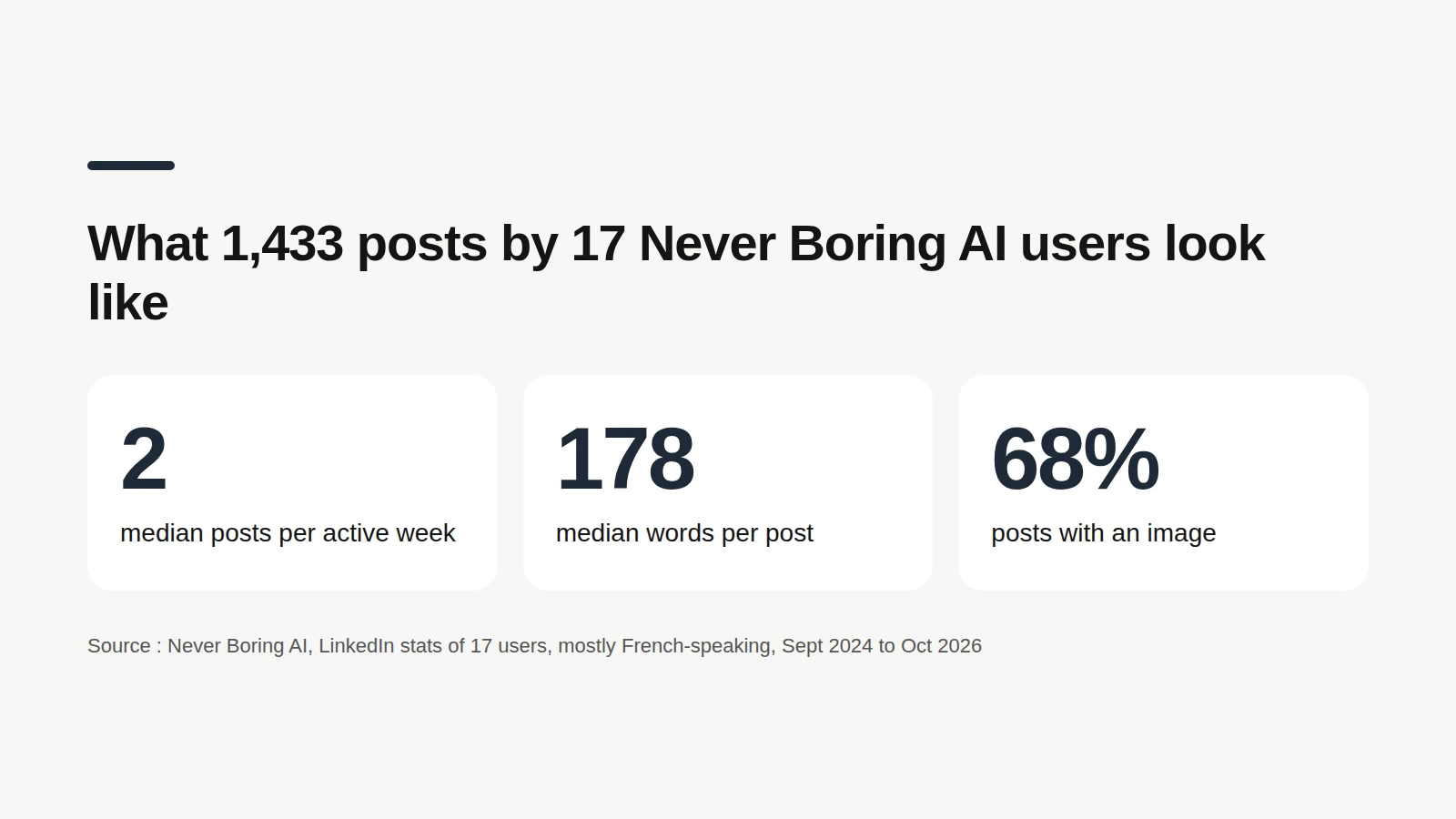
The limit: this is a small, mostly French-speaking group, not all of LinkedIn. These numbers describe what these creators publish, not what works best. A format being common doesn't make it better.
Bottom line: start with the habits that compound
LinkedIn posting best practices boil down to a short routine: a hook worth the click, one idea, your own story, a real question, two to five posts a week, and a regular look at your numbers. None of it needs a growth hack. If the hard part is finding something to say every week, Never Boring AI builds a posting plan from your offer, your audience and your content pillars, then drafts each post in your voice for you to edit and schedule. It costs €39 a month with no commitment, and the trial is free.
Your next posts, already planned.
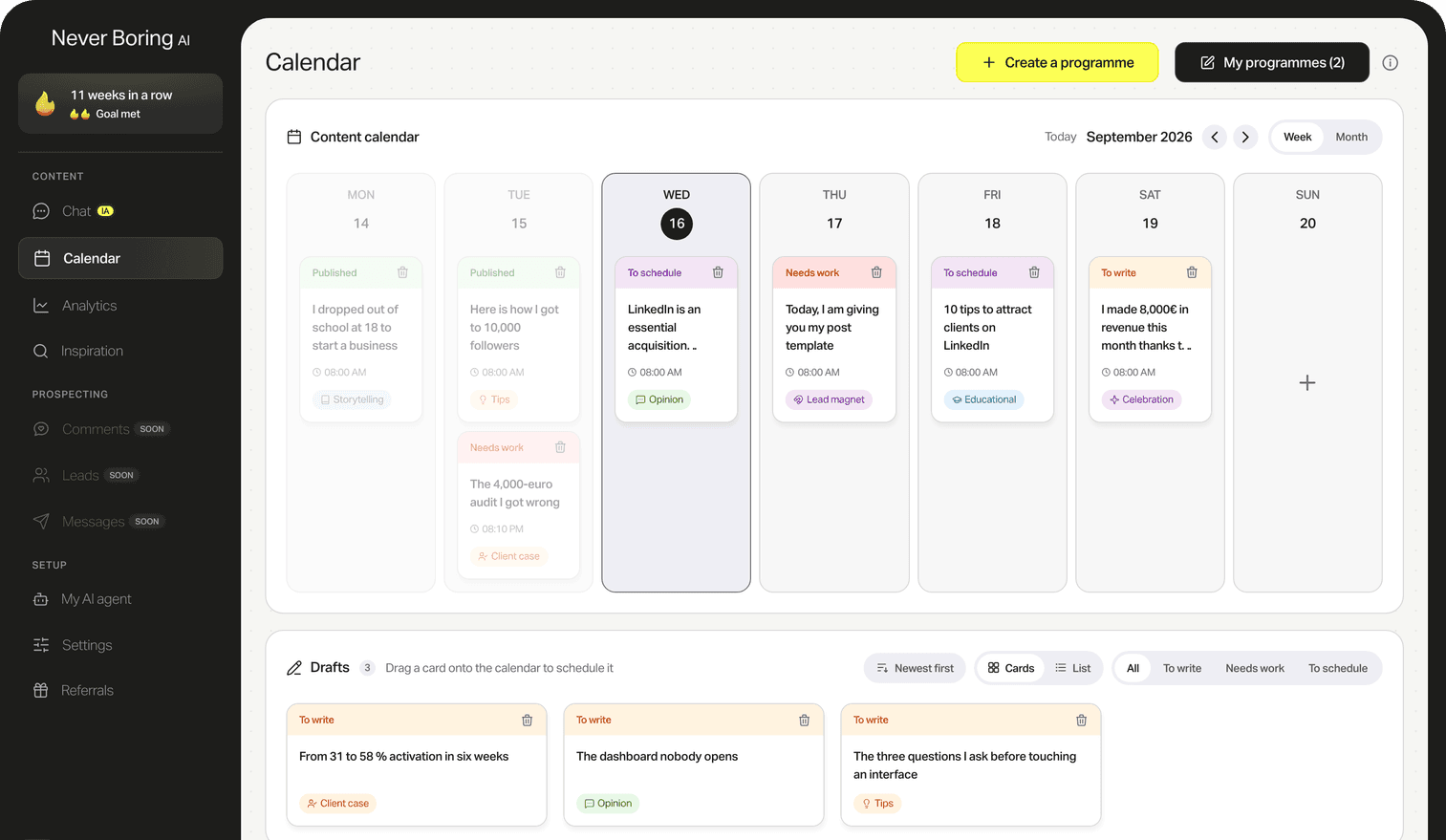
Tell the agent about your offer and your audience, get a posting plan, then edit and schedule each post.
What questions come up most often?
The questions that keep coming up on this topic, and how we answer them.
Two to five times a week is the range LinkedIn itself recommends in its creator guide on members.linkedin.com. Start at two if you are new, and hold that pace for a few months before adding more. LinkedIn's help center also warns that posts can see their visibility limited when posting looks excessive or inauthentic, so a steady rhythm matters more than volume.
Read next
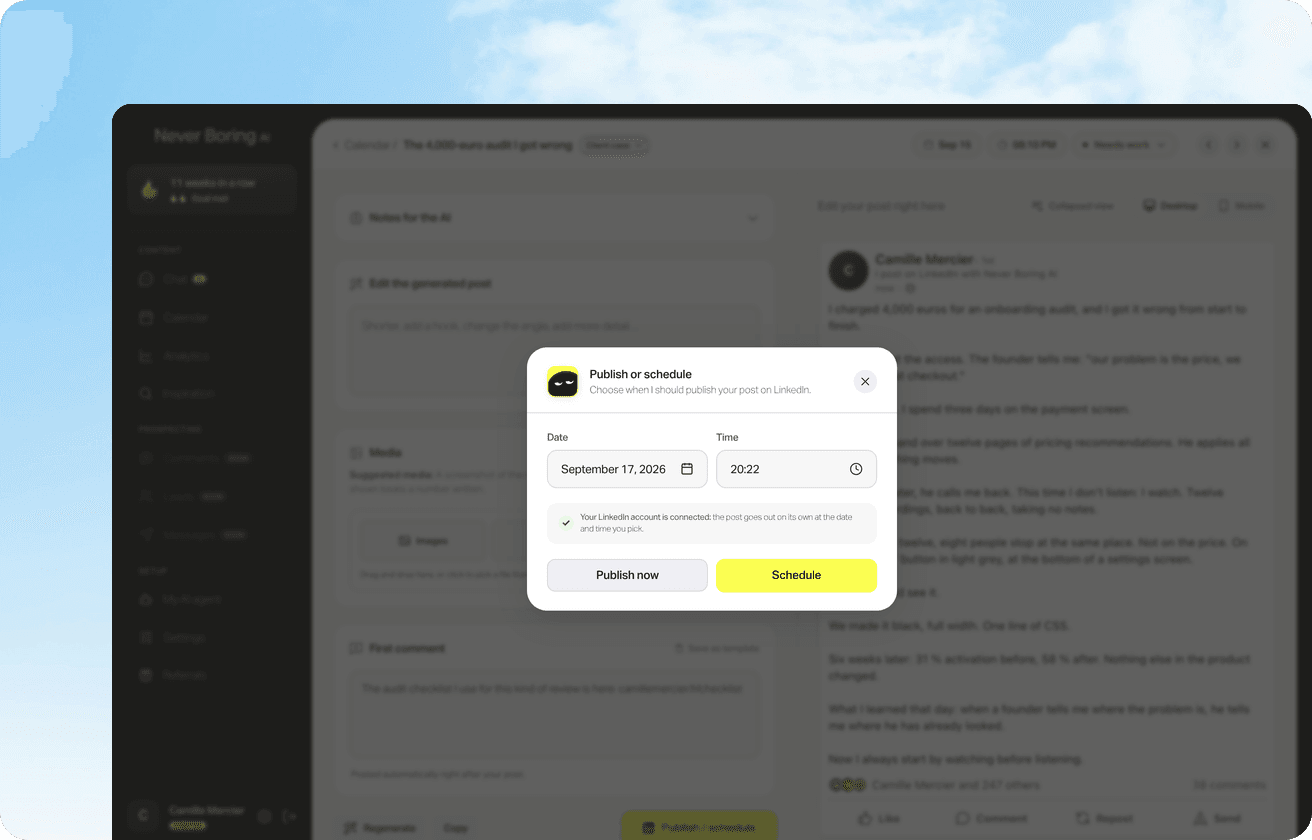
Your first 5 posts are on us
Create your account, no credit card needed, and walk away with your first post in minutes. Your LinkedIn calendar then runs on its own.


Already used by
238 founders