LinkedIn boost post: cost, steps and is it worth it?
A LinkedIn boost post is a post you pay to show to people outside your network: boosting turns it into an ad. From your profile, open your activity, click Boost in the upper right of the post, then pick a goal, a budget and an audience. Plan on at least $10 a day, LinkedIn's minimum daily budget for any ad format. Everything below comes from LinkedIn's official help center and ad pages, checked on October 31, 2026. If your best post of the year stalled at 800 views and that Boost button keeps winking at you, here is what your money actually buys.
🚀 LinkedIn boost post: what it is
A LinkedIn boost post is a post you have already published that you pay to show beyond your connections and followers. LinkedIn says it plainly in its help center: boosting a post turns it into an ad, covered by the LinkedIn Ads Agreement. There are two kinds of boost, and they work differently: Boosting a post from your personal profile: you set it up from the post itself, with no Campaign Manager ad account. This is the one freelancers, consultants and solo founders care about. Boosting a post from a LinkedIn Page: reserved for Page admins, it creates a small campaign billed to a Campaign Manager ad account. There is a third case, Thought Leader Ads: a company Page sponsors a post from a member affiliated with it, such as an employee. A boost, on the other hand, lets a member promote their own posts. One detail matters: according to LinkedIn, boosting from a profile is rolling out gradually. If you don't see the button, your browser isn't broken, the feature just hasn't reached your account yet.
A post worth boosting starts with the writing
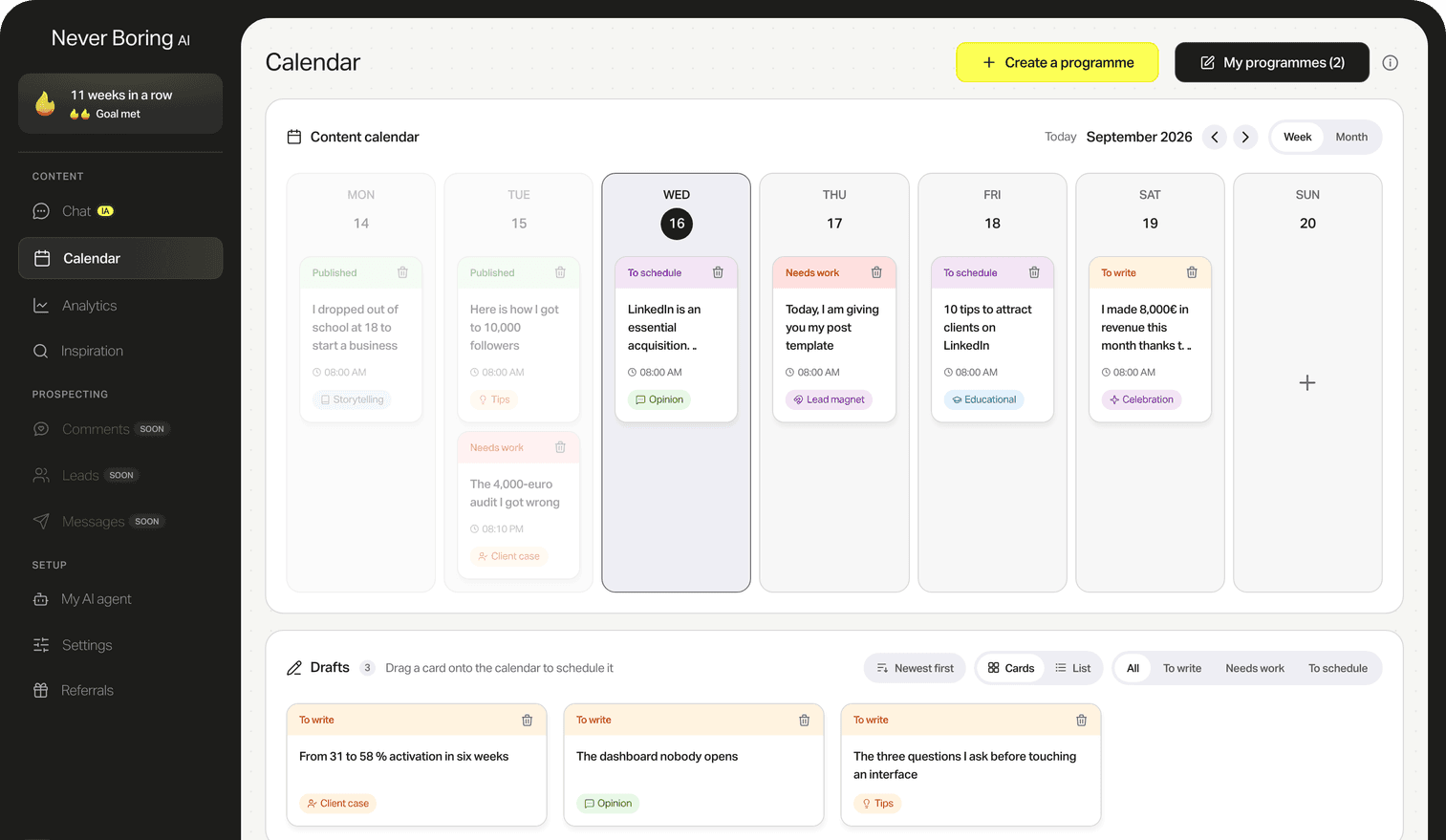
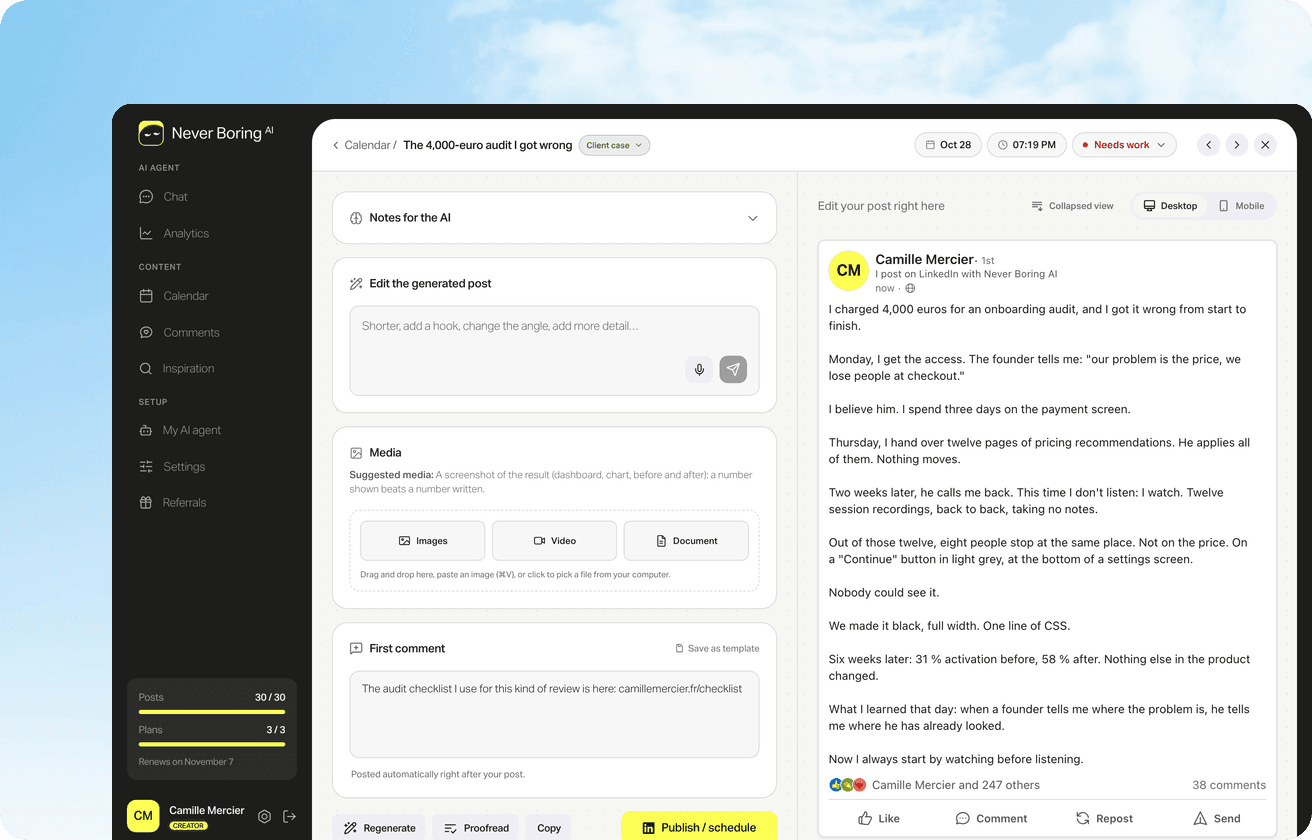
Never Boring AI's AI LinkedIn post generator starts from your own stories, your offer and your audience, and drafts in your voice. You read it in a feed-accurate preview and adjust it in one sentence.
How to boost a post on LinkedIn from your profile
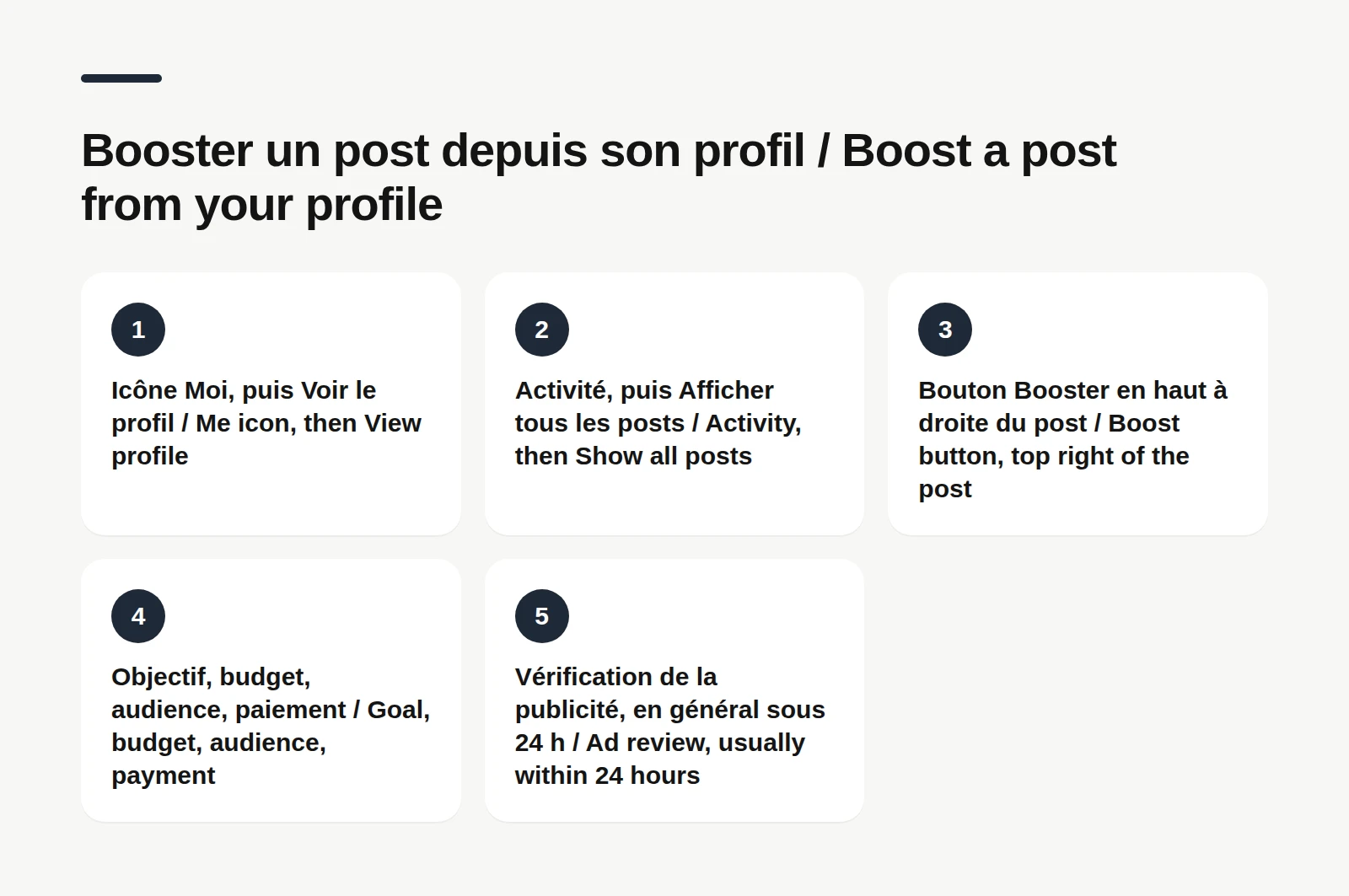
Boosting from your profile is the flow LinkedIn offers every member who has access to the feature, on desktop and mobile. Here are the desktop steps, according to LinkedIn's help center: 1. Click the Me icon at the top of your homepage, then View Profile. 2. Scroll to the Activity section, Posts tab, and click Show all posts. 3. Click Boost in the upper right of the post you picked. 4. On the Boost page, select your goal, your budget and your target audience, then add payment details. 5. Click Boost in the lower right. Your post then goes through ad review. LinkedIn says it usually reviews ads within 24 hours. Old posts can be boosted just like new ones, so there's no need to repost that hit from March.
Three settings do all the work: The goal: LinkedIn offers more visibility, more followers or more website clicks. The audience: by default, LinkedIn uses the text of your post to pick who sees it. You can also build it yourself by location, language, job title, job function, company industry and seniority. The budget: you set it up front, and it can't be changed afterwards. To change it, LinkedIn says you have to delete the boost and boost the post again. On mobile, the flow is the same from the Activity section of your profile, with one big difference: you need prepaid ad credits, bought in the last step of checkout. On iOS, the purchase goes through Apple, which may add its own service fee, and those credits don't expire. On Android, you pay through LinkedIn's checkout, with no Google Play fee. Mobile boosting is still in testing, according to LinkedIn.
How to boost a post from a LinkedIn Page
Boosting a LinkedIn Page post is the same idea applied to a company Page, with stricter rules. According to LinkedIn's help center, you need super admin or content admin access to the Page, and you can only boost from desktop. The steps: 1. Open your Page's admin view. 2. Click Page posts in the left menu and find the post. 3. Click Boost in the upper right of the post. 4. Pick a goal, then an audience: suggested by LinkedIn, or one you build. 5. Set a start date, an end date and a total budget. 6. Pick the ad account to bill, then click Boost. The boost creates an ad set in Campaign Manager, charged by impressions, meaning the number of times the ad was displayed. Daily spend varies, but never goes past the total budget. Two traps: a post that was already boosted can't be boosted again, and an edited post goes back through ad review. For more targeting or bidding options, LinkedIn points you to a full campaign in Campaign Manager.
💸 How much does it cost to boost a post on LinkedIn?
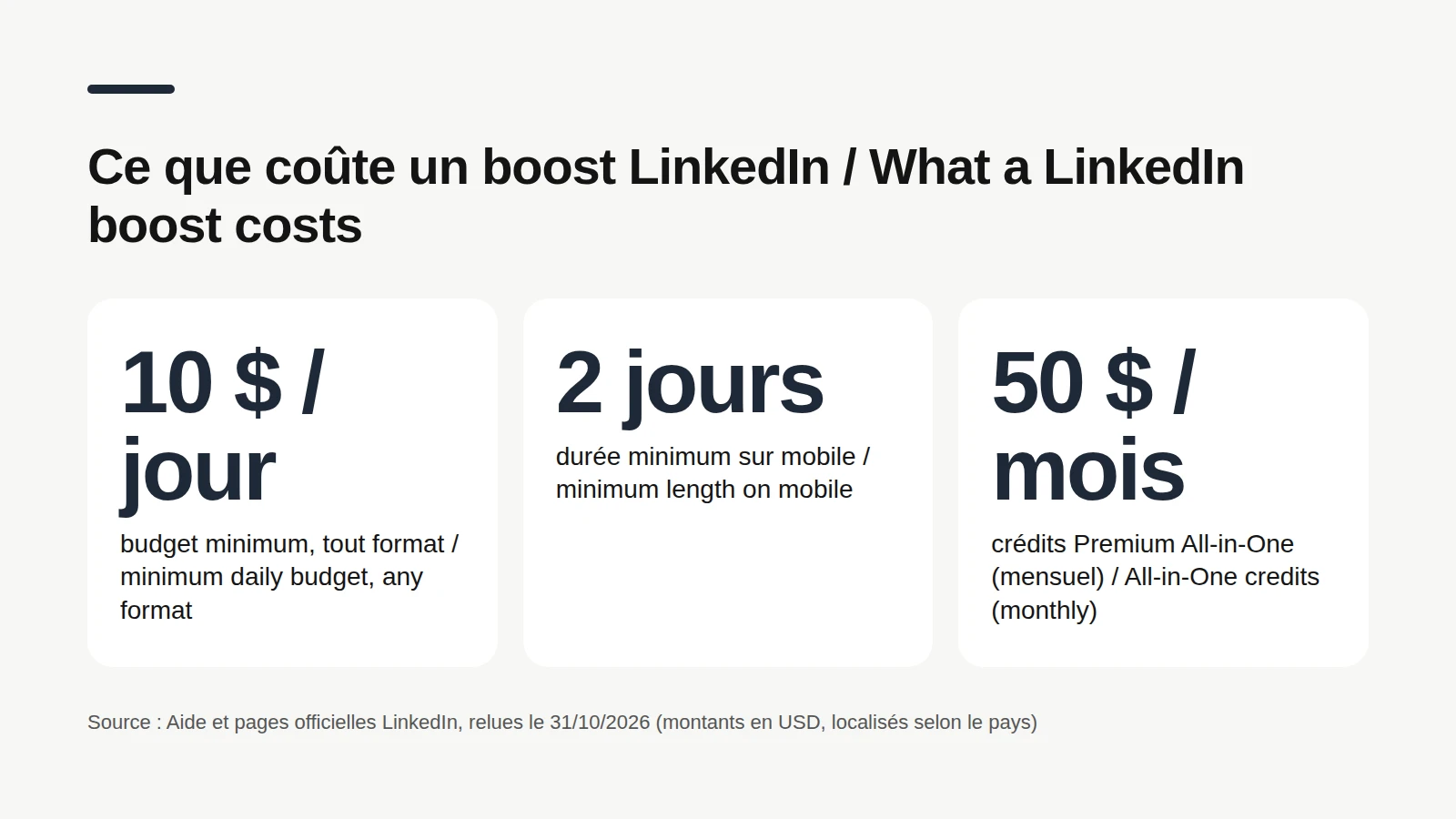
The cost of a LinkedIn boost is a budget you set yourself, with a floor. On its budget best-practices page, LinkedIn lists a $10 minimum daily budget for any ad format, and a $100 minimum lifetime budget for a new campaign. For mobile boosts, the help center adds a minimum of $10 a day for at least 2 days, with local currency equivalents. So the real cost is your call: total budget, end date, and the boost stops at whichever limit comes first. LinkedIn also warns that a budget can run out faster than expected when the audience is very large and the budget small, especially on a post with no text. Its advice: include some text in the post and keep a custom audience between 50,000 and 500,000 people. What about Premium? Premium All-in-One includes boost credits, usable only on posts from your personal profile. Amounts LinkedIn lists for the US market: $100 during the free trial, $600 in the first paid month of an annual plan, and $50 every month on a monthly plan. LinkedIn notes credits are localized by country. And yes, there is a coupon field: click Add coupon code at checkout.
Which LinkedIn posts can be boosted?
Eligible posts are the formats LinkedIn agrees to turn into an ad. The list depends on whether you boost from a profile or a Page. From a profile, according to LinkedIn's FAQ: text, single or multi-image, article, video and newsletter posts. No boost for job posts, events, documents, polls, group posts or connections-only posts. From a Page: text, single image, event, video, document, LinkedIn article or newsletter article posts. Polls and job ads stay off the list. Spot the trap? A PDF carousel can be boosted from a Page, not from a profile. And a connections-only post can't be boosted at all: it has to be public. Last point: every boost is reviewed against LinkedIn's advertising policies. If it's rejected, you get a notification, and you can boost a compliant variation or file an appeal.
📊 Is boosting a post on LinkedIn worth it?
Whether a boost is worth it comes down to what the money brings back against your goal. Nobody can answer that for your account, but three things help you decide. What LinkedIn claims. On its boosting page, LinkedIn says members who boosted their personal posts grew followers up to 2x faster, and that a boosted Page post can get up to 3x more reach. Those are LinkedIn's numbers about its own users, with an "up to": a ceiling, not a promise for your account. What you can track. Each boosted post gets its own analytics view, which splits organic performance from paid performance. Open the post and select View analytics. Your receipt sits on the same page, in the ads section. What our users' posts show. Pulled from Never Boring AI's database on October 31, 2026: 1,437 LinkedIn posts from 17 users who connected their account, published between September 2024 and October 2026, team and test accounts excluded, reposts excluded. The top 10% most-viewed posts account for about 57% of all impressions. And about 1 post in 5 reaches at least twice its author's usual impressions, measured by that author's median.
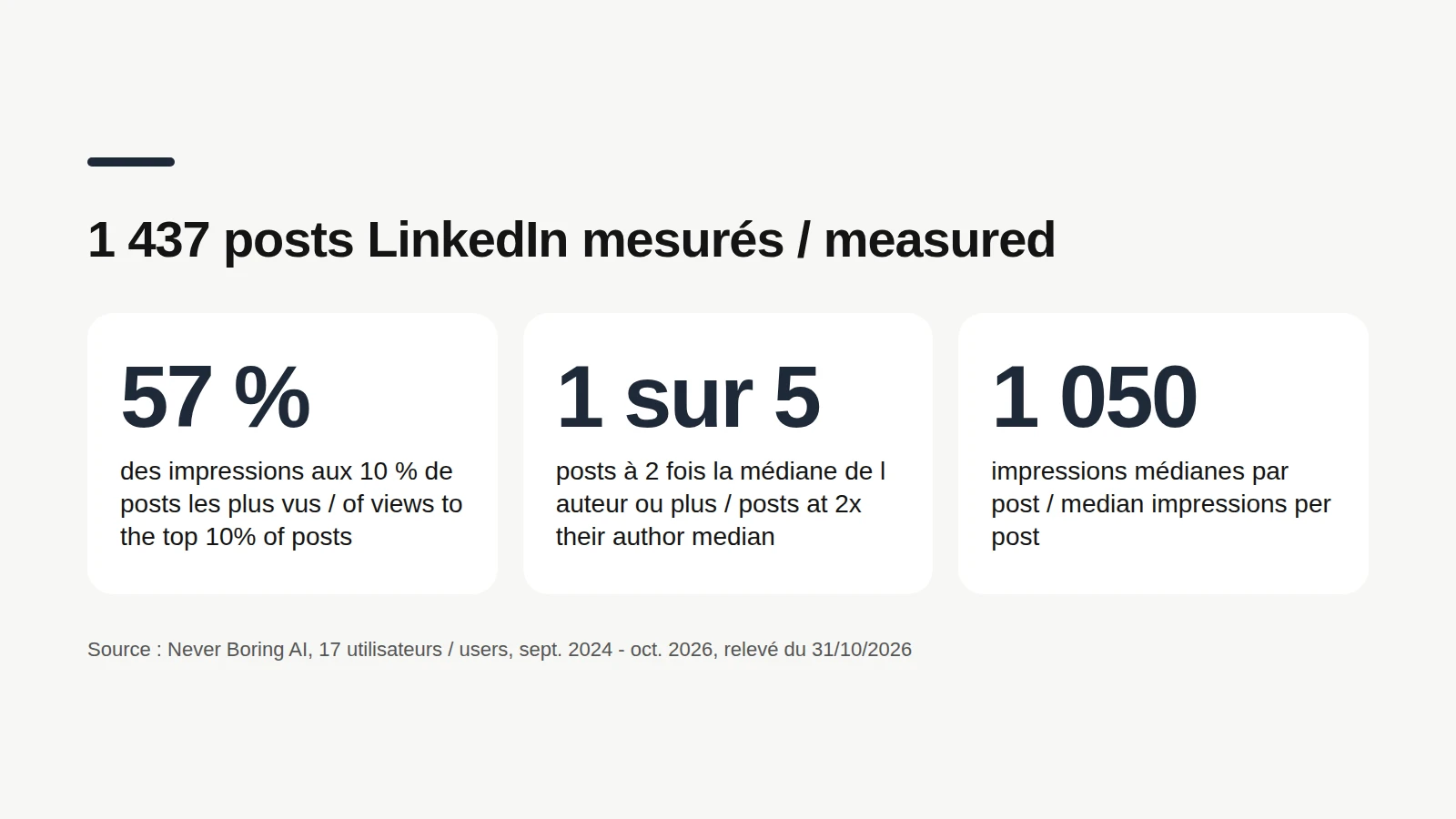
These numbers describe 17 accounts, most of them French-speaking, so read them as a European reference rather than a US benchmark. They don't say boosting works, or what it would have done for those posts: none of them was measured with a boost. They only show that, on these accounts, reach concentrates on a small share of posts. Which suggests a sensible approach, with no guaranteed outcome: Boost a post that has already beaten your usual numbers, rather than one that flopped. LinkedIn itself frames boosting around your top-performing content. Pick a goal that serves your business: followers if you want to get known, website clicks if the post points to an offer. Start small, at the minimum, over a few days, then compare paid and organic numbers in the post's analytics. And will people know it's boosted? Boosting turns the post into an ad covered by the LinkedIn Ads Agreement, and LinkedIn says members can recognize this kind of sponsored content by labels like Promoted shown on the post. Your existing post stays the same post, so the likes and comments it already earned stay with it.

How to boost a LinkedIn post for free
Free alternatives are everything that gets your posts seen without an ad budget. They cost time rather than money, which is usually where it hurts. Post consistently. A one-off post, even a boosted one, fades fast. A steady cadence, two or three posts a week in slots where you can reply, gives each of them more chances. LinkedIn's native scheduling is enough for that: it's free, and works from 10 minutes to 3 months ahead for a profile, according to LinkedIn's help center.
Schedule your posts and forget about it
The exact steps to schedule LinkedIn posts on desktop, on mobile and for a Page, with the limits worth knowing.
Comment on other people's posts. A useful comment under a post your audience reads puts your name in front of that audience, for free. It's slower than a boost, but it doesn't look like an ad. Never Boring AI supports that habit: you follow up to 30 profiles, their new posts arrive every day with a comment suggested in your voice, and nothing goes out without your approval. The pace is 5 comments a day on weekdays, according to the feature page. Keep the post alive. Reply to comments in the hours after you publish: every reply restarts the conversation under the post. And if a post did well, nothing stops you from coming back to the idea later, from a new angle.
Comment on the right profiles, every day
Pick up to 30 profiles. Their new posts arrive with a comment suggested in your voice. You read it, you approve it.
Check your numbers. Before boosting anything, open your LinkedIn analytics: impressions, members reached, engagements. They tell you which post really beats your usual numbers, and so which one might deserve a budget.
Find out which post really took off
Where to find your LinkedIn analytics, what each number means, and the tools that sort them post by post.
Bottom line: boost a LinkedIn post without wasting your budget
Boosting a LinkedIn post turns it into an ad. From a profile: Activity, Show all posts, Boost, then goal, budget and audience, with ad review usually within 24 hours. From a Page: admin view, desktop only, billed to a Campaign Manager ad account. Plan on at least $10 a day, a budget you can't change once the boost is live, and check that your format is eligible. A boost makes sense on a post that has already beaten your usual numbers, with a clear goal. For everything else, consistency and comments are still free. And if you want posts worth boosting every week, Never Boring AI builds your posting plan and drafts the posts in your voice.
Posts worth boosting, every week
Tell the agent about your business: it builds your posting plan, drafts your posts in your voice and publishes them on LinkedIn. Free trial.
What questions come up most often?
The questions that keep coming up on this topic, and how we answer them.
At least $10 a day. That is the minimum daily budget LinkedIn lists for any ad format, with a $100 minimum lifetime budget for a new campaign. On mobile, the minimum is $10 a day for at least 2 days, in local currency equivalent. Beyond that, you set the total budget and end date yourself, and the boost stops at whichever limit is reached first. Premium All-in-One includes boost credits.
Read next
Your first content plan and your first 3 posts are on us
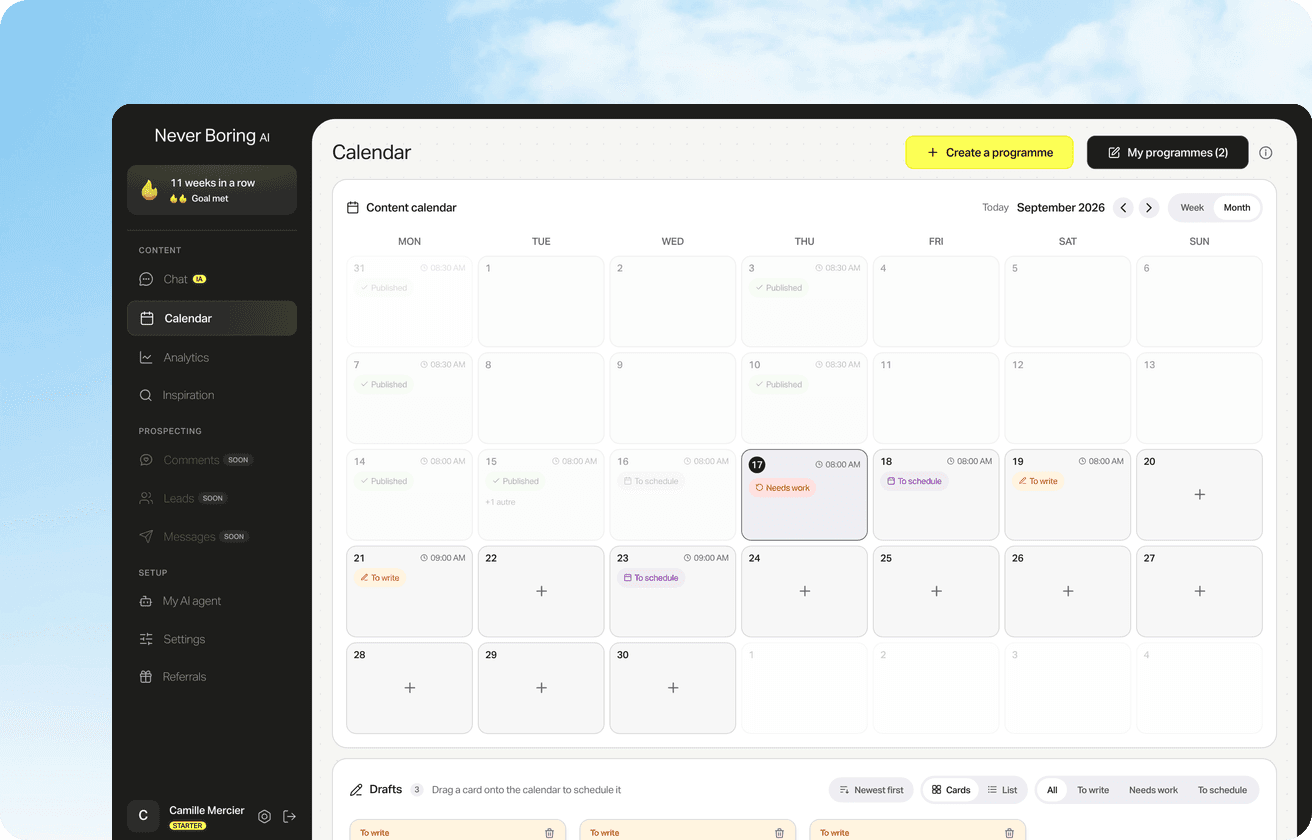
Create your account, no credit card needed, and walk away with your first post in minutes. Your LinkedIn calendar then runs on its own.


Already used by
242 founders