What is an impression on LinkedIn? Meaning and good numbers
An impression on LinkedIn is one display of your post on someone's screen. According to LinkedIn's help center, the counter tells you how many times the post was shown, not how many people read it. If the same person scrolls past it three times, that's three impressions. So what's a good number? Across 1,376 posts measured in Never Boring AI's database, the median post got 999 impressions. Just under 1,000, like a price tag ending in .99.
👀 What is an impression on LinkedIn?
An impression on LinkedIn is one display of your content on a member's screen: a post, an image, a video, a document or an article. LinkedIn's help center defines impressions as the number of times your post was shown on LinkedIn. Nobody has to click, read or react: the post shows up on screen, and the counter ticks. Three details from LinkedIn's help center change how you should read that number: It's an estimate. LinkedIn states plainly that the numbers in your post analytics are estimates and may not be precise. Your own views count. Rereading your post ten times to fix a typo adds ten displays to the counter. Only you can see them. Post analytics are private: nobody else knows your impression count unless you share it. So when someone asks what LinkedIn impressions mean, the honest answer is: how often your post had a chance to be seen. Not how often it was read.
Your impressions, post by post
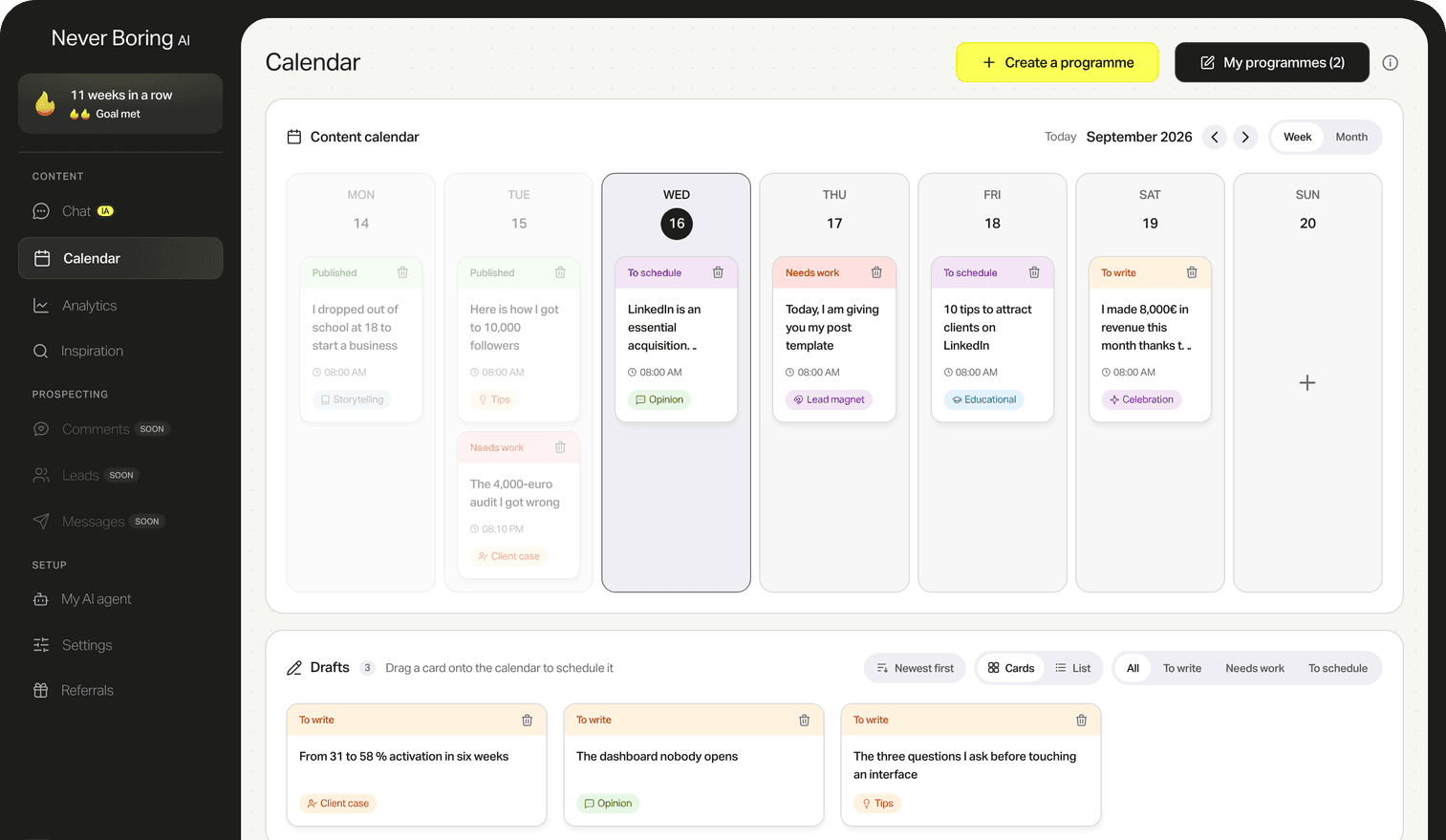
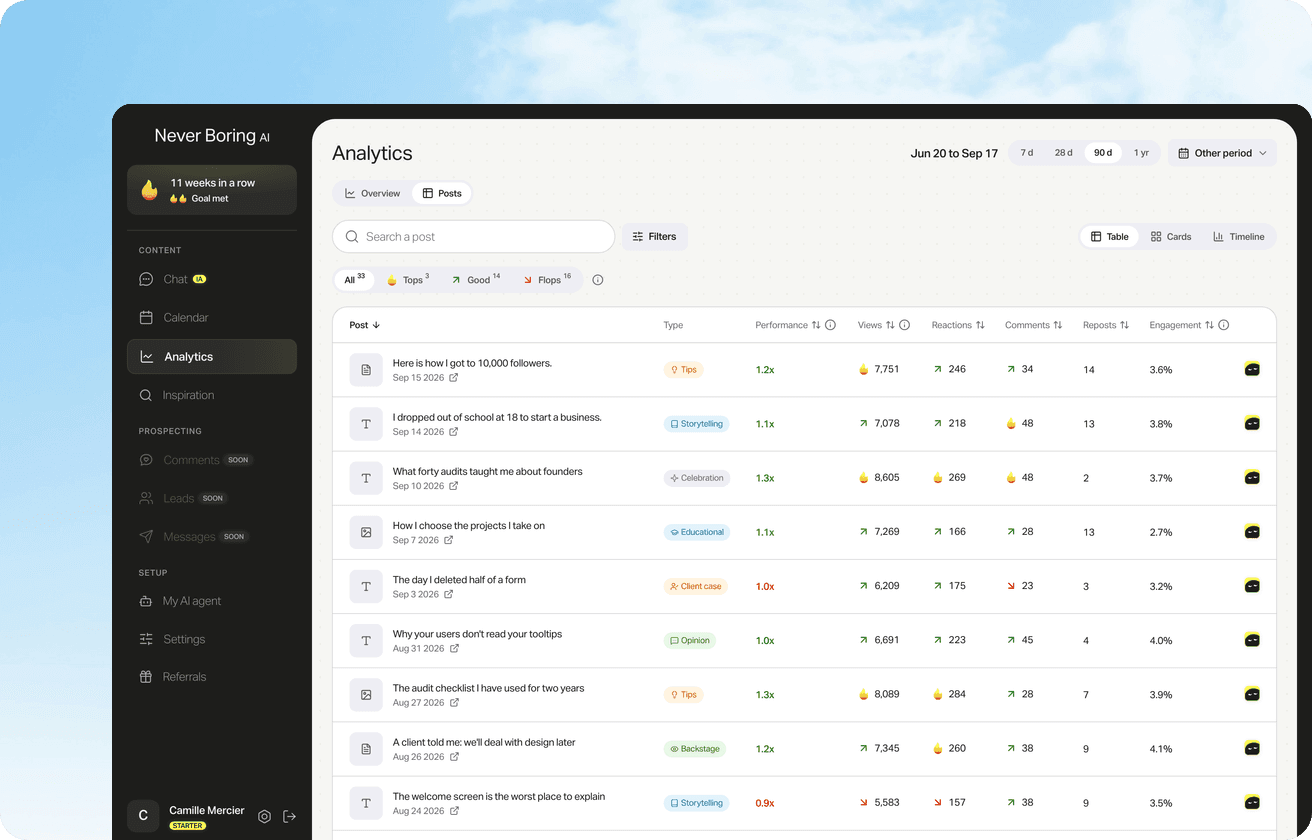
Never Boring AI's LinkedIn post analytics pulls your views, reactions and new followers from your own account, with your five best posts and their format. Nothing is estimated from other accounts.
Impressions vs members reached vs views on LinkedIn
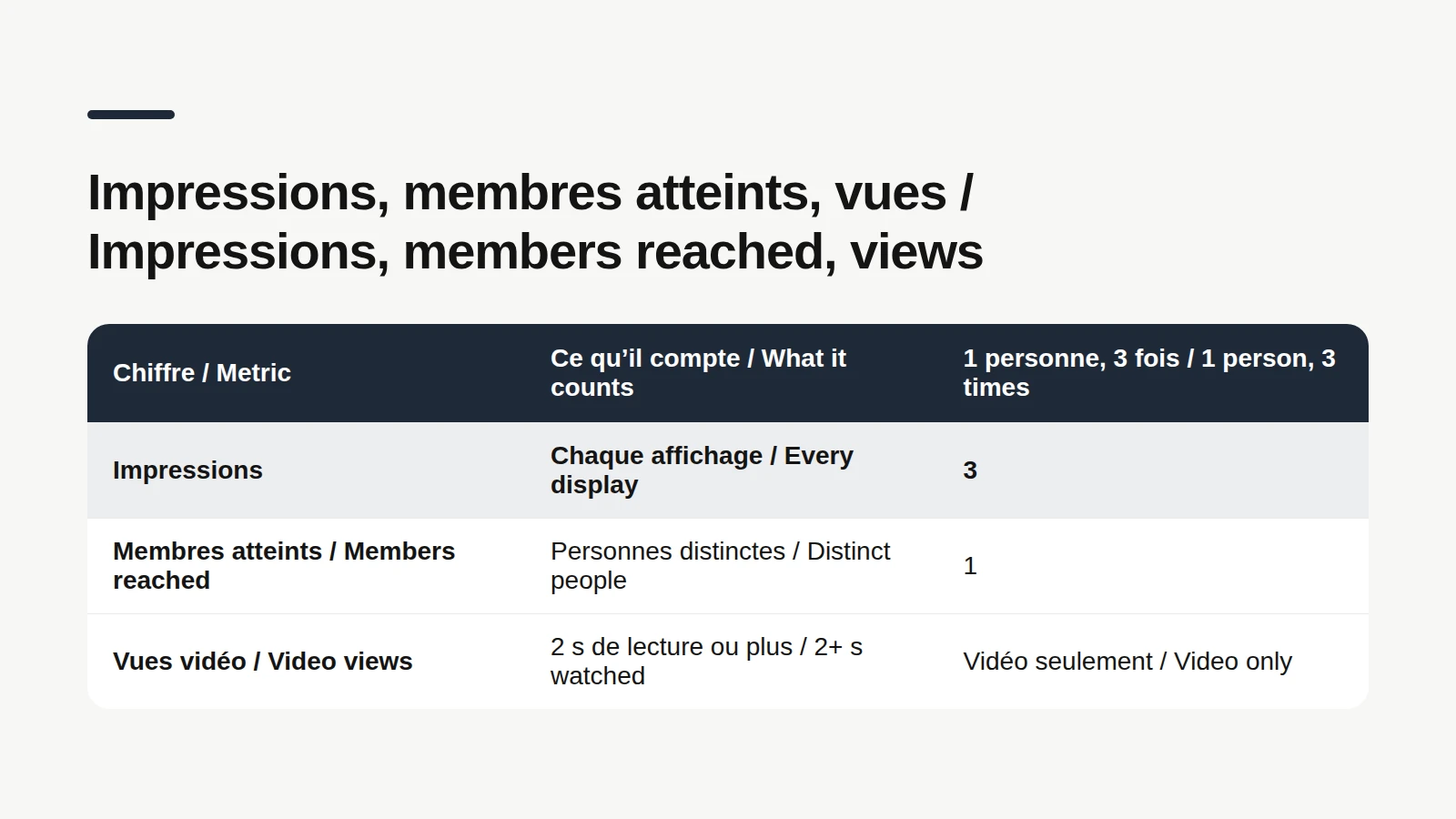
Impressions, members reached and views are three different counters that LinkedIn lists side by side and that almost everyone mixes up. According to LinkedIn's help center: Impressions: the number of times your post was shown. Members reached: the number of distinct members and Pages that saw your post. It's an estimate too, and it doesn't include repeat views. Video views: the number of times your video was watched for two or more continuous seconds, including replays. Here's the example that settles it. Julie, a consultant (made up, don't worry), scrolls past your post in the morning, sees it again at lunch because a connection commented on it, then runs into it once more at night. That's 3 impressions and 1 member reached. So your impressions are always at least equal to your members reached. LinkedIn also splits impressions into in network (people who follow you or are connected to you) and out of network (everyone else). A rising out-of-network share means your post traveled beyond your usual circle.
What triggers an impression? For posts from a personal profile, LinkedIn's help center doesn't give a minimum time on screen. It does for two other cases. On a company Page, LinkedIn counts an impression when at least 50 percent of the content is on screen for 300 milliseconds or more, or when it's clicked. For ads, since August 2026: at least 50% of the ad in view for 1 second on desktop, and on mobile at least 50% of the ad or 300dp of it in view for 300 milliseconds. A fast-scrolling thumb still counts.
📍 Where to find your LinkedIn impressions
Finding your impressions on LinkedIn comes down to two moves: checking a single post, or tracking all your posts over time. Here are both, according to LinkedIn's help center: For one post, on desktop: click the Me icon at the top of your homepage, then Posts & Activity. Pick the tab for the right content type, then click "[Number] impressions" in the lower-left corner of the post. On mobile, go to your profile, the Activity section, then Show all posts. For all your posts: Me icon, View Profile, Analytics section, Show all, then Content analytics. A dropdown switches the chart between impressions and engagements for the date range you pick, and the Export button downloads everything as an .XLSX file. One thing to know before you compare this year with last year: a post's impressions and engagements stay available for 1,000 days, members reached for 400 days, and demographics for 180 days. If you care about your history, export it now and then.
📊 What is a good number of impressions on LinkedIn?
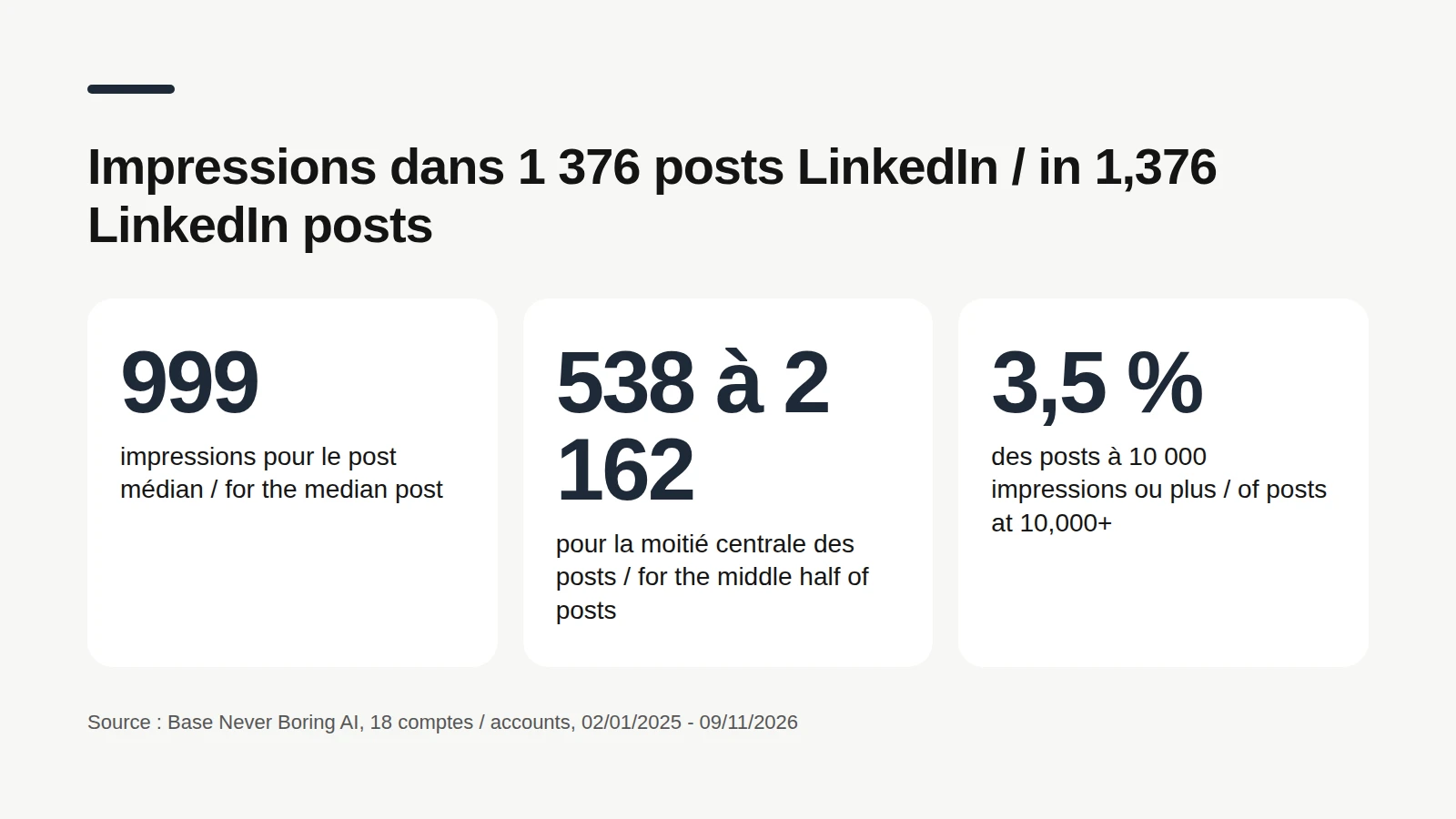
A good number of LinkedIn impressions is a reference point, not a rule: LinkedIn publishes no average for members' posts, and it doesn't show you anyone else's impressions. To give you a real order of magnitude, we queried Never Boring AI's database on November 10, 2026. The method: 1,376 posts published on LinkedIn by 18 users who connected their account, from January 2, 2025 to November 9, 2026. Team and test accounts excluded, reposts excluded, posts under 50 characters excluded. 15 of those 18 accounts use the app in French, so read this as a European reference point rather than a US benchmark. What those 1,376 posts show: The median post got 999 impressions: half the posts stay under 1,000. The middle half of posts sits between 538 and 2,162 impressions. 9 posts in 10 stay under 4,300 impressions. 7.8% of posts reach 5,000 impressions or more, and 3.5% reach 10,000 or more. The average climbs to 2,634: a handful of very visible posts drag it up.
The most telling number isn't the overall median, it's the gap between accounts. Among the 15 accounts with at least 10 posts, each account's median ranges from 112 to 3,959 impressions, and 9 of those 15 accounts sit under 1,000. In other words, 400 impressions can be a great week for one person and a slow week for another. These numbers describe those 18 accounts, not all of LinkedIn. They don't explain why one post gets more impressions than another: network size, topic, timing and the luck of the feed all play a part, and nothing here was tested. So the right number is yours first: take the median of your last 20 posts, and see which ones beat it.
More numbers on LinkedIn posts
Reactions, comments, median engagement rate and writing habits: our LinkedIn statistics roundup puts LinkedIn's official numbers next to our own data, each with its method.
What your LinkedIn impressions don't tell you
The limits of impressions are everything a display counter can't know. And it knows very little about what happens in a reader's head. An impression isn't a read. The post was displayed, that's all. Nobody knows whether the first line was read. An impression isn't a person. To count people, look at members reached. A big number isn't a good post. A post seen 8,000 times without a single comment started fewer conversations than a post seen 900 times with fifteen thoughtful replies. The counter keeps moving after you post. Page metrics can take up to 48 hours to update, according to LinkedIn's help center. Give a post a few days before you judge it.

To see whether a post got people talking, compare its interactions with its impressions: reactions, comments and reposts, divided by impressions, times 100. That's your engagement rate, and it tells you what the post did for the people who saw it. The free calculator below does the math for you, no account needed.
Work out your engagement rate
Copy your post's reactions, comments and reposts, then its impressions: the rate shows up instantly. Free, no account, no email.
🚀 How to get more impressions on LinkedIn
Getting more impressions on LinkedIn mostly means one thing: giving your posts more chances to be displayed, by posting better and more consistently. Nobody can promise you a number. LinkedIn does share a few pointers in its creator guide on members.linkedin.com. Nail the hook. The guide puts an engaging hook at the beginning of the post first in its anatomy of a great post. It's the line people see before "… more". One idea per post. Second item in the same guide: concise, easy-to-understand messaging. Bring your own angle. The guide lists a personal perspective, story or unique take. Start a conversation. Fourth item: questions to spark conversation. Build a routine. The guide's Optimize page tells you to check impressions and engagements regularly, adjust posting times and frequency, and try different formats where your posts perform lower. For most solo founders and freelancers, the real blocker isn't the recipe. It's finding the time to post every week without running out of ideas.
Consistent posts, in your voice
Never Boring AI's AI LinkedIn post generator starts from your offer, your audience and your own stories to build your posting plan, then drafts each post in your voice. You review, edit and schedule.
Is 1,000 impressions on LinkedIn good?
1,000 impressions on LinkedIn is a threshold that half of the posts in our dataset never cross. In the Never Boring AI dataset above, half of the 1,376 posts stayed under 1,000 impressions, so crossing it puts a post above the median of that dataset. Among the 15 accounts with at least 10 posts, 9 had a median under 1,000. Keep in mind those accounts are mostly French-speaking: a large US audience can shift the picture. The better question is what happened next. Right under impressions, LinkedIn's post analytics also show profile viewers from this post, followers gained from this post, saves, sends on LinkedIn and visits to links in this post. A post with 600 impressions that brings three potential clients to your profile did its job. Our LinkedIn analytics tools guide walks through each of these numbers.
Every LinkedIn number, explained
Impressions, members reached, engagements, followers: where to find your LinkedIn analytics, what each metric means, and the tools that go further.
Bottom line: a LinkedIn impression is a display
A LinkedIn impression counts one display of your post on screen, not a read and not a person: for people, look at members reached. The number is an estimate, your own views count toward it, and only you can see it. Across 1,376 posts in Never Boring AI's database, the median post got 999 impressions, but account medians range from 112 to 3,959. Your best benchmark is your own history. And if the hard part is posting often enough to build that history, Never Boring AI builds your posting plan and drafts your posts in your voice. Free trial.
Posts in your voice, every week
Tell the agent about your business: it builds your posting plan, drafts your posts in your voice and publishes them on LinkedIn. Free trial.
What questions come up most often?
The questions that keep coming up on this topic, and how we answer them.
Impressions are the number of times your post was shown on someone's screen. According to LinkedIn's help center, nobody has to read, click or react for an impression to count, and one person who sees the post three times adds three impressions. The number is an estimate, your own views are included, and only you can see your post analytics.
Read next
Your first content plan and your first 3 posts are on us
Create your account, no credit card needed, and walk away with your first post in minutes. Your LinkedIn calendar then runs on its own.


Already used by
249 founders