Best time to post on LinkedIn in 2026: days and hours
The best time to post on LinkedIn is on a weekday, during the workday, with lunch and mid-afternoon as the slots worth testing: that's how LinkedIn itself sums up three studies on its marketing blog. It adds right away that every audience is different. So we pulled our own numbers too: across 1,390 posts published by Never Boring AI users, 81% went out between 7 and 11 am, local time. Coffee probably has something to do with it.
⏰ What is the best time to post on LinkedIn in 2026?
On a weekday, somewhere between mid-morning and mid-afternoon: that's the common ground. On its marketing blog (July 25, 2024), LinkedIn published a roundup of three studies by HubSpot, Sprinklr and Buffer. Its takeaway: weekdays look like the safest bet, and the natural breaks in a workday, like lunch or mid-afternoon, are worth trying. The same article admits the studies contradict each other in places, and, quoting Buffer, reminds readers that every audience is different. So the useful answer comes in two steps: To get started: any weekday, inside the 9 am to 5 pm window Buffer points to, in your audience's time zone. To get better: test two or three slots for a few weeks, then keep the one your own readers respond to.
Fixed slots, without thinking about it
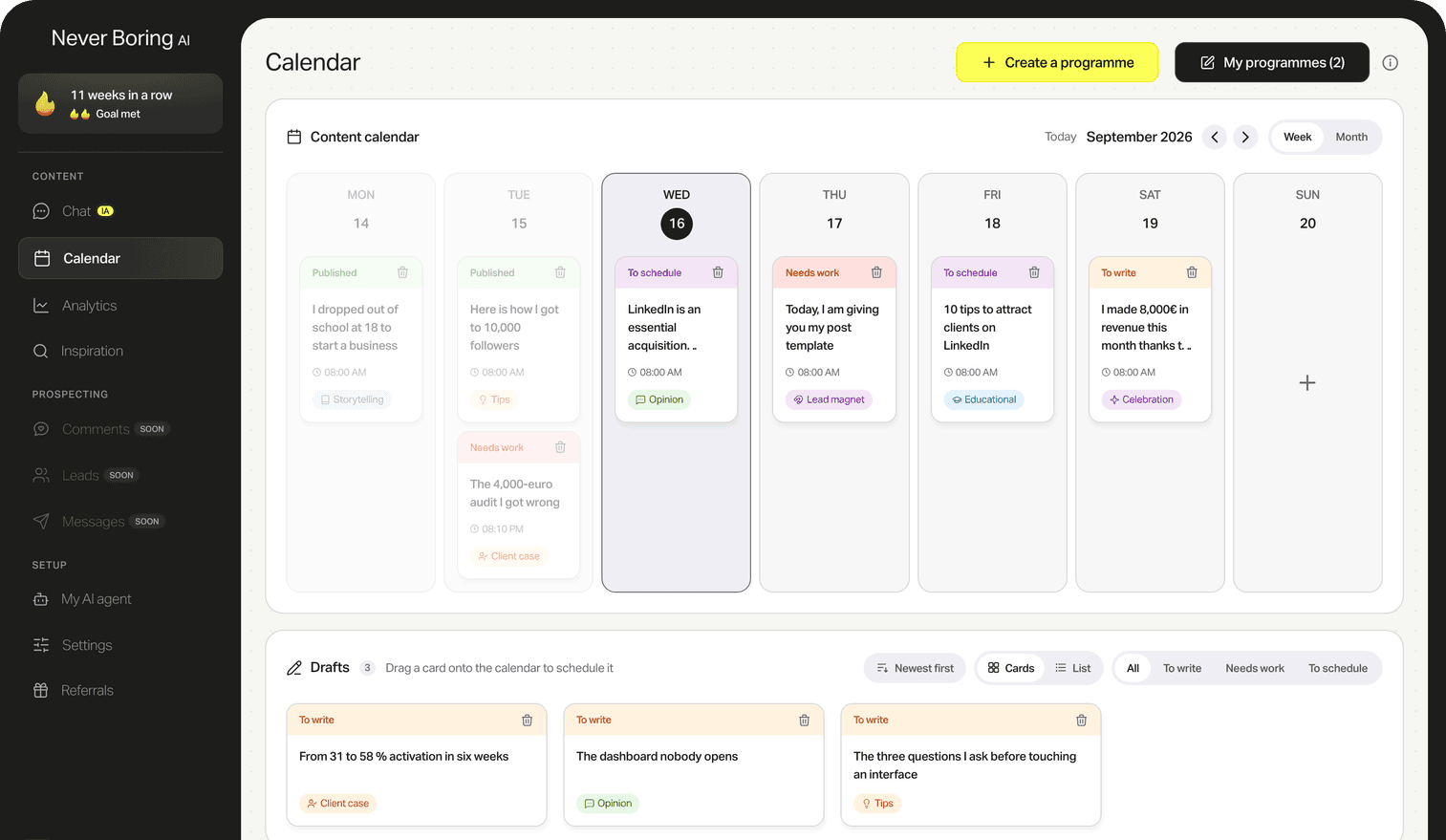
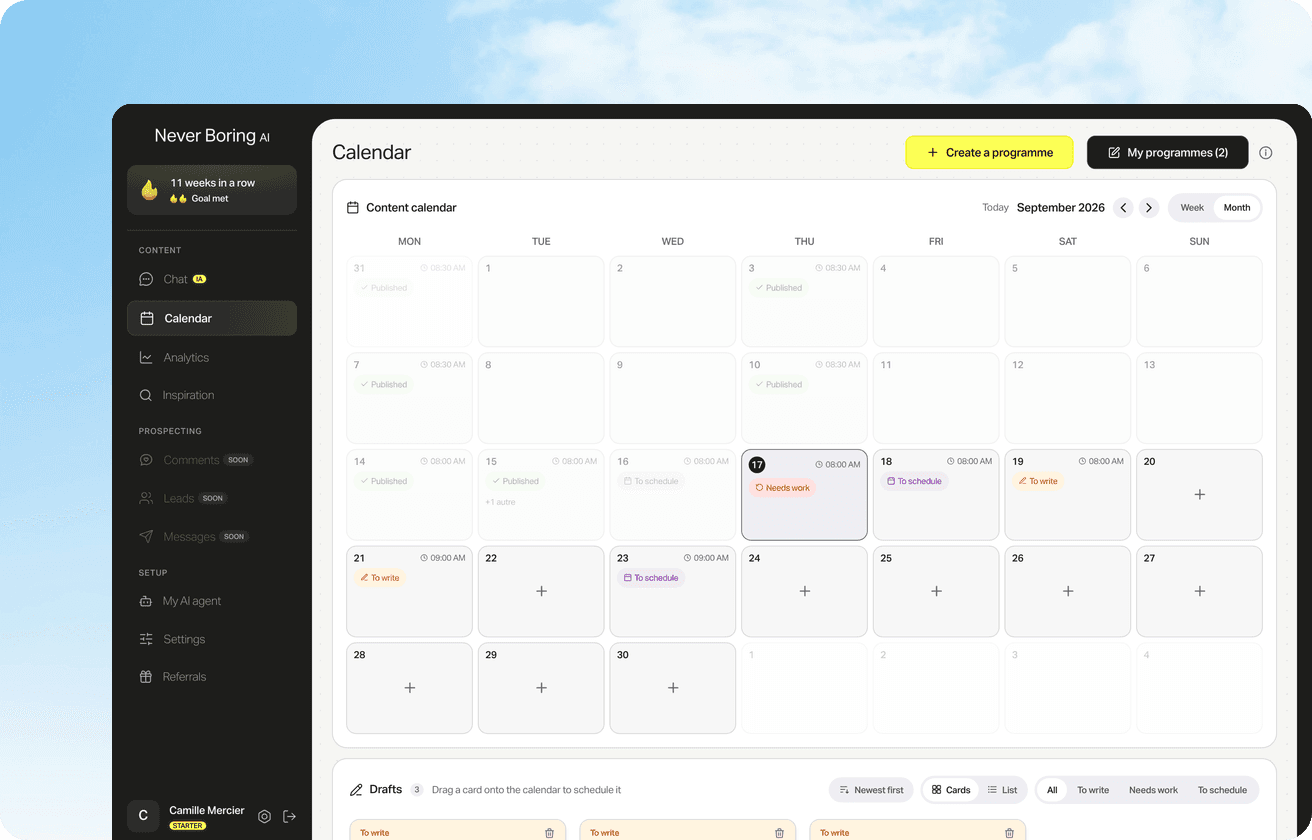
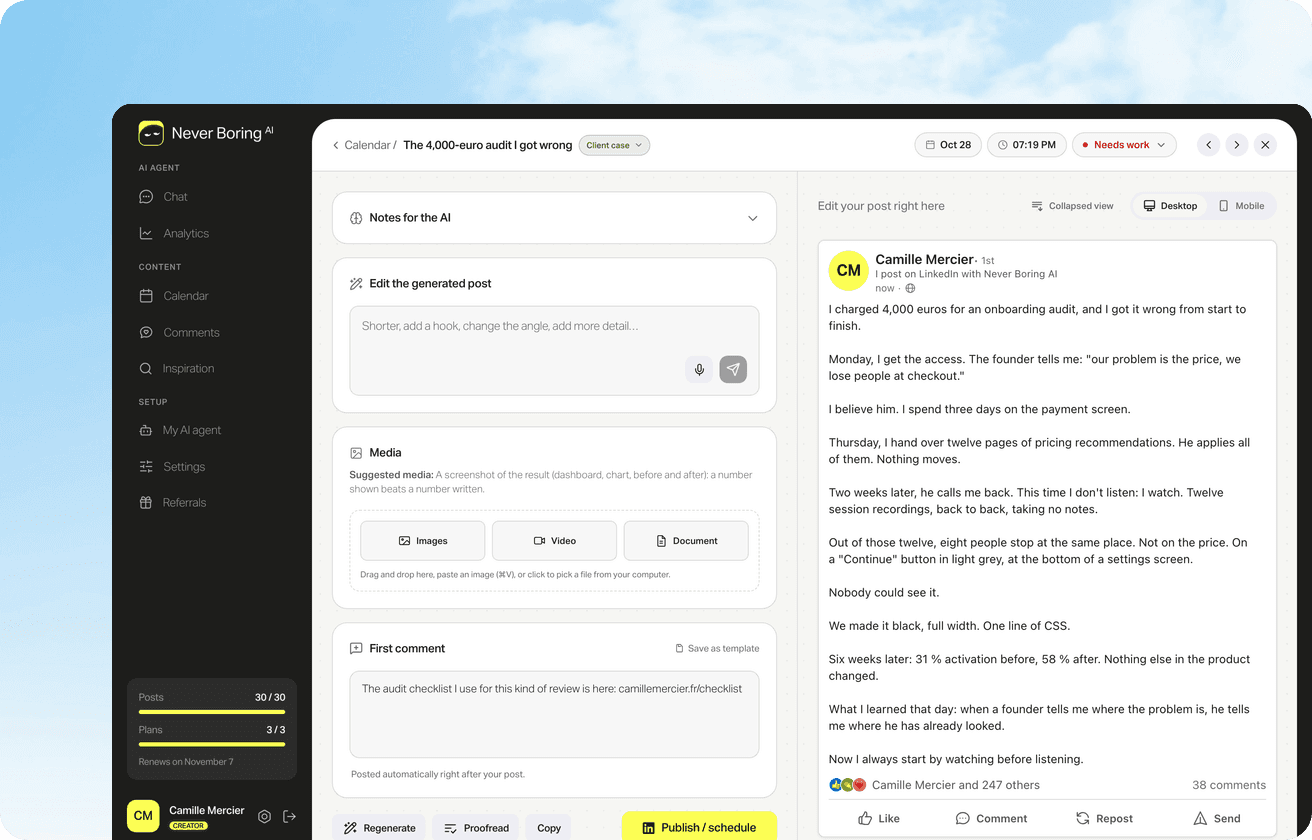
Never Boring AI's LinkedIn content calendar builds a month of posts from your offer and your audience, then puts each one on its day and time. You approve, and posts go out at the time you picked.
📊 What the big studies say, and where they disagree
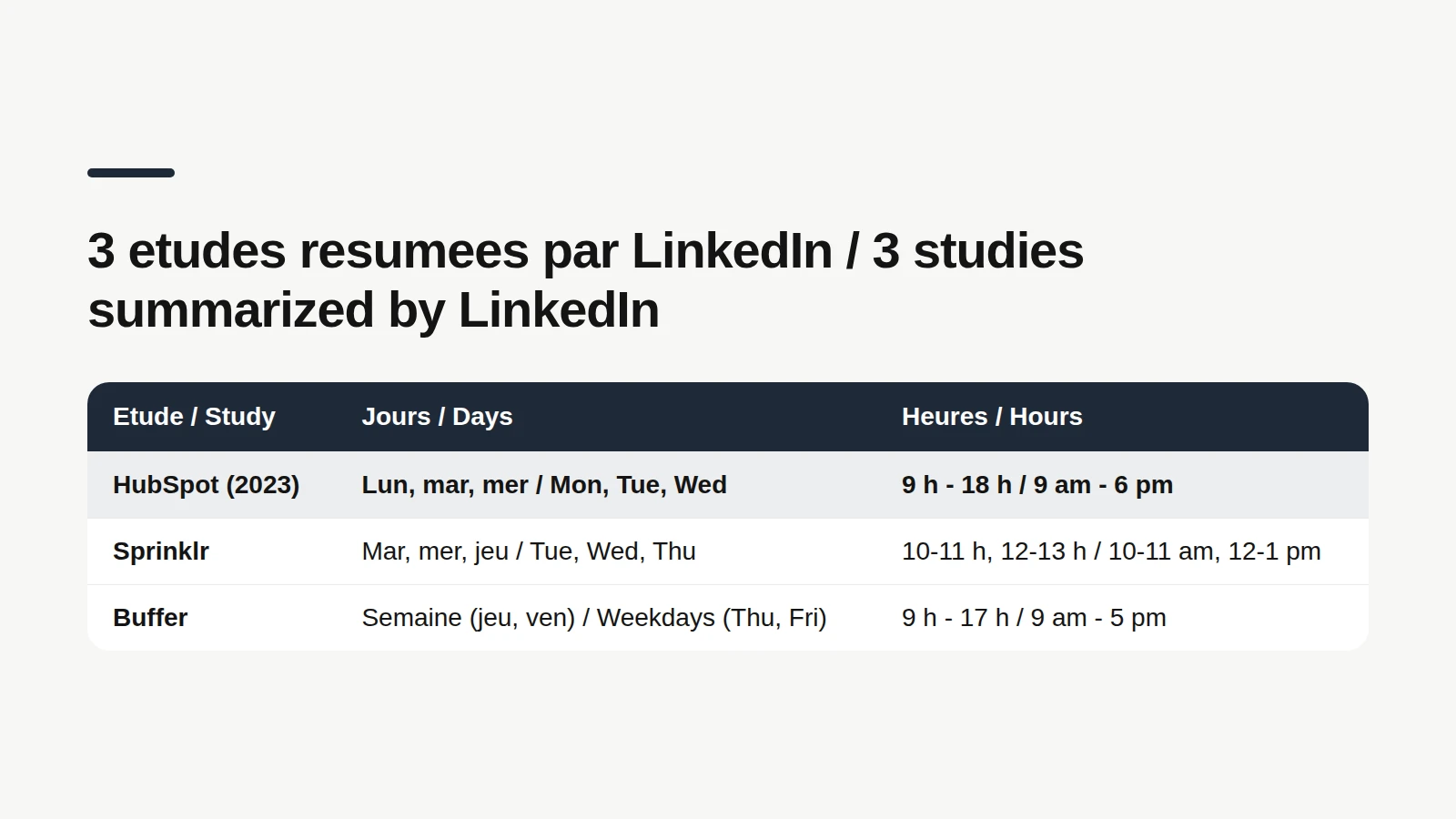
Here are the three studies as LinkedIn summarizes them on its marketing blog: HubSpot (2023 report): 9 am to 12 pm, 12 to 3 pm or 3 to 6 pm, and Mondays, Wednesdays and Tuesdays, in that order. Sprinklr: weekdays first, with mid-morning (10 to 11 am) and lunchtime (12 to 1 pm) on Tuesday, Wednesday and Thursday. Tuesday is the most active day on LinkedIn in that study. Buffer: 9 am to 5 pm on weekdays, with Thursday and Friday slightly ahead of the other days. Three studies, three different podiums. LinkedIn says it plainly: there are common themes, but also conflicting data points, which shows this isn't a black-and-white science. What every study shares fits in two words: weekdays and daytime. The rest depends on who reads you.
🗓️ Best time to post on LinkedIn by day of the week
There's no single winner, but here's how each day looks, using the per-day slots Buffer found and the rankings from the other two studies, all as summarized by LinkedIn: Monday: 4 pm for Buffer, and HubSpot's top day overall. Tuesday: 4 pm for Buffer, and the most active day on LinkedIn according to Sprinklr. Wednesday: 2 pm for Buffer, HubSpot's second day, and inside Sprinklr's Tuesday to Thursday sweet spot. Thursday: 4 pm for Buffer, which sees a slight uptick in engagement that day. Friday: 1 pm for Buffer, with the same slight uptick. Saturday: 10 pm for Buffer, the only study of the three to name a weekend slot. Sunday: 7 am for Buffer. Two things to keep in mind. These slots are averages from studies aimed at marketers, so treat them as starting points, not a train schedule. And the weekend barely shows up in any ranking: among our own users, 97% of posts go out Monday to Friday (more on that below).
🕗 What time to post on LinkedIn: think in your audience's time zone
Somewhere between 9 am and 6 pm, in your audience's time zone: that's the window the three studies cover. In detail, Sprinklr highlights 10 to 11 am and 12 to 1 pm, HubSpot splits the day into three 3-hour blocks, and Buffer's slots mostly land in the afternoon. The detail almost everyone forgets: those are your readers' hours, not yours. LinkedIn puts it nicely: lunchtime in New York is dinnertime in London. In the US, that gap exists inside one country. A post scheduled for 9 am Eastern lands at 6 am in Los Angeles, before most West Coast readers open the app. If your clients sit on both coasts, a late-morning Eastern slot reaches the East at work and the West before lunch. One technical trap to finish. According to LinkedIn's help center, when you schedule a post, the time you pick is converted to UTC based on your device's time zone settings. Leave your laptop on vacation time, and your 9 am post goes out on beach time.
What 1,390 posts from our users show
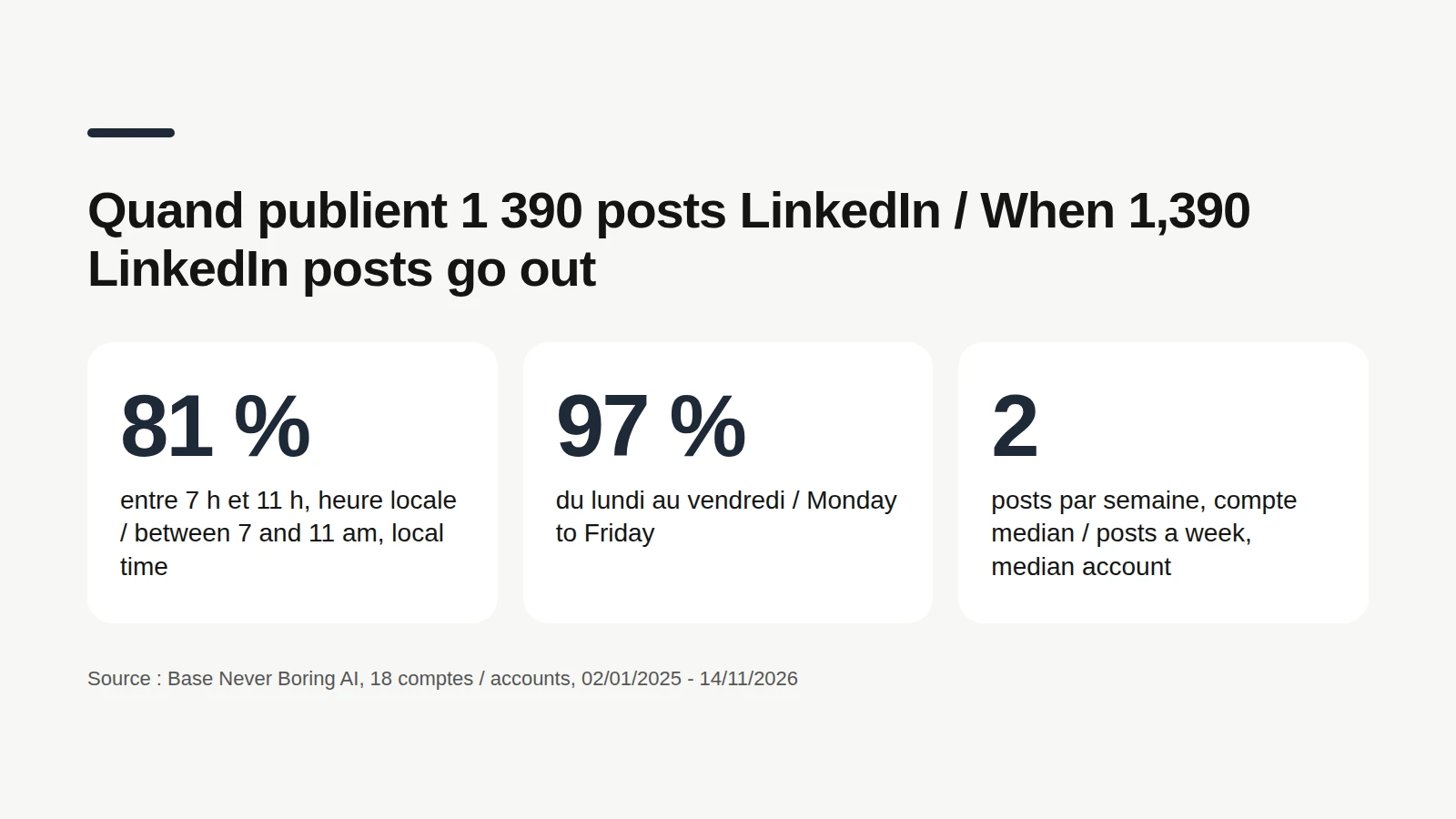
The studies above are written for marketers first. To see what our own users actually do, we queried Never Boring AI's database on November 16, 2026. The method: 1,390 posts published on LinkedIn by 18 users who connected their account, from January 2, 2025 to November 14, 2026. Team and test accounts excluded, reposts excluded, posts under 50 characters excluded. Each time is read in the account's own time zone, and 15 of the 18 accounts use the app in French, so this is a mostly European, French-speaking sample, not a US benchmark. Here's what it shows: 81% of posts go out between 7 and 11 am. More than half (57%) go out between 8 and 10 am. Only 14% go out at noon or later. 97% go out on a weekday: just 38 posts on a Saturday or Sunday. Among the 15 accounts with at least 10 posts, 12 publish at least half of their posts between 7 and 11 am.
These numbers tell you when those 18 accounts post, not when a post does best. Nothing here was tested, and timing is just one factor next to topic, network size and the luck of the feed. They also carry a known bias: the app suggests 9 am when you schedule a post, unless the user picked another default time (and it can be changed post by post), which likely weighs on that busy morning. What they do show is an interesting gap. The studies LinkedIn summarizes lean toward lunch and the afternoon, while our users mostly post with their first coffee. If everyone in your niche posts at 8:30 am, a 1 pm slot deserves at least one test.
🧪 Find your own best time in four weeks
LinkedIn recommends exactly this in its creator guide, on the Optimize page (members.linkedin.com): check your impressions and engagements regularly, and adjust posting times and frequency to find when your audience is most engaged. In practice, one month is enough for a first read: Weeks 1 and 2: keep your usual days and post at your current time. Weeks 3 and 4: same days, different slot. Lunch if you usually post in the morning, morning if you usually post at lunch. Compare post by post, on similar topics: impressions, but above all engagement rate. Keep the winning slot, then test a different day the following month. The golden rule of a fair test: change one thing at a time. If topic, length and timing all move together, you'll never know which one made the difference.

Compare your time slots
To settle between two time slots, compare the engagement rate of their posts: reactions, comments and reposts divided by impressions. The free calculator does it instantly, no account needed.
Read your impressions the right way
An impression is neither a read nor a person. What the number counts, where to find it, and what a good number looks like across 1,376 posts in our database.
📅 How often should you post on LinkedIn?
LinkedIn's creator guide doesn't give a number: it tells you to adjust your frequency based on your analytics, just like your timing. For a real-world reference, back to Never Boring AI's database. Among the 15 accounts with at least 10 posts since January 2025, the median account publishes 2 posts a week, in the weeks it posts at all. 13 of those 15 accounts average 1 to 3 posts a week, and 2 average 4 or more. Again, that's a description, not a rule. The right pace is the one you can keep for months without giving up your evenings. And a steady pace has a hidden perk: it builds the history you need to compare time slots.
⚙️ Schedule your posts so the timing takes care of itself
Knowing your best slot is useless if you're in a meeting when it comes around. LinkedIn lets you schedule a post from the composer: Clock icon, then date and time. According to its help center, you can schedule a post anywhere from 10 minutes to 3 months ahead. The dropdown offers 30-minute increments, but you can type a specific time. Events and job posts can't be scheduled. Never Boring AI takes it a step further. The agent builds your posting plan from your offer, your audience and your own stories, the content calendar puts each post on its day and time, and the post goes out on LinkedIn on schedule. You set a default time, then change it post by post whenever a test calls for it.
How to schedule LinkedIn posts, step by step
On desktop, on mobile, finding your scheduled posts, editing or canceling them: every step, based on LinkedIn's official help center.
Bottom line: weekdays, work hours, then your own numbers
So when should you post on LinkedIn? On a weekday, during work hours, in your audience's time zone: that's LinkedIn's own takeaway from three studies. Tuesday and midweek come up often, and so do lunch and the afternoon. Yet among 18 Never Boring AI users, 81% of 1,390 posts go out between 7 and 11 am. The only schedule that really matters will come out of your own tests. And to post on time without thinking about it, Never Boring AI builds your plan, drafts your posts in your voice and publishes them at the time you choose. Free trial, no credit card.
Your posts, on time, every week
Tell the agent about your business: it builds your posting plan, drafts your posts in your voice and publishes them on LinkedIn at the slot you picked. Free trial, no credit card.
What questions come up most often?
The questions that keep coming up on this topic, and how we answer them.
A weekday, with a slight edge for midweek. According to the roundup LinkedIn published on its marketing blog, Sprinklr names Tuesday the most active day, HubSpot ranks Monday, Wednesday, then Tuesday, and Buffer sees Thursday and Friday slightly ahead. Test two different days for a month before you settle on one for your own audience.
Read next
Your first content plan and your first 3 posts are on us
Create your account, no credit card needed, and walk away with your first post in minutes. Your LinkedIn calendar then runs on its own.


Already used by
257 founders