LinkedIn profile optimization: tips and examples for 2026
LinkedIn profile optimization comes down to a real photo of you, a headline that says who you help and how, an About section people actually finish, two or three proof points in Featured, and skills that match what you want to be found for. That's the baseline in LinkedIn's own help center, checked on November 26, 2026. Your profile deserves better than a job title and a cropped wedding photo.
👀 What LinkedIn profile optimization actually means
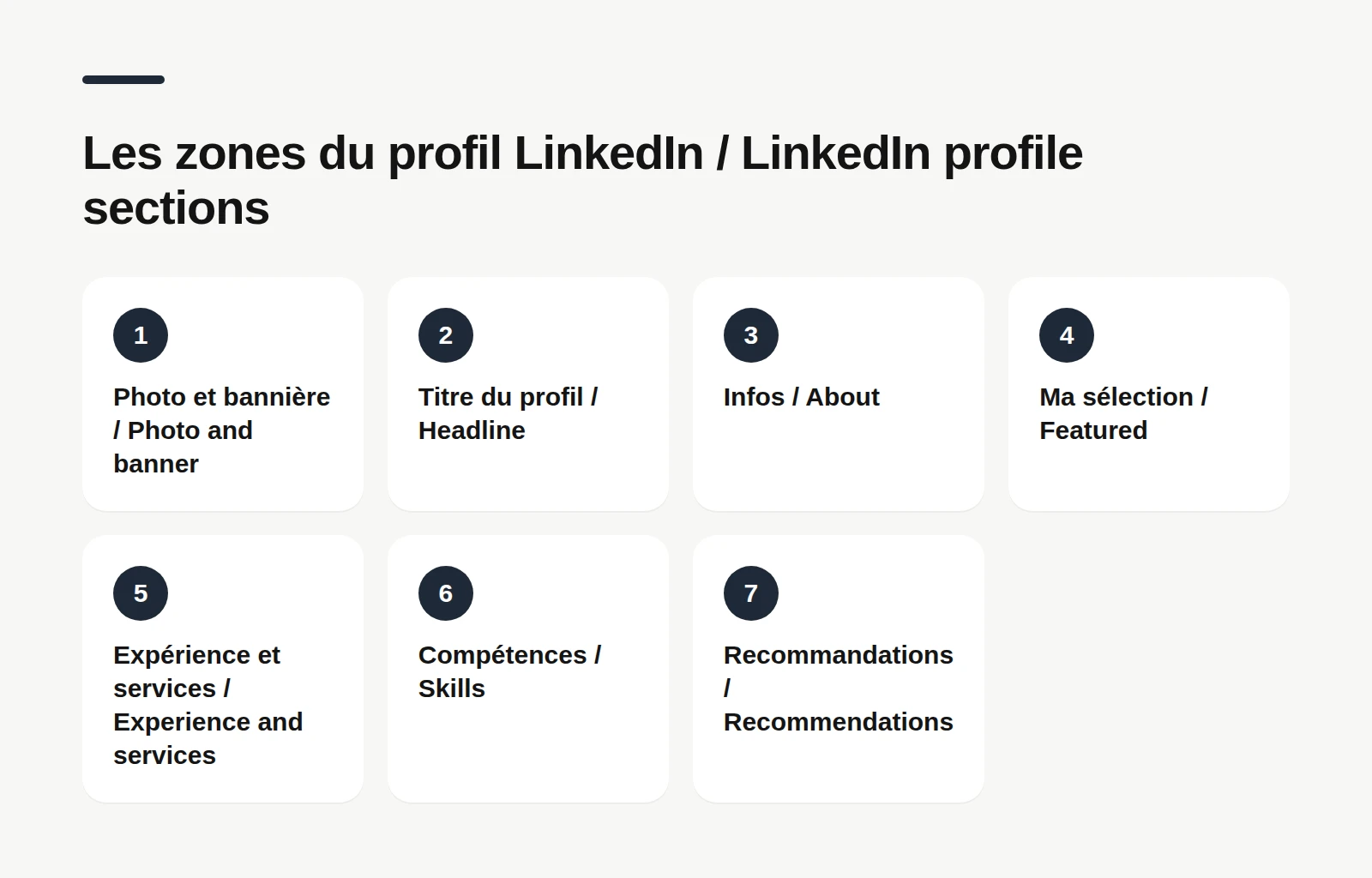
Optimizing your LinkedIn profile means making every section work for the people you want to reach: clients, recruiters, partners. When someone clicks your name under a comment, they see your photo, banner, name and headline first. Scroll down and they hit your About section, Featured, Experience, Skills and Recommendations. That's the order in which they decide whether you're worth a message. LinkedIn's help center calls your profile a professional landing page for managing your personal brand. It also points out that your headline appears in search results, and that your public profile can show up in search engines. So you don't need to redo everything tonight. Start at the top: it's the part everyone sees, including the people who never scroll.
What does a stranger see on your profile?
Paste your profile URL: Never Boring AI's free LinkedIn profile audit reads what LinkedIn shows the public, checks five points (photo, headline, About, current role, skills) and measures your latest posts. No account, no LinkedIn login.
📸 Profile photo and banner: the official specs
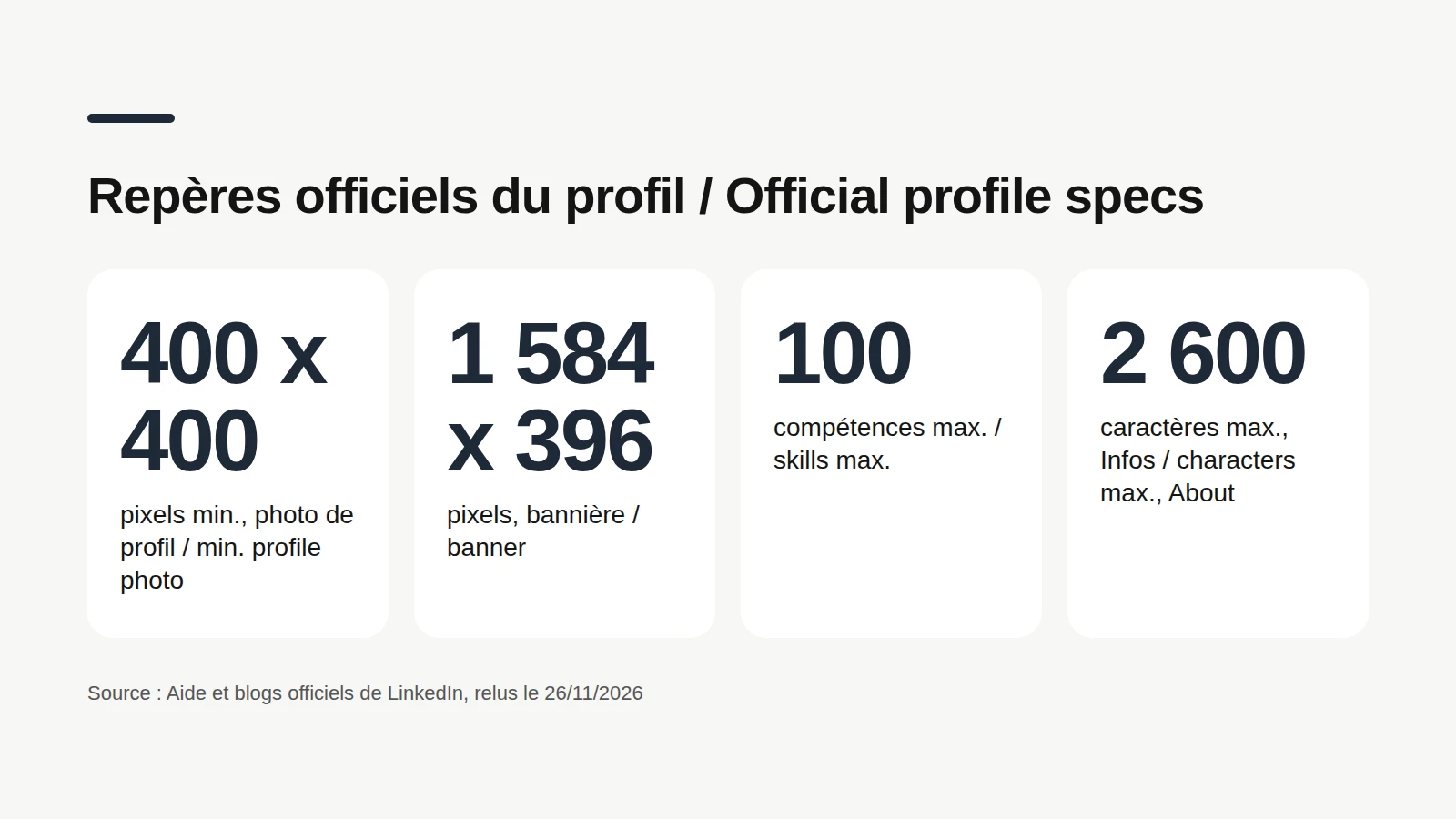
Photo first. LinkedIn's help center says members with a profile photo get up to 2X more profile views. That's LinkedIn's number, not ours, but it's a solid reason to ditch the grey silhouette. The rules are short. The photo has to look like you: an illustration of yourself is fine, a logo, landscape, pet, flag or childhood photo isn't. File-wise, the "Photo won't upload" help page gives 400 x 400 to 7680 x 4320 pixels, 8 MB max, PNG or JPG. No GIFs. LinkedIn's sales blog adds a framing tip: your face should take up around 60% of the picture. Recent, recognizable, wearing what you'd wear to work. The backlit festival selfie from 2019 can retire now. The banner (cover image) is 1584 x 396 pixels. LinkedIn suggests a photo or quote that captures your personality, a team moment, or a career milestone. If you're a freelancer, it's also prime space to say what you offer in one line.
Every LinkedIn image size
Profile photo, banner, Page logo, post images, video, documents: our LinkedIn post sizes guide lists every dimension with the help page that sets it.
🏷️ LinkedIn headline examples: before and after
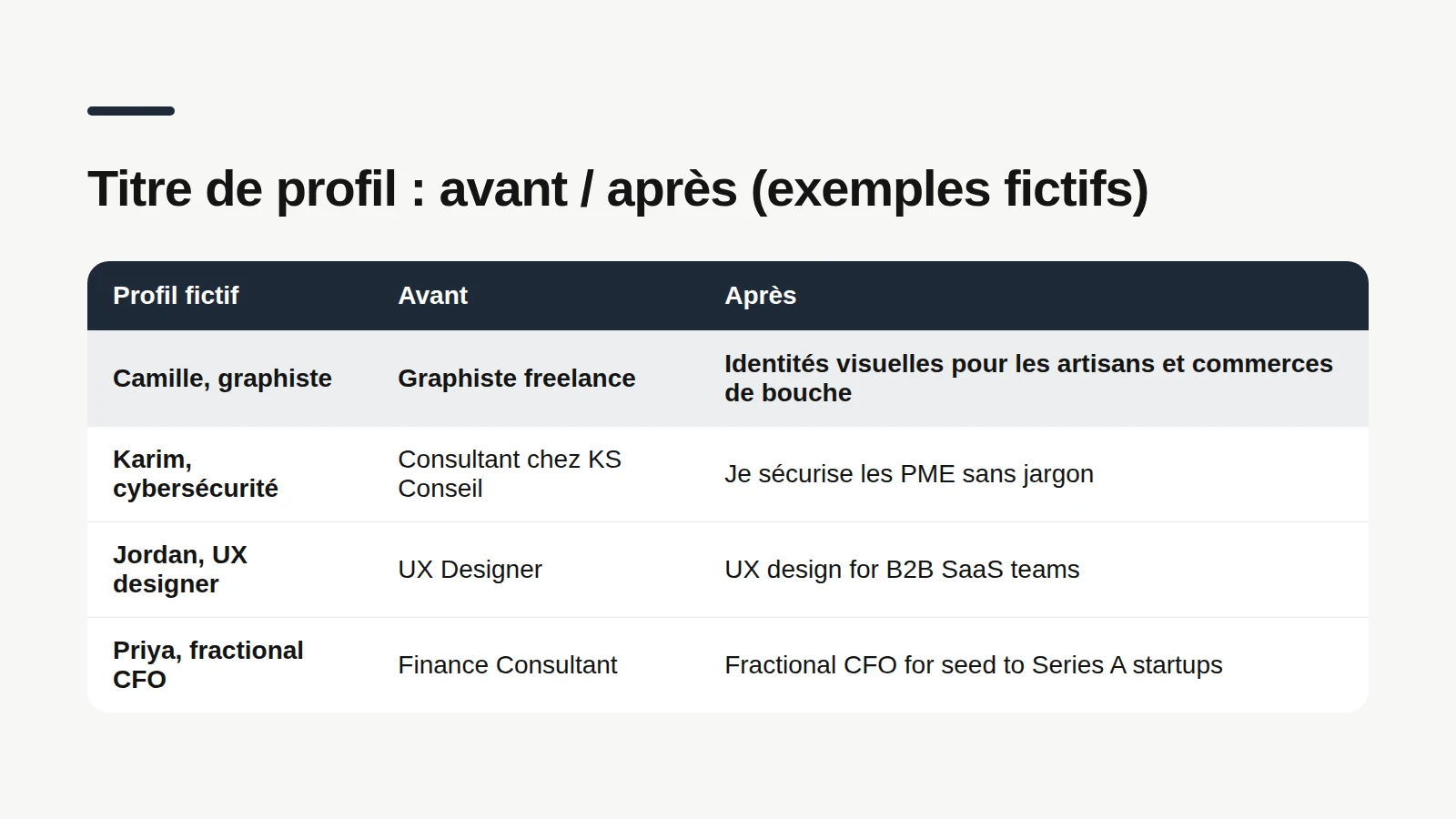
Your headline is the text right under your name. LinkedIn fills it in automatically when you add a job, which is why so many profiles read "Owner at My Company". But LinkedIn's help center is clear: you can rewrite it to promote an area of expertise. And it doesn't stay on your profile: it also shows in search results. A simple starting formula: who you help, what you deliver, and one proof point or detail that sets you apart. Three examples, all with made-up people: → Jordan, freelance UX designer. Before: "UX Designer". After: "UX design for B2B SaaS teams | Turning messy onboarding into products people finish setting up". → Priya, fractional CFO. Before: "Finance Consultant". After: "Fractional CFO for seed to Series A startups | Board-ready models, cash runway, fundraising prep". → Mike, solo SEO consultant. Before: "SEO Specialist at Mike Ross Consulting". After: "SEO for local service businesses | I help plumbers, dentists and law firms get found on Google". Keywords matter here: your headline shows in LinkedIn search, so use the words a client would actually type. To change it: Me icon, your profile, the Edit icon in your introduction section, the Headline field, then Save.
Five headlines to paste
Describe what you do and who for: the free LinkedIn headline generator emails you five headlines, each with its own angle.
✍️ Writing an About section people actually read
The About section is where you describe yourself in your own words, free of dates and titles. LinkedIn's help center says it should express your mission, motivation and skills, ideally in one or two paragraphs, with bullet points if prose isn't your thing. LinkedIn's Talent blog gives the hard limit: 2,600 characters. Put the point in your first sentence: it's the one people read before deciding to read the rest. Here's an example for Priya, our made-up fractional CFO: "I help seed to Series A founders stop guessing about cash. Before going fractional, I spent eight years in finance at venture-backed startups, the kind of place where the runway spreadsheet lives in someone's head. What I do: financial models, board reporting, fundraising prep, monthly cash reviews. How we start: a 30-minute call, then a one-page plan within a week. Best way to reach me: send a message here, I reply within two business days." Three blocks: who you help, where you come from, how to work with you. Weave in the keywords you want to be found for, the way you'd say them out loud. Nobody has ever signed a contract after reading "results-driven professional".
⭐ Featured, experience and services: show proof
Featured lets you showcase samples of your work to people who view your profile. According to LinkedIn's help center, you can pin your posts, your LinkedIn articles, links to your site or portfolio, and media: images, documents, presentations, videos. To add it: Add profile section, then Recommended, then Add featured. Once you have two items, you can reorder them. What goes first? Whatever proves your headline. A post about a client project, a case study on your site, a deck about your offer. Three well-picked items beat ten random ones. Then Experience. A title alone doesn't say what you do: describe your current role in a few sentences, with what you deliver and for whom, using the terms people search for. Freelancers can also list services on their profile (Add profile section, then Add services): a Service Page with a description and an optional starting rate, where potential clients can contact you for free, per LinkedIn's help center.

🧰 Skills, endorsements and recommendations
Skills do two jobs: they show your strengths and they get you found. LinkedIn's help center lets you add up to 100 in the Skills section, and your 1st-degree connections can endorse them. According to LinkedIn, endorsements increase the likelihood that you'll be discovered for opportunities related to that skill. You can also reorder them: put the ones you want to sell on top, not the ones from your 2012 internship. Recommendations are short testimonials written by a connection. You can request as many as you like, and you approve each one before it shows. One limit worth knowing: they display in chronological order and can't be reordered. If you're a freelancer, two or three client recommendations that describe a specific project carry more weight than ten "great to work with". Ask right after a project lands well, while it's fresh.
🔗 Custom URL, profile language and settings nobody touches
Does your LinkedIn URL look like linkedin.com/in/first-last-4a7b2c91? You can customize it: Me icon, your profile, then "Public profile & URL" on the right. LinkedIn's help center notes custom URLs are first come, first served, and you only get one at a time. A clean URL is easier to put on a business card, a resume or an email signature. Working with clients in another language? LinkedIn lets you create a profile in another language, though not from the mobile app. Visitors see the version that matches their LinkedIn language. Heads up: nothing is translated for you, you write every section yourself. One last setting before you edit anything: "Share profile updates", under Settings & Privacy, then Visibility. Turned on, it can notify your network about job changes. Turned off, you can tweak your profile in peace. Bonus for name-mispronouncers everywhere: LinkedIn's sales blog suggests recording your name pronunciation on your profile. Small detail, nice first impression.
Your profile gets the click. Your posts bring people back.
Never Boring AI's AI LinkedIn post generator writes your posts from your own stories, in your own voice, so people who land on your profile find activity that sounds like you.
🔁 Keep it alive: activity, AI tools and your posts
A perfect profile with zero activity is a shop window with the lights off. Your recent posts show in the Activity section, and posts are also a way people land on your profile: they read a post, click your name, read your headline. For context, at Never Boring AI: among the 20 LinkedIn accounts connected to our tool whose follower counts we track (latest reading for each between October 11 and November 26, 2026, users of a French product), half have between 1,096 and 5,432 followers, with a median of 1,938. These are our users' accounts, not LinkedIn as a whole, and the figure says nothing about what their profile brings them. It only shows the size of the accounts connected to the tool. Using ChatGPT or another AI tool to optimize your profile? Fine, with one rule from LinkedIn's own guidelines on AI-assisted content: review, edit and approve anything AI drafts, since you're responsible for what you post, and keep your own voice, perspective and experience in it. Paste your current headline and About, describe your target client, ask for three versions, then rewrite the one you like in your own words. A generic AI headline that could belong to anyone won't help you.
Your first post after the makeover
Start a post, set visibility, write, schedule: our how to post on LinkedIn guide follows LinkedIn's help center step by step.
✅ Your LinkedIn profile optimization checklist
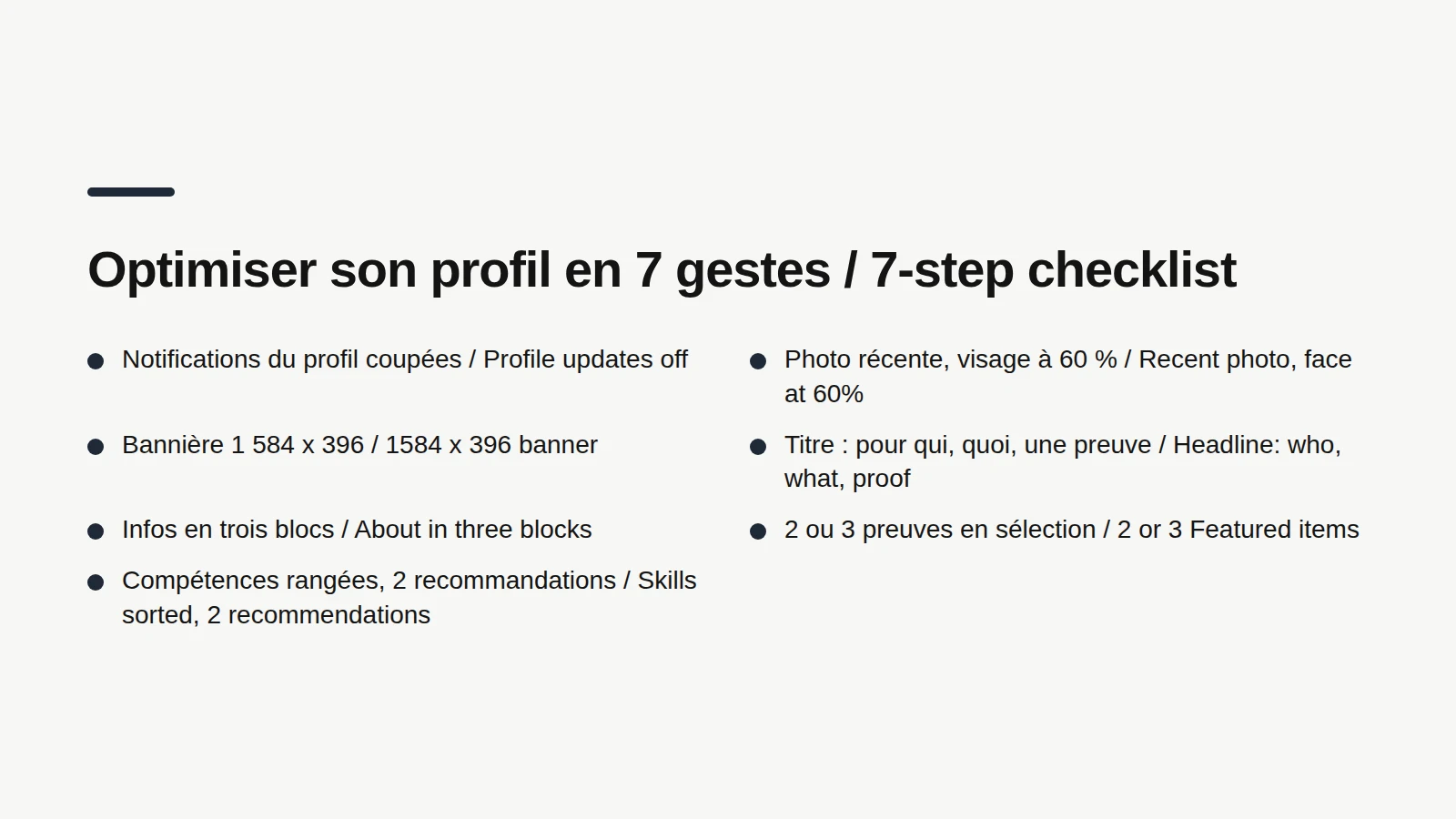
Got one hour? Do these seven steps in order: 1. Turn off "Share profile updates" if you don't want to notify your network. 2. Upload a recent photo where your face fills about 60% of the frame. 3. Add a 1584 x 396 banner that says what you offer. 4. Rewrite your headline: who you help, what you deliver, one proof point, with the keywords clients search for. 5. Write your About section in three blocks, with the point in the first lines. 6. Pin two or three proof points in Featured. 7. Reorder your skills and ask two clients for recommendations. Then read your profile like a stranger would. Better yet, run the free profile audit, which checks your photo, headline, About, current role and skills the way the public sees them.
Bottom line: a profile that talks to your clients
LinkedIn profile optimization boils down to a few things: a real photo, a headline that says who you help, an About section that makes people want to message you, a few proof points and well-ordered skills. It can fit in an hour. The hard part comes after: giving visitors a reason to come back, post after post. That's where Never Boring AI comes in. The AI agent builds your LinkedIn posting plan from your offer, your audience and your topics, then writes each post from your own stories. You review, you tweak, and it publishes at the time you choose. More than 250 users already rely on it. The trial is free, no credit card needed.
Your profile is ready. Your posts can be too.
Start your free Never Boring AI trial: your first LinkedIn posting plan, written from your own experience, no credit card. After that, Starter at €19 per month or Creator at €39 per month, VAT included, no commitment.
What questions come up most often?
The questions that keep coming up on this topic, and how we answer them.
Start at the top and work down: a recent photo, a 1584 x 396 banner, a headline that says who you help and how, an About section of one or two paragraphs, two or three items in Featured, a described current role, and up to 100 skills, per LinkedIn's help center. Turn off "Share profile updates" first if you don't want your network notified of job changes.
Read next
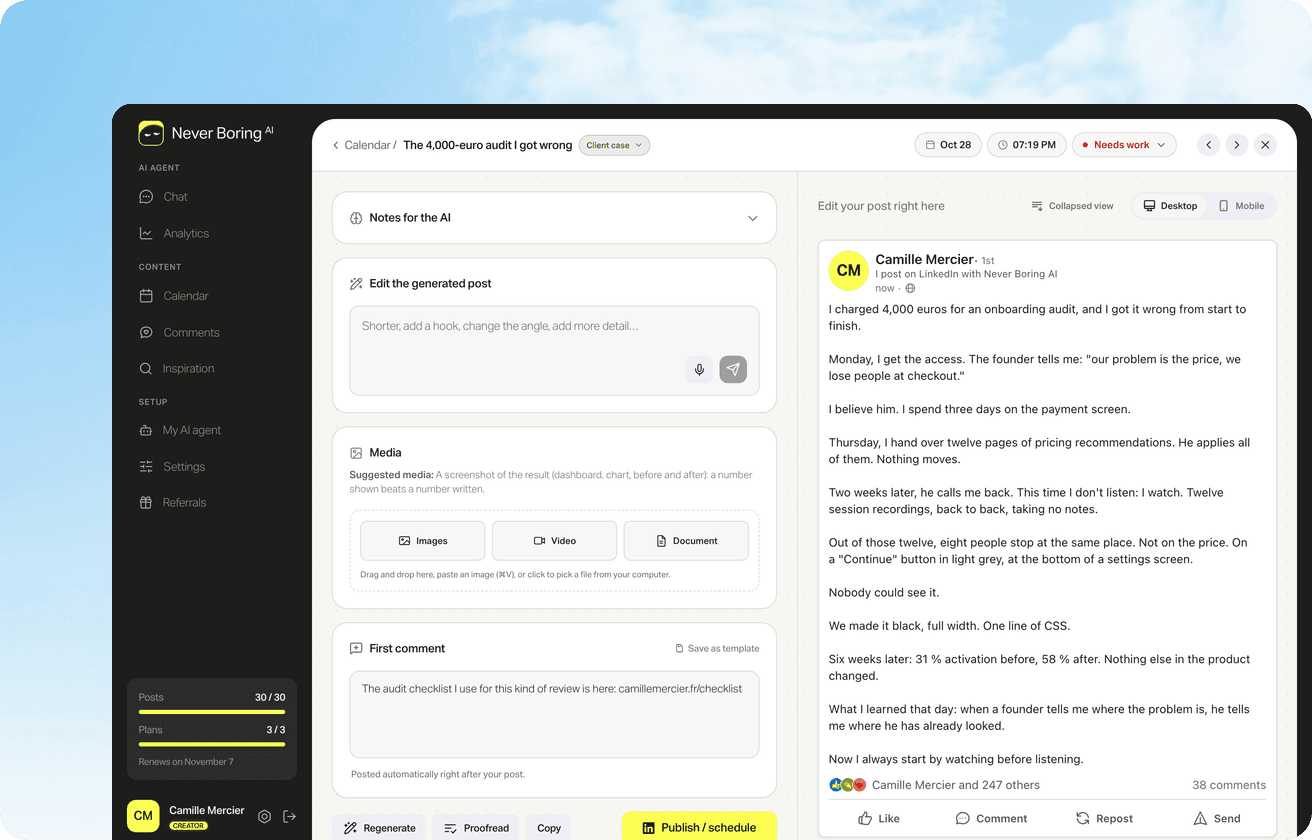
Your first content plan and your first 3 posts are on us
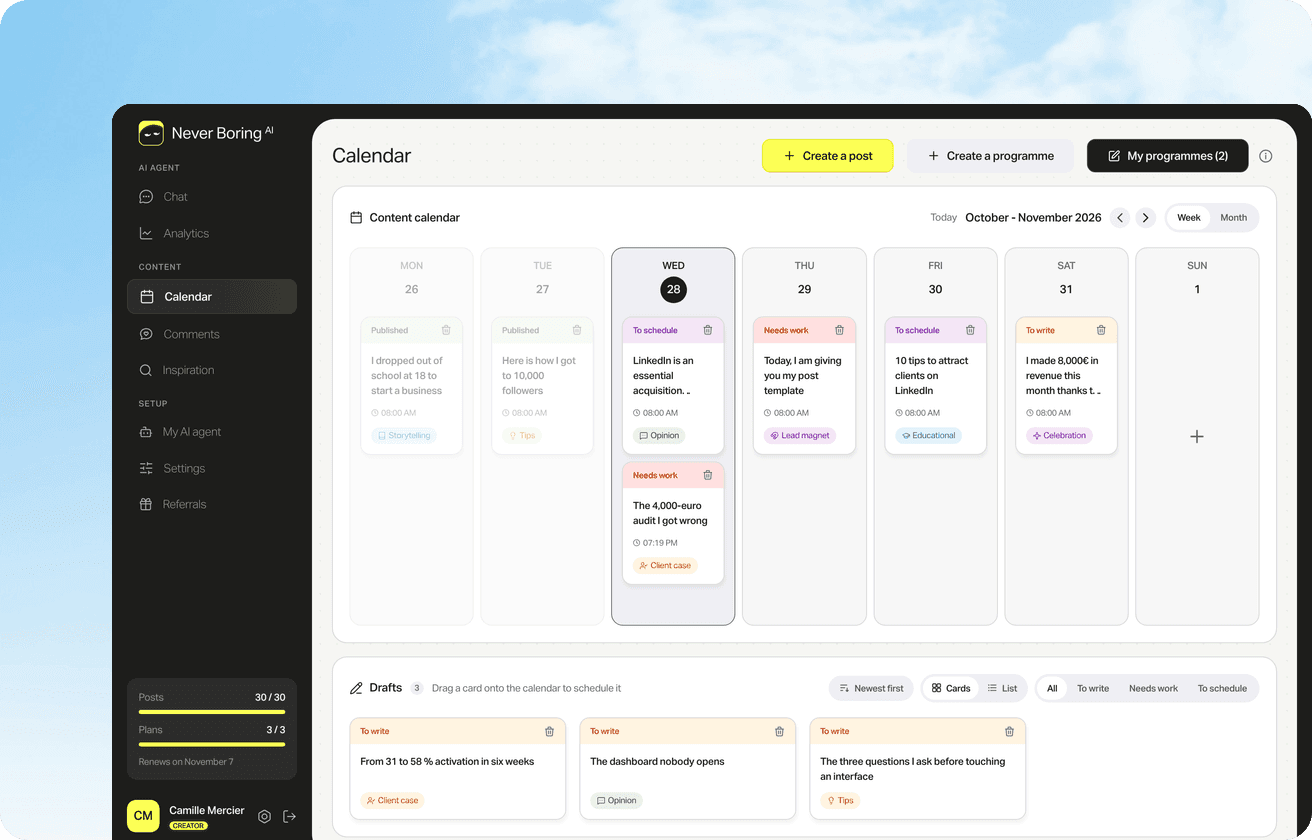
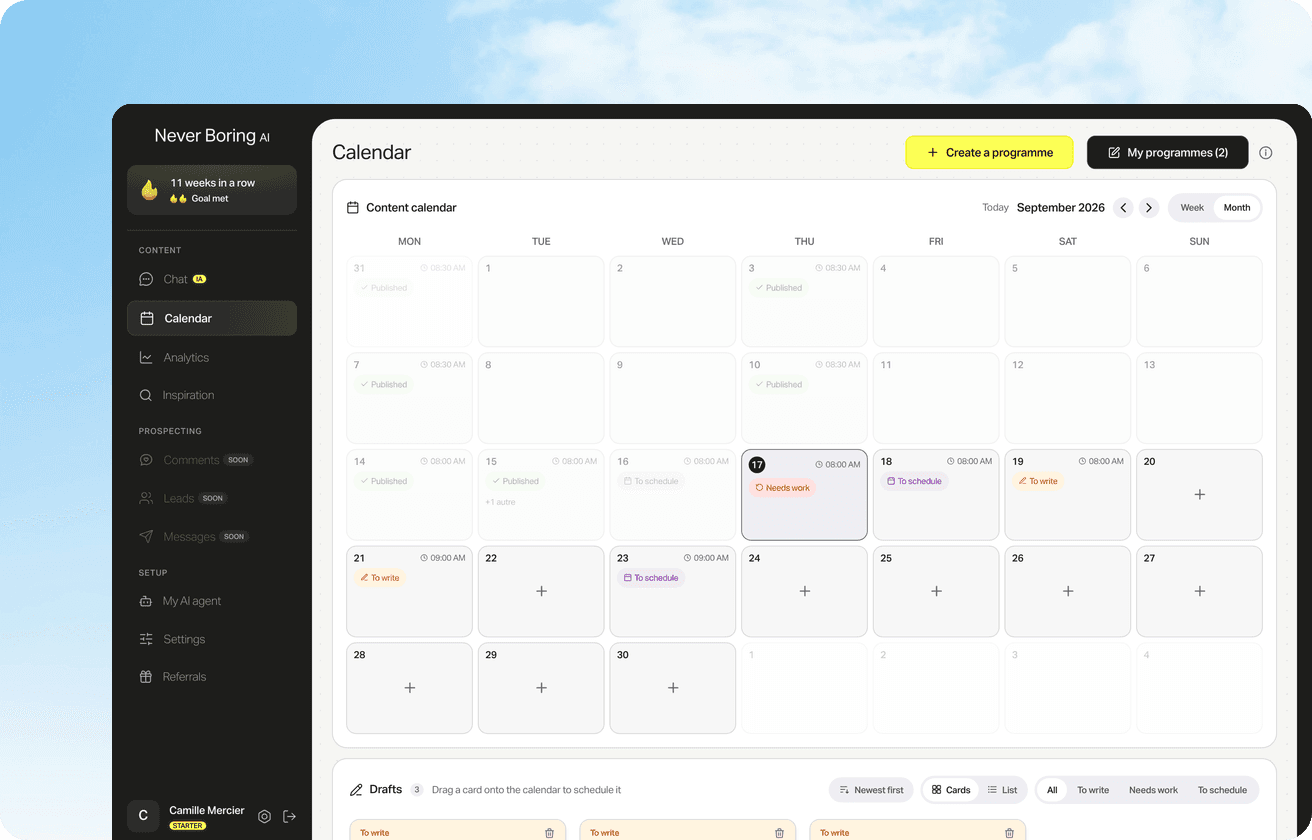
Create your account, no credit card needed, and walk away with your first post in minutes. Your LinkedIn calendar then runs on its own.


Already used by
264 founders